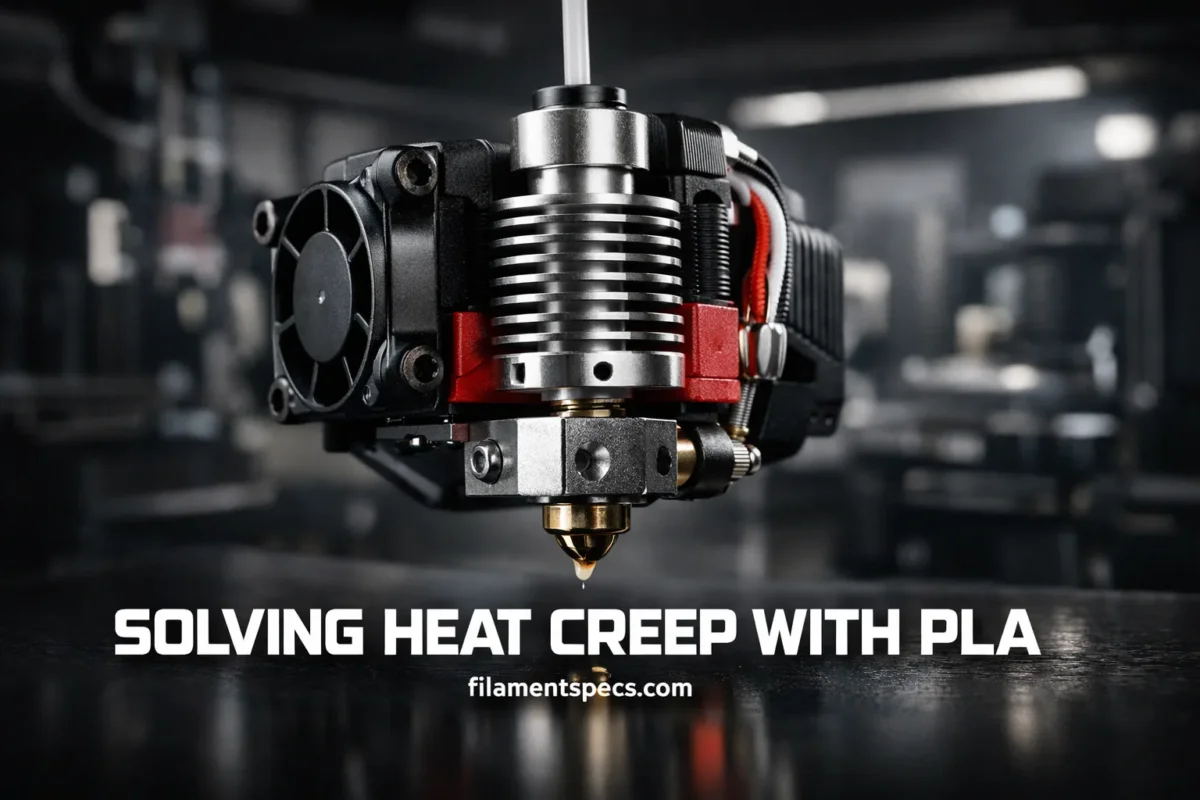
PLA heat creep is rarely a random failure. Most of the time, the print starts well, the nozzle looks normal, and then extrusion fades after the hotend has been working for a while. You hear clicking. Flow gets weak. The unloaded filament tip looks swollen or slightly mushroomed. The real fix is not guesswork. It is a clean thermal path, a cool heatsink, sane retraction, and just enough heat to melt PLA at the nozzle without letting it soften too high in the filament path.
| Print Pattern | What You Usually Notice | Most Likely Thermal Issue | Best First Move |
|---|---|---|---|
| Print starts clean, then under-extrudes later | Good first layers, weak flow after 10–60 minutes | Heat climbs up the heatbreak over time | Check the hotend fan, heatsink airflow, and enclosure heat |
| Clicks during travel-heavy parts | Extruder skips after many retractions | Softened PLA is being pulled upward and dragged in the transition zone | Reduce retraction distance and lower nozzle temperature slightly |
| Jam appears mostly with PLA | PETG or ABS may run, PLA jams sooner | PLA softens earlier, so the cold side has less thermal margin | Lower chamber heat and keep the cold side cooler |
| Filament unloads with a thickened tip | End of filament looks wider than normal | Softening started above the intended melt zone | Inspect the heatbreak cooling path and fan direction |
| Problem shows up in enclosed printers | Long PLA jobs fail more often with the door closed | Warm chamber air reduces heatsink cooling | Open the door or top cover and reduce bed heat if the print allows it |
| One PLA brand jams more than another | Same model, same g-code, different spool behavior | Different additives, flow behavior, and ideal nozzle temperature | Run a temperature tower and tune for that spool |
Table of Contents
🔍 What PLA Heat Creep Usually Looks Like
A true heat creep problem often has a very specific rhythm. The printer extrudes normally at first. Then the extruder begins to work harder, flow becomes inconsistent, and the machine may keep moving with little or no plastic coming out. You may also hear repeated clicking as the drive system loses its grip or skips under rising back pressure.
This is different from a failure that starts on the first layer. When PLA heat creep is the real cause, the printer usually needs time to soak with heat. That is why the jam often appears later in the job, after dense travel moves, many retractions, or a warm build chamber. In practical terms, the most useful clue is timing. Late failure matters. Mid-print flow loss is one of the strongest signals you can track.[a]
A pattern worth noticing: if the same g-code runs fine in a cooler room but jams in a warmer one, or runs fine with the enclosure open but fails with it closed, the thermal margin on the cold side is already too small.
🌡️ Why PLA Runs Into Heat Creep More Often
PLA has a smaller comfort zone than many people expect. It does not need to fully melt before it becomes a problem inside the hotend. Once it gets warm enough to enter a softer, rubbery state, friction rises fast. NatureWorks lists a typical PLA glass transition range around 55–60°C, which is why even moderate heat on the cold side can matter more than beginners think. That number explains a lot. The nozzle can be set correctly while the filament path above it is already too warm for clean feeding. Softened PLA is still a problem even before it becomes fully molten.[b]
This is also why PLA is sensitive to warm chambers, warm beds, weak heatsink airflow, and aggressive retraction. The material does not need a huge thermal mistake. It only needs enough stray heat to soften too early.
🧩 Where the Problem Starts Inside the Hotend
The hotend has three thermal jobs happening at once. The heater block stores and delivers heat to the nozzle. The heatbreak separates the hot side from the cold side. The heatsink removes stray heat before that warmth can travel upward and soften the incoming filament. When that separation is working, the melt zone stays low and short. When it is not, the soft zone creeps upward.
E3D’s hotend breakdown describes the transition very clearly: filament stays solid in the cold side, softens in the heatbreak, then becomes a viscous melt near the hot side. They also note that softening material can deform and adhere to the heatbreak walls, which is one of the most common routes to a clog when the transition zone becomes too long. That single detail explains why heat creep jams feel sticky and stubborn rather than sudden. The trouble starts in the transition zone, not at the nozzle tip alone.[c]
What Changes Inside the Filament Path
- Cold side: filament should stay rigid enough to slide cleanly.
- Heatbreak: filament should soften only in a short section.
- Hot side: filament should finish melting where pressure is expected.
- Heat creep: that soft zone climbs upward and creates drag before extrusion.
⚙️ What Usually Triggers It
A Weak, Dirty, or Backward Hotend Fan
If the fan that cools the heatsink is weak, obstructed, wired incorrectly, or simply spinning the wrong way, the printer loses the one thing that keeps the cold side cold. Prusa notes that the hotend fan should start once the hotend reaches 50°C and keep running for the full print, and they warn that a non-working fan can lead to jams after the first few layers. They also explicitly point out that fan direction matters. Airflow through the heatsink matters more than fan noise, fan brand, or guesswork.[d]
A Warm Chamber Around a Low-Temperature Material
PLA usually likes cooling, not trapped heat. Bambu Lab advises opening the door or removing the top cover on enclosed printers for softer filaments such as PLA and PETG, and also suggests reducing bed temperature when possible to limit heat buildup. That advice lines up with real-world behavior: a chamber that feels only mildly warm can still reduce heatsink efficiency enough to push PLA into the soft zone too early. Enclosure heat is often the hidden cause on long PLA jobs.[e]
Too Much Retraction or More Nozzle Heat Than the Spool Needs
Prusa’s troubleshooting for stringing points to two settings that show up again and again in heat creep cases: very high nozzle temperature and incorrect retraction. Both make sense. More nozzle heat pushes the melt zone upward. More retraction pulls softened material back toward the cooler part of the heatbreak, where it can widen, drag, and start a plug. Long travel-heavy models make this worse because the cycle repeats hundreds or thousands of times. Every extra retraction has a thermal cost when PLA is already close to its softening range.[f]
🛠️ Slicer Fixes That Usually Help First
The safest way to tune this problem is to remove one source of heat at a time. Do not change six things together. A clean sequence gives you a real answer.
- Lower nozzle temperature in small steps. Move down by 5°C at a time. If the spool still bonds layers well and surface finish stays clean, keep the lower setting.
- Reduce retraction distance before changing speed. Distance is usually the bigger lever because it decides how far softened PLA is dragged upward.
- Raise the minimum travel before retraction if your part has many short hops. That cuts pointless retract-unretract cycles.
- Use “only retract when crossing perimeters” or similar travel controls if your slicer offers them.
- Keep PLA inside its real working range for that spool. Generic guidance is only a starting point. Pigments, additives, nozzle type, and print speed all shift the best number.
Polymaker lists a general PLA hotend range of 180–220°C and notes that excessive heat can lead to stringing and potential heat creep clogging. That is why a temperature tower still matters, even for “easy” PLA. One spool may be happy at 195°C. Another may need 210°C. The right number is the lowest stable temperature that still gives clean extrusion and good layer bonding for your exact spool.[g]
Retraction note: Prusa’s own presets show how much filament path matters. Their direct-drive MK2.5/S and MK3/S/+ guidance keeps retraction at a maximum of 2 mm, while the Bowden-based MINI/MINI+ uses a much longer default value. The lesson is simple: safe retraction is not universal. It depends on the feed path.
🔧 Hardware Checks That Matter More Than Most Settings
- Verify the hotend fan turns on at operating temperature. Do not assume. Watch it.
- Confirm airflow direction. The fan must push air through the heatsink, not away from it.
- Clean dust from the fan and heatsink fins. A spinning fan is not enough if airflow is weak.
- Inspect any shroud, sock, or toolhead cover changes. Small airflow changes can move a working setup into a failure zone.
- Re-check the hotend after any disassembly. If you changed the heatbreak, nozzle, or heatsink interface, verify the parts are seated correctly and assembled to spec.
- Watch extruder motor temperature on enclosed machines. Extra heat near the filament path adds to the same problem.
Hardware faults often hide behind “bad filament” or “bad slicer settings.” A tired fan, a dusty heatsink, or a partially blocked airflow path can undo all the fine tuning you do in software. Stable PLA printing needs a cool cold side. That rule does not change.
🧰 How to Clear a PLA Heat Creep Jam Without Guessing
Once the jam has formed, stop changing slicer settings for a moment. First restore a clean filament path. Tuning on top of a half-clogged hotend wastes time.
Start With the Least Invasive Method
- Cancel the print and let the machine cool enough to work safely.
- Open the enclosure if you have one and give the hotend area fresh air.
- Heat the nozzle back to the correct unload temperature for the material inside.
- Unload filament and inspect the tip. A widened or stepped tip often supports the heat creep diagnosis.
- If the nozzle is only partially clogged and some filament still extrudes, do a cold pull.
Prusa describes the cold pull as a cleaning method for material or burnt residue stuck inside the nozzle and hotend, and they say it works best when the nozzle is only partially clogged and some extrusion is still possible. That is the right moment to use it. Not later. Use the gentlest method first while the obstruction is still removable.[h]
When a Cold Pull Is Not Enough
If the nozzle is fully blocked, or the filament cannot reach the nozzle at all, move to a dedicated unclogging procedure instead of repeating cold pulls. Prusa’s clog guidance treats a cold pull as a good first step only when loading and unloading still work, and then moves toward higher-temperature clearing methods when the clog is more stubborn. In short: do not force it. A partial jam and a full blockage are not the same repair job.[i]
A Practical Recovery Order
- Clear the jam.
- Verify the fan and airflow path.
- Reduce chamber heat.
- Lower nozzle temperature slightly.
- Reduce retraction distance.
- Retest with a small model that includes many travel moves.
🧪 Print Habits That Keep PLA Out of Trouble
- Use only as much bed heat as the print needs. Extra bed temperature can warm the chamber for no benefit.
- Keep enclosed printers open for PLA when the machine design allows it.
- Dry PLA if storage has been poor or the spool has sat out for a long time. This removes one more variable during diagnosis.
- Run a temperature tower for each new PLA family. Matte PLA, silk PLA, PLA+, mineral-filled PLA, and high-speed PLA can behave differently.
- Re-test after nozzle or hotend changes. A new nozzle material or new flow geometry can shift the best temperature.
- Do not assume the default profile is perfect for every room, every summer day, or every enclosure.
Bambu Lab’s drying recommendations include lower drying temperatures for PLA than higher-heat materials, which fits the material’s low softening margin. Drying does not cure a dead fan or a hot chamber, though. It simply removes moisture as a second source of bad extrusion behavior, making your diagnosis cleaner and your tuning steps more reliable. Dry filament helps, but cooling still decides heat creep.[j]
❓ FAQ
Can PLA heat creep happen even when the nozzle temperature is inside the normal PLA range?
Yes. Heat creep is not only about the nozzle target. It happens when too much heat reaches the cold side or heatbreak area, so PLA softens earlier than intended. A printer can show heat creep even with a reasonable nozzle setting if the heatsink fan is weak, the chamber is warm, or retraction is too aggressive.
Why does the print fail later instead of on the first layer?
Because heat creep often builds over time. The hotend, heatsink, toolhead, and chamber gradually soak with heat during the print. That is why many PLA heat creep problems appear after the printer has already been running well for a while.
Does opening the enclosure really help PLA?
Very often, yes. PLA prefers a cooler environment than many engineering materials. Lower chamber heat helps the heatsink remove stray heat and keeps the transition zone shorter.
Is more retraction always better for stringing?
No. Too much retraction can trade stringing for heat creep. With PLA, a long retraction distance can pull softened material upward into the wrong thermal zone and make a plug more likely.
How can I tell the difference between wet PLA and heat creep?
Wet PLA often adds popping, bubbles, rough surfaces, and extra stringing. Heat creep more often shows up as late-print under-extrusion, clicking, or a jam that follows heat buildup in the hotend. The two can appear together, so it helps to dry the spool and then test the cooling side separately.
📚 Sources and Notes
- [a] Prusa Knowledge Base — Extrusion Stopped Mid-Print (Heat Creep) — used for the late-print symptom pattern and the “printer keeps moving but stops extruding” behavior (official manufacturer support documentation).
- [b] NatureWorks Ingeo 3052D Technical Data Sheet — used for typical PLA glass transition data around 55–60°C and related thermal context (official polymer producer technical data sheet).
- [c] E3D — Anatomy of a 3D Printer HotEnd — used for heatsink, heatbreak, heater block, and transition-zone behavior inside the hotend (official hotend manufacturer engineering explainer).
- [d] Prusa Knowledge Base — Hotend Fan Is Not Spinning — used for the hotend fan activation point, print-time operation, and airflow direction checks (official manufacturer support documentation).
- [e] Bambu Lab Wiki — How to Avoid Nozzle Clogs — used for enclosure-open advice and reducing bed temperature for softer materials such as PLA when possible (official manufacturer wiki).
- [f] Prusa Knowledge Base — Stringing and Oozing — used for the relationship between high temperature, retraction, stringing, and related tuning changes such as lowering nozzle temperature by 5–10°C (official manufacturer support documentation).
- [g] Polymaker Wiki — Printing Temperature — used for the generic PLA temperature range and the note that excessive heat can contribute to heat creep clogging (official filament manufacturer wiki).
- [h] Prusa Knowledge Base — Cold Pull — used for the proper use of cold pulls on partial clogs and routine hotend cleaning (official manufacturer support documentation).
- [i] Prusa Knowledge Base — Clogged Nozzle/Hotend — used for the distinction between simple cold-pull cases and more stubborn full clog recovery steps (official manufacturer support documentation).
- [j] Bambu Lab Wiki — Filament Drying Recommendations — used for PLA drying context and lower-temperature drying behavior compared with higher-heat materials (official manufacturer wiki).