| Visible Symptom | What Is Usually Happening | Most Often Seen With | Check First |
|---|---|---|---|
| Corners start lifting after several layers | The part is shrinking as it cools, and internal stress is beating the grip of the first layer. | ABS, ASA, PC, Nylon, PP, large flat PETG parts | Ambient drafts, bed temperature, brim, part geometry |
| First line will not stay down | The first layer is too high, the plate is dirty, or the surface is wrong for the material. | All materials | Plate cleaning, Z offset, first-layer squish |
| Center sticks but edges peel on a large part | The base area is too large for the material’s shrink behavior, especially with sharp corners. | ABS, ASA, PC, PP, Nylon | Brim, enclosure, rounded geometry, lower stress design |
| Print grips the plate too hard | The material is bonding too strongly to that surface; this is an over-adhesion issue, not a low-adhesion issue. | PETG, PC Blend, soft TPU on some PEI surfaces | Use a separation layer or a different build surface |
| Base looks rough, bubbly, or inconsistent | Wet filament is extruding poorly, so the first layer cannot form a clean, even contact patch. | Nylon, PC, filled engineering grades | Dry the spool and print from a dry box if needed |
| Base stays stuck but upper walls crack or split | The plate grip was fine; the real issue is thermal stress higher in the part. | ABS, ASA, PC, some nylons | Enclosure, fan reduction, draft shield, chamber warmth |
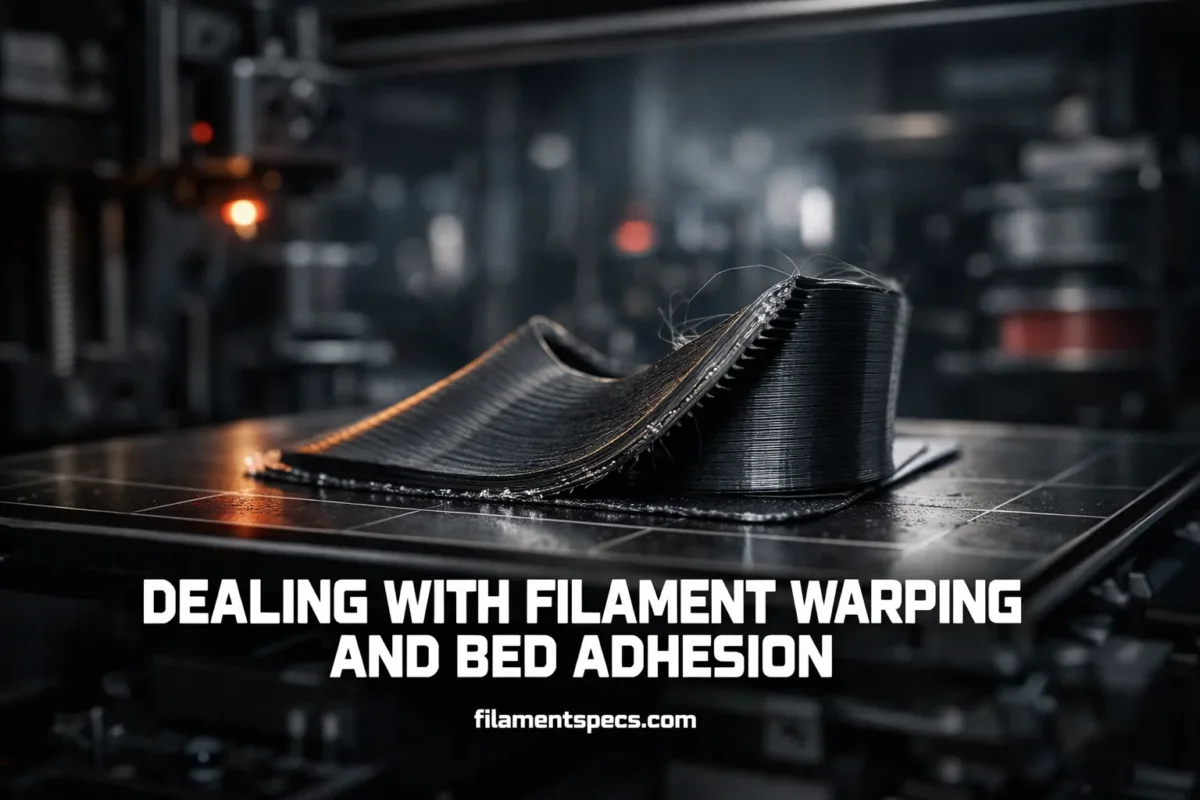
Warping starts before the corner visibly lifts. The bed is trying to hold the part flat while each fresh line cools, shrinks, and pulls against the lines below it. That is why bed adhesion and warping control are related but not identical. You can have a sticky plate and still get corner lift, and you can also have the opposite problem: a material that sticks too well to the wrong surface and becomes hard to remove.[a]
Useful distinction: A print that fails in the first few lines usually has a first-layer problem. A print that starts well and lifts later usually has a thermal stress problem.
Table of Contents
🧩 What Warping and Bed Adhesion Actually Mean
Bed adhesion is about whether the first layer can bond to the build surface with enough strength and uniformity. Warping is about whether the printed part builds enough internal shrink stress to bend upward as it cools. Those are different failure modes, even when they show up in the same print.
That distinction matters because it changes the fix. If the nozzle is too high, the plate is greasy, or the first layer is not flattened enough, the answer is usually calibration and surface prep. If the first layer looks good and the part still lifts later, the answer is usually heat management, not “more glue.” On some materials, especially PETG and PC blends on certain PEI surfaces, a glue stick is better used as a release layer than as extra grip.[c]
What a Good First Layer Looks Like
- Lines are flattened into each other, with no visible gaps.
- The surface looks even, not rope-like.
- The filament is not scraped so thin that the edges curl upward.
- The nozzle is not dragging excess material across the bed.
🌡️ Why Warping Starts Before You See It
The root cause is non-uniform cooling. A fresh strand is deposited hot. The layers below are cooler. That temperature gap creates shrink stress, and the stress has to go somewhere. When it cannot relax evenly, the part bends upward at the edges or corners. In semi-crystalline polymers, crystallization makes the shrink behavior stronger, so these materials tend to be harder to keep flat than low-crystallinity or amorphous grades.[h]
This is why a print can start beautifully and then fail later. The bed may have done its job, but the part kept accumulating stress layer by layer. In material-dependent FDM studies, bed temperature repeatedly shows up as one of the biggest levers for warpage control, and the best settings change with the polymer family rather than following one universal rule.[g]
Airflow changes the picture too. A cold draft across one side of an ABS, ASA, or PC print is enough to turn a stable first layer into a lifting corner later on. That is why open-room success with PLA does not transfer cleanly to engineering filaments. The material is different. The thermal window is different. The failure mode is different.
🧪 How Material Family Changes the Problem
| Material Family | Typical Nozzle Range | Typical Bed Range | Warping Risk | Bed Adhesion Note |
|---|---|---|---|---|
| PLA | 185–235 °C | 50–60 °C | Low | Satin and smooth PEI are common starting surfaces. |
| PETG | 215–270 °C | 70–90 °C | Low to Moderate | Can bond too strongly to smooth PEI; separator use may be wise. |
| ABS | 230–255 °C | 95–110 °C | High | Usually likes glue-backed PEI and a warm, draft-free build area. |
| ASA | 220–275 °C | 90–110 °C | High | Often easier than ABS, but still benefits from enclosure use. |
| PC / PC Blend | 270–275 °C | 100–115 °C | High | Usually wants a separation layer and calmer thermal conditions. |
| PA / Nylon | 240–285 °C | 70–115 °C | Moderate to High | Moisture control matters as much as plate prep. |
| PP | 220–245 °C | 70–100 °C | Very High | Usually needs PP-specific surface prep or a PP sheet/tape. |
| TPU / Flex | 220–260 °C | 40–85 °C | Low | Soft grades may stick too hard to some PEI sheets. |
These are solid starting ranges, not universal presets. Brand chemistry, fillers, printer design, and surface type still matter.[i]
For everyday printing, PLA is usually the least dramatic. PETG is still fairly forgiving, though it changes the conversation because it can over-stick. ABS, ASA, PC, Nylon, and PP bring much more thermal stress into the print, so the bed, the chamber, and the model shape all matter more.
Filled grades deserve a separate note. Carbon- and glass-filled materials often gain better dimensional stability and tend to warp less than their unfilled counterparts, but they do not solve every problem. Layer-to-layer bonding can become weaker, the filament can turn more brittle, and abrasive wear becomes a real nozzle issue, so hardened hardware is usually the safer path.[j]
- PLA
- Usually low warp, easy bed behavior, broad printer compatibility.
- PETG
- Low warp, good toughness, but surface choice matters because release can become the bigger problem.
- ABS / ASA
- Classic corner-lift materials. Warm ambient conditions and low drafts matter a lot.
- PC / Nylon / PP
- These ask for better thermal control, cleaner moisture control, and more realistic part geometry.
🛠️ Fix Order That Saves the Most Time
Random tweaking wastes spools. A better approach is to start with the checks that fail most often and take the least time.
- Clean the correct surface the correct way. Finger grease, leftover adhesive, and the wrong cleaner for the sheet can ruin first-layer consistency. On satin PEI, cold-sheet IPA cleaning is common, and dish soap is the next step when IPA is not enough.[e]
- Re-check first-layer height visually. You want the line flattened, not rounded and not crushed. If it still looks good, stop trying to fix the print by squishing the nozzle lower and move to the next cause instead.[b]
- Match the build surface to the material. PETG, PC, Nylon, and PP do not all want the same plate behavior. Some want more grip. Some want a separator. Some want a material-specific sheet.
- Raise the bed only within the material’s sane range. Too low gives weak grip. Too high can make release messy, soften the base too much, or distort the bottom edge.
- Reduce early cooling and stray airflow. For warp-prone materials, the first layers should not be shocked by fan or room draft.
- Add a brim before you add a raft. A brim is lighter, faster, and very often enough. Draft shields are also useful with ABS, ASA, and similar materials because they build a warmer microclimate around the part.[d]
- Only then change model strategy. If a huge, sharp-cornered rectangle in PC or PP keeps lifting, that may be a design stress problem more than a slicer problem.
Common mistake: using more adhesive when the first layer already looks right. Once the first layer is correct, later corner lift usually points back to shrink stress, airflow, geometry, or moisture.
⚙️ Settings That Change the Result Most
Bed Temperature
Bed temperature is not just a “stickier plate” dial. It changes how sharply the lower layers cool, and that changes internal stress. On warp-prone materials, it is one of the first settings worth revisiting, especially after surface prep and first-layer calibration are already ruled out.[g]
First-Layer Height, Width, and Speed
A slower, wider, properly squished first layer gives the part a larger and more even contact patch. That does not mean “bury the nozzle.” It means consistent contact. If the line is too round, it releases too easily. If it is too crushed, extrusion gets messy and the part can still fail.[b]
Cooling and Early Layers
PLA tolerates active cooling far better than ABS, ASA, PC, or Nylon. For engineering materials, aggressive part cooling in the early build can make the outer edges contract faster than the rest of the base. That is exactly what corner lift needs.
Brim, Draft Shield, and Raft
A brim is the normal first move because it increases contact area with little penalty. A draft shield is more than a slicer extra; it can act like a local thermal wall around the part. Rafts still have a place, though they are usually the second or third move rather than the first one.[d]
Layer Height and Internal Mass
Many users assume thinner layers always help warping because the print “looks finer.” Real FDM studies are more nuanced. Very low layer heights can raise warpage in some setups, and large dense parts can store more shrink stress simply because there is more hot material packed into the shape. That is one reason a full-bed engineering print behaves very differently from a small bracket, even with the same filament.[f]
📐 When Geometry Is the Real Cause
Some shapes almost invite lifting. Large flat rectangles, long straight edges, dense solid bottoms, and sharp 90-degree corners concentrate shrink stress. Rounded footprints, smaller islands of contact, thinner walls where possible, and less massive interiors usually behave better. That is why a small ABS clip can print easily while a large flat ABS lid keeps curling at the corners.
PC makes this especially obvious. Manufacturer guidance for PC blends repeatedly points out that round edges warp less, large full-bed parts are poor candidates, and dense infill or too many perimeters can raise the risk of separation from the print surface. The design itself can be the hidden variable.[f]
Geometry Moves That Often Help
- Round or chamfer sharp outside corners at the base.
- Split very large flat parts into smaller sections when appearance allows it.
- Reduce unnecessary solid mass in the base region.
- Use a brim on parts with narrow contact patches.
- Keep tall thin walls away from room drafts.
💧 Why Dry Filament Matters More Than Many People Expect
Wet filament does more than hiss and string. It can make the first layer rough, bubbly, under-packed, and inconsistent, which reduces the real contact area between the part and the bed. On hygroscopic materials, a print that looks like “bad adhesion” can actually be a moisture problem wearing an adhesion mask.
Nylon is the classic example. Prusa notes that polyamide can absorb water heavily and that wet Nylon produces bubbles and uneven layers. Polymaker’s PA6-CF data sheet goes further and recommends dry-use conditions below 20% RH, with its own material-specific temperature and surface recommendations. That is the real lesson: drying is not generic. It is brand- and polymer-specific, so the spool label or technical sheet should always outrank forum folklore.[n]
Filled nylons make the point even more clearly. Polymaker’s PA12-CF processing guide recommends 80 °C for 12 hours if moisture has been absorbed, while PA6-CF uses a different handling profile. One “dry all filaments the same way” habit is not enough once you move into engineering grades.[o]
Short version: if Nylon, PC, or another engineering spool starts giving random first-layer texture, weak bed grip, small bubbles, or rough walls, drying the spool can change the result more than another round of slicer tweaking.
❓ FAQ
Is warping always caused by low bed temperature?
No. Low bed temperature is only one cause. Dirty build surfaces, poor first-layer squish, room drafts, wet filament, sharp-corner geometry, and large dense parts can all push a print into corner lift.
Why does PETG sometimes stick too well instead of not sticking enough?
PETG can bond very strongly to some PEI surfaces. In that situation the fix is often a separator layer or a different plate, not more adhesion.
Are brims better than rafts for most warping problems?
Most of the time, yes. A brim adds contact area with less print time, less material, and easier cleanup. Rafts are still useful, but they are not the first move for most ordinary corner-lift cases.
Does drying filament really improve bed adhesion?
On hygroscopic materials, absolutely. Dry filament extrudes more evenly, lays down a cleaner first layer, and keeps the base more uniform. Nylon is the clearest example, but it is not the only one.
Which filament families are usually the easiest if I want fewer warping issues?
PLA is usually the easiest starting point, followed by PETG for many users. ABS, ASA, PC, Nylon, and PP ask for tighter control of bed temperature, ambient temperature, surface choice, and airflow.
References
- [a] Prusa Knowledge Base — Warping — Used for the link between thermal shock, shrinkage, corner lift, glue/separation behavior, and general warping logic. (Reliable because it is an official printer and materials knowledge base maintained by a major FFF manufacturer.)
- [b] Prusa Knowledge Base — First Layer Calibration (i3) — Used for correct first-layer appearance, sheet-specific calibration, and the “flattened but not crushed” rule. (Reliable because it is official calibration documentation tied directly to machine setup.)
- [c] Prusa Knowledge Base — PETG — Used for PETG’s low-warp behavior, heated-bed expectations, and the warning that adhesion can be too strong on smooth PEI. (Reliable because it is an official material profile page based on supported print practice.)
- [d] Prusa Knowledge Base — Skirt and Brim — Used for brim use and draft shield behavior around warp-prone materials. (Reliable because it is official slicer documentation from the same ecosystem that maintains the print profiles.)
- [e] Prusa Knowledge Base — Satin Steel Sheet — Used for sheet cleaning, grease reduction, glue use with flex, and the effect of dirty surfaces on adhesion. (Reliable because it is official maintenance guidance for a specific build surface.)
- [f] Prusa Knowledge Base — Polycarbonate (PC) — Used for PC warping behavior, enclosure value, round-edge geometry, infill/perimeter effects, and separation layer guidance. (Reliable because it is an official material page focused on print behavior and supported starting conditions.)
- [g] Polymers — Material-Dependent Effect of Common Printing Parameters on Residual Stress and Warpage Deformation in 3D Printing — Used for bed temperature influence and material-specific warpage behavior in FDM/FFF. (Reliable because it is a peer-reviewed journal article from an established academic publisher.)
- [h] Scientific Reports — Tailoring the Composition of Biocopolyester Blends for Dimensionally Accurate Extrusion-Based Printing — Used for the link between crystallization shrinkage, temperature difference, and warpage tendency. (Reliable because it is a peer-reviewed article on a major academic publishing platform.)
- [i] Prusa Knowledge Base — Filament Material Guide — Used for cross-material nozzle and bed starting ranges and surface notes. (Reliable because it is an official material matrix maintained for printer users.)
- [j] Prusa Knowledge Base — Composite Materials (Filled With Carbon, Kevlar or Glass) — Used for the trade-off between lower warping, better dimensional stability, weaker interlayer bonding, and abrasive nozzle wear. (Reliable because it is an official supported-material article.)
- [n] Polymaker — PolyMide PA6-CF Technical Data Sheet — Used for dry-use handling below 20% RH, processing temperatures, and moisture sensitivity. (Reliable because it is a manufacturer technical data sheet for a named material.)
- [o] Polymaker — PolyMide PA12-CF Processing Information Sheet — Used for PA12-CF drying and handling guidance after moisture absorption. (Reliable because it is an official processing sheet written for a specific product family.)