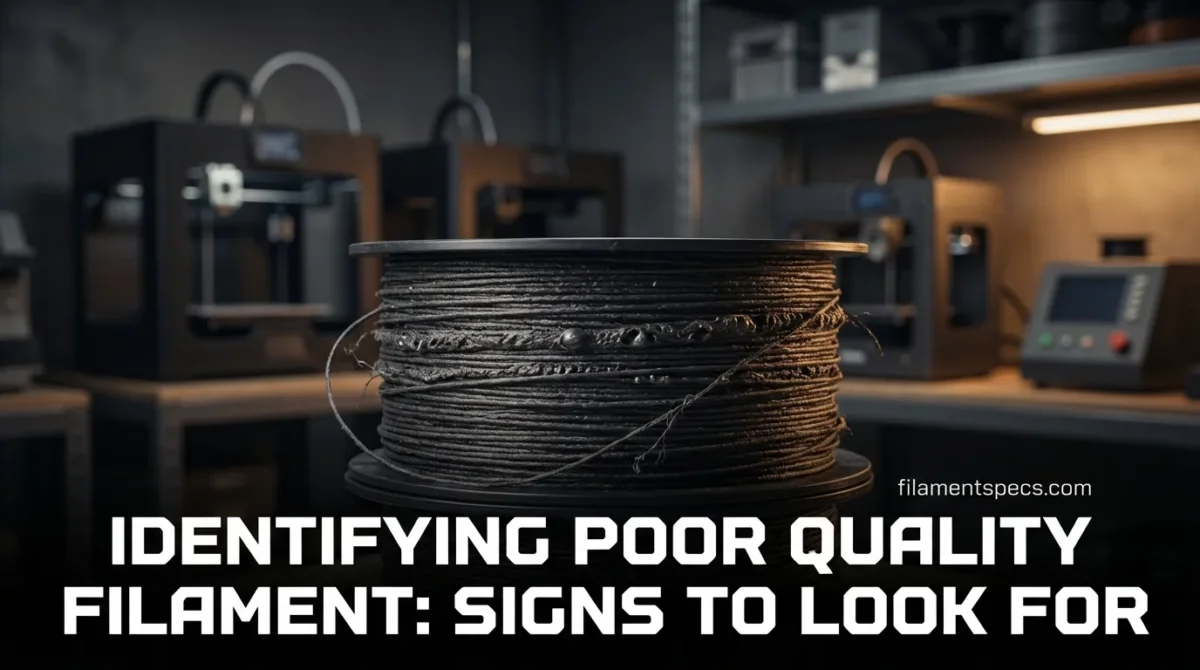
Poor-quality filament usually announces itself long before a print fully fails. You can spot it on the spool, hear it at the nozzle, and even feel it while feeding. This guide focuses on observable signs and the material reasons behind them, so you can separate “needs a profile tweak” from “this spool is unreliable” without guessing.
| Where You Notice It | Sign to Look For | What It Often Indicates | How It Shows Up While Printing | Most Useful Next Check |
|---|---|---|---|---|
| On the strand (unprinted) | Specks, grit, or shiny “chips” | Contamination (dust, unmelted pigment, foreign particles) | Nozzle clogs, random under-extrusion, rough surfaces | Cut 30–50 cm, wipe with a clean cloth; inspect wipe for debris |
| On the spool | Crossed windings, buried loops, tight edges | Inconsistent winding tension; risk of snags | Sudden feed stops, “ghost” layer shifts, extruder clicking | Unwind 2–3 meters by hand; confirm it feeds smoothly |
| With calipers/micrometer | Diameter changes along short lengths | Poor diameter control; ovality; unstable extrusion during manufacturing | Flow swings (over/under), uneven wall thickness, weak layers | Measure at multiple angles and positions; compare to labeled tolerance |
| At the nozzle | Popping/hissing and visible bubbles | Moisture or volatile content in the filament | Stringing, pitted surfaces, weak layer bonding | Dry a small sample and re-test the same model section |
| During feeding | Unexpected brittleness, snapping, powder at drive gear | Moisture (some polymers), aging, thermal history, or poor formulation | Intermittent extrusion, grinding, inconsistent starts | Bend test at room temp; inspect fracture surface for “glassy” break |
| Packaging | Broken seal, no desiccant, or high-humidity storage signs | Higher chance of moisture uptake before first use | Early stringing and surface defects even with “fresh” spool | Weigh desiccant (if included) / inspect vacuum integrity |
If a sign could also be caused by settings (temperature, retraction, flow), treat it as a “signal” not a verdict. The strongest diagnosis comes from repeated, consistent symptoms across different prints.
Table of Contents
🧵 Spool And Strand Signs That Usually Mean Trouble
Look at the filament like it’s a manufactured component, not just “plastic string.” A good spool is boring: consistent surface, consistent feel, consistent color, and no surprises when you unroll it.
Surface Cleanliness And Particle Clues
- Visible specks that repeat every few centimeters: often unmelted pigment or contaminant particles (even tiny ones can trigger partial clogs).
- Dusty, matte residue on your fingers after touching the strand: can indicate storage contamination or poor handling in packaging.
- “Sandpaper feel” on the strand: commonly linked to abrasive additives or contaminants; watch for faster nozzle wear on brass.
Color And Gloss Consistency
- Shade drift across the spool (not just across lighting angles): can signal uneven pigment mixing or inconsistent extrusion conditions.
- Glossy patches alternating with dull zones: can appear when additives or crystallinity vary along the strand.
- Metallic or “sparkle” effects are not automatically a defect, but they should be uniform. Random sparkle is the concern.
Shape Memory, Kinks, And “Bad Curves”
Healthy filament has a predictable coil shape from the spool. When you see tight kinks, sharp bends, or flattened sections, you’re looking at mechanical deformation that can translate into unstable feeding. Deformed sections also change contact pressure at the drive gear, which can look like a slicer problem even when it isn’t.
📏 Diameter And Geometry Problems That Create Random Print Behavior
What “Diameter Variation” Really Means
Most slicers calculate flow assuming a stable filament diameter. If the filament runs thick, you get too much material; if it runs thin, you get too little. The tricky part is variation: even if the average is close, swings along the strand can cause alternating over- and under-extrusion in the same wall.
Ovality Is a Separate Problem
Filament can be “1.75 mm” in one direction and smaller in the other. That’s ovality. It changes how the drive gear grips and how consistent the melt feed is. It can also create intermittent slipping that looks like a retraction issue.
Measuring Without Overcomplicating It
- Pick 5–10 points along 2 meters of filament (spread them out, don’t cluster).
- At each point, measure the diameter in two directions (rotate the filament ~90°).
- Compare the spread to the manufacturer’s stated tolerance (if the tolerance is not stated, treat that as a transparency red flag).
One isolated “weird” measurement can be a dent or handling mark. A pattern of swings is the quality issue.
- Packaging Detail That Matters
- Stated diameter tolerance (and ideally ovality control) is a strong signal of process control maturity.
- Another Useful Detail
- Recommended drying conditions printed on the box often implies the manufacturer expects moisture sensitivity and has tested outcomes.
- Quiet Red Flag
- No material grade clarity (only “PLA-like” or “nylon blend” with no specifics) makes repeatability harder.
🌀 Winding And Feeding Issues That Waste Hours
How Bad Winding Turns Into “Random” Failures
Winding defects don’t always show up immediately. A spool can print fine for 40% of its length, then suddenly snag when a buried loop tightens. The print fails, and it feels mysterious because the first half was perfect. That pattern is classic spool mechanics, not necessarily temperature or retraction.
- Crossed loops (filament going under a previous loop): higher snag risk when tension increases.
- Edge stacking (filament piled hard against spool walls): can create friction spikes and inconsistent feed force.
- Over-tight winding: increases “memory,” promotes springy behavior, and can exaggerate brittle snapping in already-stressed filament.
A practical rule: if you can’t pull 2–3 meters off the spool smoothly by hand at a steady pace, the printer will struggle when acceleration and retraction add extra tension.
💧 Moisture And Volatiles: The Most Common “It Was Fine Yesterday” Problem
Moisture turns into steam in the hotend. Steam expands fast, so you get micro-bubbles in extrusion. That’s why wet filament often creates popping sounds, a rough surface, and reduced strength.
In controlled testing at 40 °C and 80% relative humidity, nylon filament moisture content rose with exposure time and was measured at about 5.5 wt.% after 72 hours (with no saturation observed in that window).[a]
Moisture symptoms can mimic temperature problems. Too-cool printing can also look rough and weak. The clue is sound and bubbles: if it crackles at the nozzle and the strand looks foamy, suspect moisture first.
Material Sensitivity Is Not Equal
Moisture uptake varies by polymer family. In one open-access study comparing printed materials immersed in water, nylon-based specimens absorbed up to 10× more water than PLA under the tested conditions, and nylon flexural modulus decreased substantially after immersion exposure.[c]
One Reliable Reality Check
If you dry a small sample of the same spool and the popping/roughness largely disappears with the same settings, that’s not a coincidence. Controlled work on nylon has linked higher filament moisture to declines in surface quality and reduced tensile performance in printed specimens.[b]
🔥 Melt Behavior and Stability Problems You Can Smell and See
Some filament issues only show up after the polymer experiences heat in the hotend. If a filament has inconsistent formulation, contaminants, or a problematic thermal history, you may see color shift, char-like flecks, or unusually strong odor at temperatures that normally behave cleanly.
Moisture-Driven Property Shifts Aren’t Just “Aesthetic”
In polyamides, absorbed water can act as a plasticizer. In PA66 experiments and modeling, water sorption was associated with a decrease in glass transition temperature and a significant reduction in stiffness and strength across conditioning states.[d]
Degradation Mechanisms to Keep in Mind
- Thermal degradation: polymer chains break down from sustained high temperature or hotspots.
- Oxidation: oxygen-related reactions accelerate aging, often contributing to embrittlement over time.
- Hydrolysis: water-related chain scission in susceptible polymers under heat and moisture.
Polyamide-focused literature reviews emphasize that these mechanisms can appear alone or together depending on environment and processing history.[g]
Safety note (neutral, practical): If you ever notice unusual smoke, harsh fumes, or visible charring at normal temperatures for that material, stop and ventilate. That’s not a “tune your profile” moment.
🧩 Print Symptoms Map: When Filament Is the Likely Root Cause
Impact on Print Reliability Relative
These are not universal percentages. They reflect how often each category explains “random” failures in everyday material extrusion workflows.
Symptoms Strongly Linked to Filament Quality
- Repeating partial clogs across different models and settings: suspect contamination or inconsistent melt flow.
- Alternating thick/thin extrusion that appears as periodic banding: suspect diameter variation or ovality.
- Sudden click-stop-click feeding after hours: suspect winding snags or spool friction spikes.
- Pitted surfaces plus audible popping: strongly points to moisture or volatiles.
Symptoms That Can Be Filament or Something Else
Stringing: can be moisture, but also temperature, retraction, or a very glossy additive package.
Weak parts: can be poor filament, but also cooling, layer time, or under-extrusion from hardware.
Warping: can be filament variability, but also bed temperature, enclosure, and part geometry.
Standardization efforts in polymer additive manufacturing highlight why repeatable measurement and testing matter: when the material itself drifts, process control becomes guesswork.[e]
🔬 Minimal-Gear Diagnostics That Give Clear Answers
1) The “Two-Meter Unwind” Test
Unwind about 2 meters by hand, keeping a steady pull. You’re looking for smooth, even resistance. Any sudden tension spike, loop diving under another loop, or edge-grab is a mechanical risk. It’s not dramatic, but it is predictive.
2) Diameter Mapping (Quick, Not Obsessive)
Measure in two directions at several points. If you find a wide spread, that’s your likely reason for “settings that never stay dialed.” If a spool is consistent, flow tuning becomes meaningful. If it isn’t, tuning becomes temporary.
3) Sound And Strand Inspection at the Nozzle
- Quiet, glossy strand: often indicates stable melt and low moisture.
- Crackling, steam-like puffs: strongly suggests moisture.
- Bubbly extrusion: points to moisture or trapped volatiles in the filament.
4) Bend-and-Break Behavior
Some materials are naturally stiff, so “bends” depend on polymer type. What matters is unexpected change versus the same material you usually use. If a normally tough spool snaps easily at room temperature, and the fracture looks glassy, it can indicate aging, moisture effects (for some polymers), or inconsistent formulation.
Vocabulary consistency matters for SEO and clarity: In standards language, material extrusion is the category that includes common filament-based processes used by most consumer printers.[f]
FAQ
Can a sealed filament spool still be poor quality?
Yes. Sealing mainly protects against moisture and dust after packaging. It doesn’t guarantee tight diameter control, clean compounding, or good winding. A sealed spool can still show inconsistent diameter, contamination, or winding defects once opened.
Is popping at the nozzle always wet filament?
It’s the strongest common signal, but not the only possibility. Moisture is the typical cause, yet trapped volatiles from formulation or contamination can also create bubbles. The clean test is drying a small sample and printing the same section again with identical settings.
Do color shifts always mean the filament is bad?
No. Some pigments change appearance with lighting and layer direction. The concern is inconsistent color along the strand or across layers in the same lighting, especially when paired with uneven gloss or random specks.
If I calibrate flow, does diameter variation still matter?
Calibration helps when the spool is consistent. If the diameter swings along the length, a single flow value can’t match every segment, so walls and strength can vary within the same print.
Is a brittle filament always old?
Not always. Brittleness can come from aging, but also from moisture interactions, processing history, and formulation choices. The useful clue is change: if the same material type usually behaves differently, treat it as a quality signal and test with a short controlled print.
When should I stop using a spool?
When the spool repeatedly causes jams, severe flow swings, or contamination-driven clogs across different models and settings, and the symptoms persist after drying (when relevant). At that point, you’re not tuning a profile—you’re fighting the feedstock.
Sources
- [a] Impact of Moisture Absorption on 3D Printing Nylon Filament (Solid Freeform Fabrication 2022 Proceedings PDF)
- [b] Influence of Filament Moisture on 3D Printing Nylon (MDPI)
- [c] Moisture-induced Changes in the Mechanical Behavior of 3D Printed Polymers (Elsevier / ScienceDirect)
- [d] Hygromechanical Behavior of Polyamide 6.6: Experiments and Modeling (MDPI Polymers)
- [e] Materials Testing Standards for Additive Manufacturing of Polymer Materials: State of the Art and Standards Applicability (NISTIR 8059 PDF)
- [f] ISO/ASTM 52900:2021 Additive Manufacturing — General Principles — Fundamentals and Vocabulary (ISO overview page)
- [g] Pure Hydrolysis of Polyamides: A Comparative Study (Aalborg University PDF)