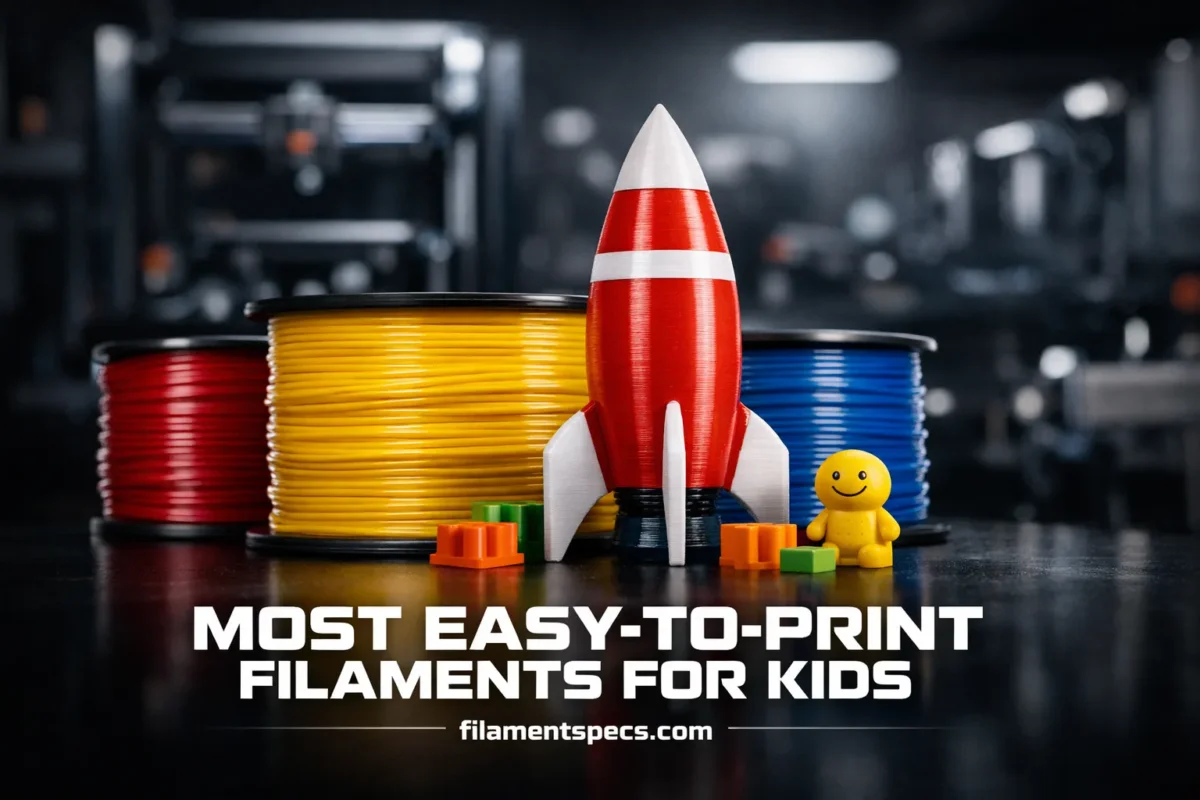
Printing with kids is at its best when the material behaves the same way every time: it sticks without drama, cools without warping, and makes parts that feel nice in small hands. The filament choice does most of that work. This guide focuses on the filaments that are genuinely easy to print on typical FDM/FFF printers, while also keeping everyday indoor use comfortable and sensible. [a]
One important nuance: “easy to print” is not just about temperature. It’s also about how forgiving a filament is when the printer is slightly out of tune, how predictable it is with common build plates, and how well it tolerates slow learning (and excited button pressing). In kid-focused spaces, there’s another layer: indoor setup, sensible handling, and choosing filaments with clearer material documentation. [c]
| Filament | Typical Nozzle Temp Range (°C) | Typical Bed Temp Range (°C) | Cooling Fan | Warp Risk | Kid-Use Feel | Most Common “Easy Mode” Uses | The One Setting That Helps Most |
|---|---|---|---|---|---|---|---|
| PLA (standard) | 190–220 | 0–60 | High after first layers | Low | Hard, crisp details | Figures, models, classroom parts, decor | Keep cooling high for clean corners |
| Tough PLA / PLA+ (brand-dependent) | 200–230 | 45–65 | Medium–high | Low | Less brittle, nicer “toy” feel | Snaps, clips, parts handled often | Slow outer walls for surface quality |
| Matte PLA | 195–220 | 0–60 | High | Low | Softer look, hides layer lines | Props, learning projects, display pieces | Dry filament to prevent fuzziness |
| PETG | 220–250 | 70–90 | Low–medium | Low | Tough, slightly “springy” parts | Durable toys, bottles/cases (non-food), outdoor-ish use | Reduce retraction to cut stringing |
| TPU (flexible) | 210–240 | 30–60 | Low–medium | Low | Soft, squeezable, safe bumpers | Grips, soft wheels, protective corners | Slow print speed for consistent feeding |
🧠 The “Kid-Friendly” Definition
Lower heat, low warp, and predictable bed adhesion matter. For kid spaces, also care about indoor setup, safe handling habits, and avoiding mystery additives in ultra-cheap spools. [c]
🧩 “Easy to Print” in Real Life
It means fewer failed first layers, less nozzle drama, and prints that look good without a perfect printer tune. A simple profile that trades a little speed for consistency is usually the best deal.
Table of Contents
🧸 What Makes It Kid-Friendly and Easy to Print
Kid-friendly printing is mostly about consistency: the same spool behaves the same way across long weekends, classroom sessions, and quick after-dinner projects. When a filament is “easy,” it usually has these traits:
- Low warp and low shrink, so parts stay flat and corners don’t lift.
- Strong first-layer behavior on common build surfaces (PEI, textured plates, glass, tape).
- Stable melt flow, so the extruder doesn’t struggle or “pulse” material.
- Wide usable temperature window, so being 5–10°C off does not ruin the print.
- Predictable cooling: details look sharp without needing exotic fan ducts.
For shared spaces with kids, also pay attention to the non-printing details that many guides skip: where the printer sits, basic ventilation habits, and the materials documentation you can actually read. Practical safety guidance for makerspaces and schools consistently emphasizes setup, airflow, and keeping users from hovering over operating printers. [a]
🔥 Heated plastic is still heated plastic. Even with “nice” filaments, it’s smart to print in a well-ventilated room and avoid placing faces directly over the print path. [c]
🌿 PLA: The Easiest Start for Most Kid Projects
PLA is the default “easy mode” filament because it prints at relatively low temperatures, behaves well on many build plates, and usually delivers clean detail without special hardware. If you want a single material that works for figurines, learning models, signs, simple mechanisms, and display pieces, PLA is the usual winner.
The best part for kid environments is how forgiving PLA is when the printer isn’t perfect. Slightly uneven bed leveling, small drafts, or a new user forgetting to clean the plate can still result in usable prints. That forgiveness is why safety documents for educational environments often steer users toward PLA when there’s a choice. [c]
- PLA strengths for easy printing
- Low warp, crisp detail, strong bed adhesion, wide brand availability.
- PLA watch-outs (kept neutral, because they’re manageable)
- Can be brittle in thin parts; softens at lower temperatures than many other plastics; moisture can reduce print quality over time.
- Kid-use feel
- Hard, smooth, and lightweight. Great for display toys and learning models; less ideal for parts meant to bend repeatedly.
If you want PLA prints to feel better in hand, one easy change is geometry: add thicker edges and round corners. That reduces sharp-feeling transitions without changing the filament. Small design choices often do more than switching materials.
🧼 The PLA Habit That Prevents Half the Problems
Keep the build plate clean. PLA is famously “sticky,” but finger oils are stronger. A quick wipe and a consistent first layer turns PLA into a near push-button experience.
✨ PLA Variants That Stay Easy (and Which Ones Don’t)
PLA is a family of products more than a single material. Two spools labeled PLA can behave differently because of pigments, flow modifiers, and toughness blends. For kid printing, the goal is simple: pick variants that stay predictable.
- Tough PLA / “PLA+”: This is usually PLA with additives or blends aimed at reducing brittleness. It often prints like PLA with slightly higher nozzle temperature needs. The payoff is parts that survive drops and rough play better than very brittle PLA.
- Matte PLA: Often hides layer lines and fingerprints, which makes kid projects look “finished” faster. Some matte formulations are a little more sensitive to moisture, so storage matters more.
- Silk PLA: Gorgeous shine, popular for trophies and fun prints, but can string more and sometimes needs slower outer walls. Still easy, just slightly less “set-and-forget.”
🧩 If you’re printing with kids and want fewer surprises, prioritize filaments that publish clear material information (TDS/SDS) and have consistent diameter control. Educational safety guidance also notes that very low-cost filaments can have unclear additive information, so choosing reputable supply can reduce unknowns. [c]
Variants that are less “easy”: heavily filled PLA (wood/metal), glow-in-the-dark, and abrasive sparkle mixes. They can still be fun, but they demand more tuning and can wear nozzles faster, which is the opposite of kid-friendly simplicity.
🛡️ PETG: When You Need Durability Without Making Printing Hard
PETG is often the next step after PLA because it’s tougher, less brittle, and handles everyday impacts well. It’s a strong choice for parts that get squeezed, tossed in a bag, or snapped together repeatedly.
The trade-off is that PETG is slightly less “automatic” than PLA. It tends to string more, and it likes a warmer bed. Still, it’s very manageable on typical printers, and it stays in the “easy to print” category when you give it two things: stable first layer and calm retraction settings.
For indoor environments, research literature and safety guidance treat emissions as something to manage with good practices across materials and conditions, rather than something to ignore. PETG is commonly studied alongside PLA and TPU in emission research, reinforcing that setup and operating choices matter as much as the filament label. [d]
🧷 PETG Feels Great for Kid Use
- More impact-tolerant than many PLAs.
- Good for hinges, clips, and “handled a lot” toys.
- Less likely to crack in thin features.
🧯 PETG’s Two Common Snags
- Stringing (usually fixed by gentler retraction and a touch more cooling).
- Over-sticking on some plates (a thin release layer can help, depending on your surface).
🧤 TPU: Flexible Prints That Are Surprisingly Beginner-Friendly
TPU makes soft, grippy, rubber-like parts: bumpers, protective corners, simple wheels, grips, and squishy toys. Many people assume TPU is hard, but that’s mostly because it demands patience rather than advanced skill.
TPU becomes “easy” when you accept one rule: slow down. Flexible filament likes steady feed and gentle retraction. With that, it often has low warp and strong layer bonding, which can feel very satisfying for kid projects.
- Best TPU setup: direct-drive extruder if available, but Bowden can work with slower speeds and careful tuning.
- Surface feel: hides small layer imperfections and is pleasant to touch.
- Great beginner wins: phone stands with soft feet, protective corners for boxes, simple squeeze toys.
TPU also appears in scientific emission studies alongside PLA, PETG, and ABS, which is another reminder that “easy” does not mean “ignore indoor setup.” Printing habits and room airflow stay relevant across materials. [d]
🚦 When Filaments Stop Being Easy (Even If They Look Fun)
Some filaments are totally fine in experienced hands but are not ideal as a kid-first material because they narrow the “happy” settings window. That usually shows up as warping, clogging, or needing hardware changes.
- High-warp materials (often needing higher bed temps and controlled environment): these tend to punish small drafts and imperfect first layers.
- Abrasive-filled filaments (carbon-fiber blends, glow, wood/metal fill): they can wear softer nozzles and may need hardened hardware to stay reliable.
- Ultra-low-cost spools with unclear additives: some educational safety guidance highlights limited reliable information about additives in low-cost filaments, which is a reason to prefer documented supplies in shared spaces. [c]
🧩 The easiest kid experience is usually: standard PLA first, then tough PLA or PETG for durability, then TPU for “soft” parts. Everything else can wait until the printer and workflow feel routine.
🧰 Kid-Proof Print Profile (Fewer Failures, Less Fuss)
This is the part many filament lists skip: you can make “easy filaments” dramatically easier with a profile that prioritizes stability over speed. For kid spaces, that trade is almost always worth it.
How “Forgiving” These Filaments Feel in Everyday Use relative
🧷 Universal Settings That Increase “First Try” Success
- Slow the first layer: stability beats speed, especially with new users.
- Use a moderate layer height (often around 0.2 mm on a 0.4 mm nozzle) for easy adhesion and clean detail.
- Increase perimeters (walls) before increasing infill. It improves strength without long print times.
- Avoid extreme retraction: it often causes more problems than it solves, especially on PETG and TPU.
🌬️ Indoor Setup and Operation That Fits Kid Spaces
Practical safety guidance for schools and makerspaces emphasizes a few consistent themes: place printers where airflow is good, avoid letting users hover over the printer while it runs, and follow manufacturer instructions carefully. It also recommends running at the lowest effective nozzle temperature within the filament’s recommended range when possible. [c]
📦 Storage and Handling That Keeps Filament “Easy”
- Keep spools dry: moisture can turn easy filaments into stringy, rough prints.
- Use sealed bags or boxes when the spool won’t be used for a while.
- Label spools clearly: material type, nozzle temp range from the spool, and the date opened.
- Keep small scraps out of reach of very young children; treat them like any small plastic pieces.
🧽 Finishing for Kid Use (Comfort, Not Perfection)
If a print is going to be handled a lot, focus on comfort: soften sharp edges, remove loose strings, and check that small snap-fit pieces are sturdy enough not to break into tiny parts during play. Simple deburring often matters more than sanding every layer line.
One overlooked trick: adjust design corners and edges before post-processing. A small fillet in the model can create a safer feel with less work afterward.
❓ FAQ
Which filament is the easiest for a first-ever print with kids?
Standard PLA is usually the simplest start because it sticks well, warps less, and prints clean detail without special hardware. A stable first layer and a clean build plate make it feel almost automatic.
Is PETG still “easy,” or is it a big step up?
PETG is still beginner-friendly, but it’s less forgiving than PLA about stringing and bed temperature. With gentler retraction and a consistent first layer, it’s a smooth upgrade when you want tougher parts.
What makes TPU difficult, and how do people make it easy?
TPU mainly asks for patience. Slower print speeds and gentle retraction keep feeding consistent. Once tuned, TPU can be very stable, with low warp and strong layer bonding.
Are “silk” and “glitter” filaments good for kid printing?
Silk PLA can be kid-friendly if you accept a bit more stringing and print a little slower for outer walls. Abrasive glitter mixes can wear nozzles faster and may turn printing into troubleshooting, so they’re better as a later step.
Do I need special ventilation for PLA?
Good airflow is a sensible habit for any filament because printing heats plastics. Practical guidance for non-industrial spaces emphasizes placement, airflow, and avoiding hovering over operating printers. [a]
How do I keep “easy filaments” from becoming frustrating over time?
Keep spools dry, label them, and use a stable “kid-proof” profile: slow first layer, moderate layer height, and conservative retraction. Moisture and overly aggressive tuning are two of the most common reasons easy filaments start misbehaving.
🔎 Sources
- NIOSH: Approaches to Safe 3D Printing (guidance for makerspaces, schools, libraries) (Connects to indoor setup, ventilation, and operational controls; reliable because it is an official occupational safety guidance publication.)
- University EHS: 3D Printer School Safety (indoor air quality and operational recommendations) (Connects to printer placement, avoiding hovering, lowest effective temperature guidance, and notes on filament additive uncertainty; reliable because it is an institutional environmental health & safety document.)
- Peer-Reviewed Study: Ultrafine particle emissions during material extrusion printing (PLA, PET-G, TPU, ABS) (Connects to the idea that operating conditions and material choice both influence emissions; reliable because it is a peer-reviewed journal article with method and results transparency.)
- UL 2904 Technical Brief (standardized approach to measuring 3D printer particle and chemical emissions) (Connects to why “verified” low-emission claims matter and how emissions are compared; reliable because it is a standards/certification organization publication.)