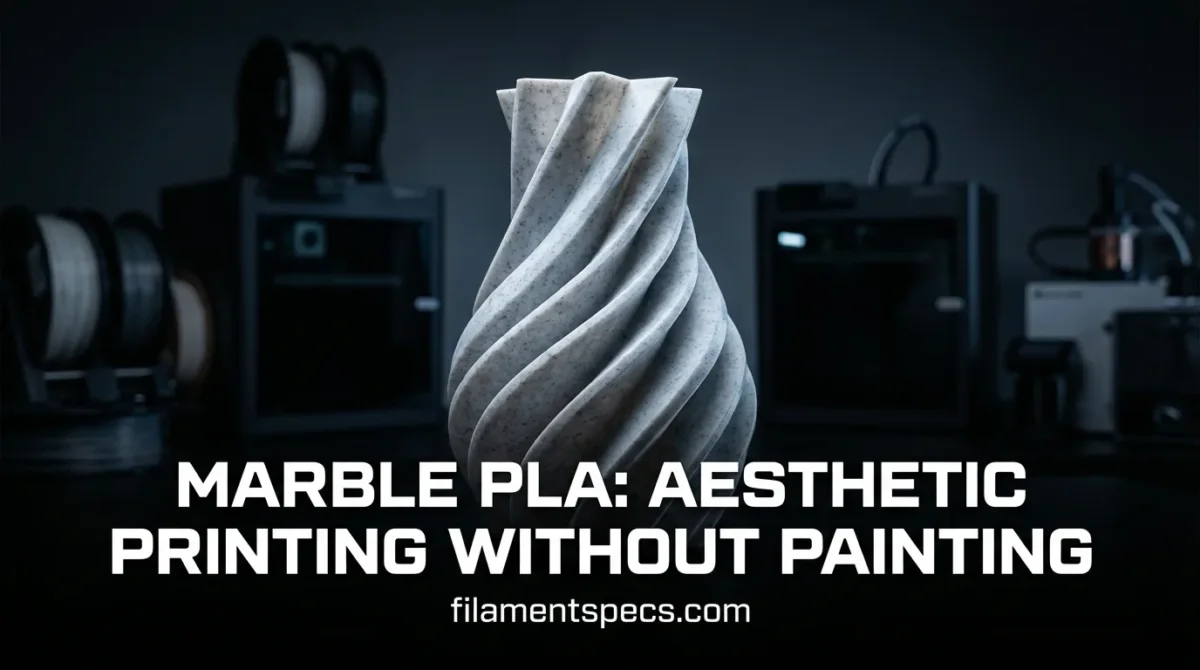
Marble PLA is the “cheat code” for prints that look finished the moment they come off the bed. No paint, no airbrush, no messy masking. Just clean geometry, a little smart slicing, and a filament that naturally creates a stone-like surface. The goal here is simple: understand what Marble PLA really is, what changes (and what doesn’t) versus regular PLA, and how to get that sculpture-grade finish on purpose.
| What You Want | What Marble PLA Naturally Does | What You Control |
|---|---|---|
| Stone-like surface without painting | Creates mottled contrast and a slightly matte look that visually “breaks up” layer lines | Layer height, outer-wall speed, and seam placement |
| Fine details that read like carved material | Speckling adds “texture” to smooth surfaces even when geometry is simple | Line width, wall count, and top-surface pattern |
| Print reliability close to standard PLA | Still prints like PLA, but the filler can change flow slightly | Temperature stability, extrusion consistency, and nozzle choice |
| Minimal post-processing | Looks good right away; gentle sanding can make it look “polished stone” | Sanding grit, brushing direction, and optional clear coat |
🪨 If your model has big smooth areas (busts, vases, architectural forms), Marble PLA often reads more “premium” than glossy PLA because the surface doesn’t look like plastic. A small highlight can do a lot here: layer-line camouflage.
Table of Contents
🧱 What Marble PLA Is
Marble PLA is a PLA-based composite designed to create a stone-like look through internal contrast. In research literature, “Marble-PLA” is described as a modified PLA containing fine marble powder, which helps produce the characteristic surface appearance. [a]
- Core idea: visual texture comes from the material itself, not from paint or surface coating.
- Composite behavior: fillers can slightly change melt flow and the way light reflects off tiny surface features.
- Common label names: “Marble PLA,” “Stone PLA,” “Rock PLA,” “Granite PLA” (names vary; the concept is similar).
Where The Look Comes From
- Light base color sets the “stone” canvas.
- Dark speckles or micro-contrast create the “marble vein” illusion.
- A surface that’s less glossy makes reflections softer, so prints read like ceramics or stone instead of plastic.
🎨 Why It Looks Real On FDM Prints
Marble PLA works because the eye is easy to “trick” when there’s controlled randomness. A flat, single-color plastic surface shows every layer line. Add speckles, tiny tonal shifts, and a slightly muted shine, and your brain reads it as natural material instead of printed plastic.
- Speckle scale matters: small, evenly distributed flecks hide minor surface artifacts better than big chunks.
- Directional light matters: marble-style filaments tend to look best with soft side lighting because highlights stay gentle.
- Geometry matters: big curves and simple planes show the material “pattern” more clearly than busy micro-detail.
✨ A subtle but powerful move: place the seam where it reads like a “stone joint” or a back edge. When the seam is intentional, the whole print looks intentional.
⚙️ Print Settings That Make Marble PLA Shine
Marble PLA usually behaves close to PLA, but it rewards consistency. A university maker lab’s baseline PLA setup lists a 220 °C nozzle and a 75 °C build plate for their workflow, which is a useful reference point when you’re dialing in your own “stable zone.” [b]
| Setting | What To Aim For | Why It Helps Marble PLA |
|---|---|---|
| Nozzle temperature | Stay in your spool’s recommended band; prioritize stability over “hot and fast” | Stable flow keeps speckle distribution uniform and reduces glossy hot spots |
| Cooling | Strong part cooling after first layers (typical PLA approach) | Helps preserve edges and keeps surface reflection more even |
| Outer-wall speed | Moderate outer walls | Smoother wall texture makes the “stone” illusion stronger |
| Layer height | Medium layers for stone texture; thinner layers for “carved” look | Medium layers can look like stone grain; thin layers read like polished sculpture |
| Seam strategy | Hide or align seams | Random seams can interrupt the stone illusion more than on plain PLA |
| Top surfaces | Use patterns that avoid obvious “plastic sheen” | Some top patterns look more matte and stone-like than dense glossy lines |
Surface-First Slicer Choices
- Line width discipline: keep extrusion width consistent on outer walls for uniform texture.
- More walls on decorative pieces: walls act like “stone thickness” and make small dings less visible.
- Gentle acceleration (if you tune it): fewer sudden flow changes can reduce tiny shine shifts.
🌡️ Heat and Strength: The Real Limits
Marble PLA is still PLA at heart, so the thermal story stays familiar: it can soften around 60 °C, which is why it’s amazing for indoor decor and poor for parts that must stay stiff in warm environments. [c]
- Best fit: decorative prints, display models, cosplay props (especially “stone” textures), architectural forms.
- Think twice: parts near heat sources, enclosed spaces that warm up, anything that must keep tight tolerances in heat.
- Strength reality: for most marble PLAs, the value is visual finish more than maximum mechanical performance.
🔥 If a print will live in a warm spot, the “stone look” won’t save it from PLA softening. Treat Marble PLA like PLA for thermal decisions.
🧪 Filler and Flow: What Changes Versus Plain PLA
Many marble-style filaments rely on mineral fillers. In controlled testing of 3D-printed PLA reinforced with CaCO3, researchers observed increasing elastic moduli (stiffer behavior) as filler content increased, while melt flow testing suggested processability did not meaningfully change across the tested filler levels. [d]
- Feel: prints can feel a bit more “solid” in hand because stiffness and surface texture change the perception of weight and material.
- Flow personality: some brands like slightly higher temperature or slower outer walls to keep the speckles consistent.
- Layer bonding: still primarily governed by the same PLA fundamentals—temperature stability, cooling balance, and clean extrusion.
Design Moves That Look “More Stone”
- Use chamfers instead of razor edges (stone looks “worked,” not sharp like injection plastic).
- Add gentle fillets on corners (they catch light like carved material).
- Prefer thicker walls on vases and statues (thin shells can look “toy-like” even in marble filament).
- Use intentionally stepped surfaces (terraces, facets) only when they match the aesthetic; otherwise keep curves smooth.
🧰 Post-Processing Without Paint
You can keep post-processing simple and still get a “gallery” finish. The goal is to refine highlights and remove tiny artifacts without turning the surface glossy.
- Light sanding: smooth only the areas that catch light harshly (seam edges, blobs). Keep it selective.
- Directional brushing: a stiff brush can lift micro-debris from sanding and make texture more uniform.
- Matte clear coat (optional): can even out sheen differences, especially after sanding, while keeping the stone vibe.
🧽 If you want “polished stone,” you’re chasing smoother reflections. If you want “carved stone,” you’re chasing controlled matte. Decide first—then sand accordingly.
📦 Storage, Moisture, and When It Actually Matters
Moisture affects filaments differently. In a study of 3D-printed polymers immersed in water, nylon-based materials absorbed up to 10× more water than PLA, and PLA showed little change after 21 °C immersion—but displayed substantial physical degradation after 7 days at 70 °C. [e]
- Everyday printing: keep Marble PLA sealed with desiccant; aim for consistent extrusion rather than “perfect dryness.”
- Surface quality signal: if you hear popping or see tiny bubbles, the finish will lose that stone smoothness.
- Long prints: moisture issues show up more on long wall sections and top surfaces where the visual finish is the whole point.
In materials testing on PLA and PLA composites, drying at 50 °C for 24 hours is used as a pre-conditioning step before water absorption measurement, which is a practical reminder that drying is typically done at moderate temperatures when needed. [f]
❓ FAQ
Does Marble PLA print like regular PLA?
Most of the time, yes. Treat it like PLA first: stable nozzle temperature, good cooling, and clean extrusion. Some brands may like slightly slower outer walls to keep the speckle finish consistent.
Why does Marble PLA hide layer lines better?
The speckled contrast breaks up repeating patterns. Instead of seeing uniform rings, your eye reads “texture,” similar to real stone or ceramic surfaces.
Is Marble PLA abrasive for nozzles?
It depends on the formulation and filler type. Many marble-style filaments are mild compared with carbon fiber composites, but for heavy use or long production runs, a more wear-resistant nozzle can help keep extrusion consistent over time.
What nozzle size is safest for Marble PLA?
Standard nozzles work for many brands, but if a spool has larger speckles, a slightly larger nozzle can reduce the chance of flow hiccups. Always follow the spool’s recommendation if it specifies a minimum nozzle size.
How do I make Marble PLA look more like polished stone?
Use smoother outer walls (moderate speed), then do selective sanding on highlight areas. If you add a clear coat, choose a finish that matches the look you want—matte for carved stone, satin for a gentle “polish.”
Can Marble PLA handle warm environments?
Plan like PLA: it can soften around the same temperatures as standard PLA. It’s excellent for indoor decor, but it’s not the first pick for parts that must stay stiff when warm.
Sources
- [a] ScienceDirect (Elsevier) — Study referencing “Marble-PLA” as modified PLA with fine marble powder
- [b] Boise State University MakerLab — 3D printing material settings (PLA baseline)
- [c] Georgia Tech — Polylactic Acid overview (softening behavior)
- [d] MDPI Polymers — 3D-printed PLA reinforced with CaCO3 (mechanical and processability observations)
- [e] ScienceDirect — Moisture-induced changes in 3D printed polymers (PLA vs nylon absorption and degradation conditions)
- [f] Cambridge University Press — PLA/composite testing paper (drying pre-conditioning used in water absorption measurement)