
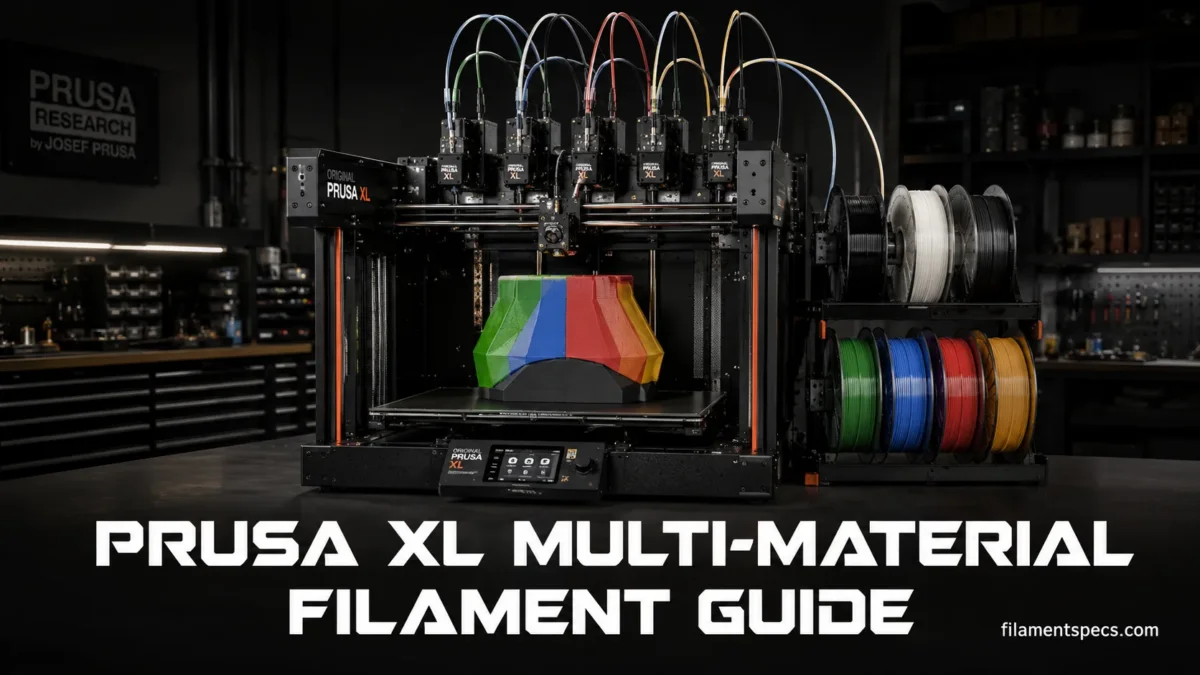
The Prusa XL and the newer Prusa XL+ are large-format toolchanger printers built around independent toolheads, not a single-nozzle filament swapping unit. Each material can stay loaded in its own Nextruder, each nozzle can run its own temperature, and mixed-material parts can be sliced with fewer compromises than systems that push every filament through one hotend. Both generations retain the 360×360×360 mm build volume, 1.75 mm filament format, 290 °C maximum nozzle temperature, 120 °C maximum heatbed temperature, and configurations with up to five toolheads.[a] The XL+ adds hardware aimed at cleaner tool changes, faster tool alignment, stronger part cooling, and warmer enclosed printing.[i]
| Filament | XL / XL+ Fit | Typical Nozzle / Bed Range | Enclosure Need | Drybox Need | Nozzle Choice | Best Multi-Material Role |
|---|---|---|---|---|---|---|
| PLA | Very easy on the XL | 185–235 °C / 50–60 °C | Not needed | Helpful for brittle or older spools | Brass is fine | Color parts, prototypes, low-stress models, PETG breakaway support pairing |
| PETG | Excellent everyday material | 215–270 °C / 70–90 °C | Not usually needed | Helpful for cleaner surfaces | Brass is fine unless filled | Functional parts, brackets, semi-flexible snap fits, PLA breakaway support pairing |
| TPU / Flex | Good with direct-drive Nextruder | 220–260 °C / 40–85 °C | Not usually needed | Strongly helpful | Brass is fine unless filled | Gaskets, feet, grips, flexible inserts in rigid prints |
| PVA / BVOH | Usable for soluble supports | 195–215 °C / 60 °C | Not needed | Needed | Brass is fine | Soluble interface layers, internal support contact zones |
| ASA | Works best with enclosure | 220–275 °C / 90–110 °C | Recommended | Helpful | Brass is fine unless filled | Outdoor parts, heat-tolerant covers, mechanical housings |
| ABS | Works best with enclosure | 230–255 °C / 95–110 °C | Recommended | Helpful | Brass is fine unless filled | Heat-tolerant parts, post-processing-friendly prototypes |
| PC | Within XL temperature range for many PC blends | 270–275 °C / 100–115 °C | Recommended | Recommended | Brass is fine unless filled | Stiff engineering parts, high-load brackets, heat-tolerant fixtures |
| PA / Nylon | Usable, but moisture control matters | 240–285 °C / 70–115 °C | Recommended | Recommended | Brass is fine unless filled | Wear-resistant parts, living hinges, tough functional components |
| PP | Usable with the right surface | 220–245 °C / 70–100 °C | Helpful for larger parts | Not usually needed | Brass is fine | Lightweight, chemical-resistant parts where adhesion is planned carefully |
| CPE / PVB | Good specialty choices | CPE: around 275 °C / 90–110 °C; PVB: around 215 °C / 75 °C | Depends on part size | CPE benefits from drying | Brass is fine unless filled | Clear/translucent parts, visual models, material-specific finishing workflows |
| Carbon Fiber / Glass Fiber Composites | Good when temperatures fit the XL | Often 225–290 °C / 40–120 °C | Depends on base polymer | Usually recommended | Hardened nozzle recommended | Rigid parts, low-warp technical prints, support-saving tool assignments |
| Wood, Metal, Glow, Filled PLA/PETG | Usable with care | Often 190–270 °C / 60–100 °C | Usually not needed | Material dependent | Hardened nozzle for abrasive blends | Decorative surfaces, labels, accents, textured color panels |
Working rule: match the filament to the part first, then match the toolhead plan to the filament. The XL and XL+ can hold several materials at once, but a clean result still depends on temperature overlap, bed adhesion, drying, nozzle choice, and support strategy.
Why the Prusa XL / XL+ Changes Filament Planning
The XL is not just a bigger bed with more spools beside it. Its main filament advantage is the toolchanger layout. A PLA nozzle can stay at PLA temperature, a PETG nozzle can stay at PETG temperature, and a support material can stay in another tool without being repeatedly unloaded through the same melt path.
That changes four everyday decisions:
- Color changes: multi-color prints can be handled by assigning colors to different tools.
- Support materials: one tool can print the model while another prints support or only the support interface.
- Material separation: incompatible materials do not need to share one hotend during the same layer change.
- Spool planning: up to five loaded tools allow long runs, repeated color use, and staged support materials.
Printer Limits That Matter for Filament
- Filament Diameter
- 1.75 mm filament.
- Nozzle Temperature Ceiling
- 290 °C. This is enough for PLA, PETG, TPU, ASA, ABS, many PC blends, many nylon blends, and many composites, but not enough for very high-temperature polymers such as PEI/ULTEM-style materials that need far above this range.
- Heatbed Ceiling
- 120 °C. This covers common engineering filaments that need 90–115 °C beds.
- Build Volume
- 360×360×360 mm. Large parts increase the need for bed adhesion control, stable ambient temperature, and consistent drying.
- Tool Count
- Single, dual, and five-tool configurations exist. The real multi-material advantage grows as the number of tools increases.
Original XL vs XL+: Changes That Affect Filament Work
Prusa announced the XL+ on August 13, 2026 as a hardware refresh of the XL platform. The core filament limits remain familiar, but several changes matter during multi-material printing: a new 360-degree part-cooling system distributes airflow more evenly around the nozzle, a permanently mounted eddy-current Tool Offset Sensor aligns toolheads about 20 times faster than the earlier removable-pin process, GT1.5 belts reduce fine repeating surface patterns, high-flow nozzles are standard, and an integrated nozzle wiper helps remove loose filament before printing.[i]
| Area | Original XL | Prusa XL+ | Practical Filament Effect |
|---|---|---|---|
| Build Volume | 360×360×360 mm | 360×360×360 mm | No change to part-size planning. |
| Nozzle / Bed Ceiling | 290 °C / 120 °C | 290 °C / 120 °C | The normal polymer temperature envelope is broadly unchanged. |
| Part Cooling | Original XL cooling hardware | 360-degree cooling system | More even airflow can improve bridges, overhangs, and small features, especially with PLA and other cooling-sensitive materials. |
| Tool Offset Calibration | Earlier removable-pin calibration process | Permanent eddy-current Tool Offset Sensor | Faster tool alignment reduces setup time and supports cleaner registration between colors or materials. |
| Nozzle Preparation | No integrated XL+ nozzle wiper | Integrated nozzle wiper; high-flow nozzles supplied as standard | Cleaner print starts and more flow headroom, while abrasive filaments still need a wear-resistant nozzle. |
| Enclosed Chamber | Original enclosure behavior | About 50 °C with the dedicated XL+ enclosure; up to about 60 °C with the upcoming external heater | Large ASA, ABS, PA, PC, PP, and related engineering prints gain more thermal control on XL+. |
Firmware 6.10.1, released August 28, 2026, adds XL+ support and contactless tool offset calibration on XL+. It also adds nozzle thermal-expansion compensation for XL and XL+, while the release set includes filament compatibility checks in more places, the reworked tool-mapping screen, preserved mapping when reprinting, and improved filament-change behavior.[j] These software checks help prevent assignment mistakes, but they do not make thermally incompatible filament combinations compatible.
The XL’s official material list includes PLA, PETG, Flex, PVA, PC, PP, CPE, and PVB, with ABS, ASA, HIPS, and PA listed for use with the enclosure and filtration add-on.[b] The XL+ product specification also lists common engineering materials such as ASA, ABS, PC, PA, PP, and carbon-fiber composites within its 290 °C nozzle limit.[a] The practical reading is simple: open-air materials are easy, enclosure-friendly materials need planning, and very high-temperature polymers remain outside the standard XL / XL+ hotend range.
Best Filaments for the Prusa XL / XL+ by Use Case
PLA for Clean Multi-Color and Prototype Work
PLA is the easiest starting point for a Prusa XL multi-material workflow. It prints at lower temperatures, keeps detail well, and behaves nicely in color changes. For decorative parts, labels, display models, inserts, alignment jigs, and draft prototypes, PLA is usually the cleanest material to load across several tools.
Use PLA when the part does not need heat resistance. A PLA part near warm electronics, a hot car interior, or a heated enclosure can soften. The XL can print it beautifully, but PLA is still PLA.
- Best XL role: multi-color models, labels, visual prototypes.
- Support pairing: PLA can pair well with PETG as a breakaway support interface because the two materials do not bond aggressively.
- Surface choice: smooth PEI or satin sheet is usually enough.
- Drying note: dry PLA is not always required, but old or brittle PLA benefits from gentle drying.
PETG for Functional Everyday Parts
PETG suits the XL very well because it is tougher and more temperature tolerant than PLA while staying easier than ABS, ASA, PC, or nylon. It is a strong choice for brackets, clips, organizers, tool mounts, spool adapters, holders, and practical parts that get handled often.
PETG can string, especially in multi-tool prints where a parked hot nozzle may ooze. The fix is not one setting. It is a stack: dry spool, clean nozzle seal contact, sensible tool temperatures, and enough prime volume where needed.
Useful pairing: PETG model with PLA support interface is one of the XL’s most practical mixed-material combinations. It can give cleaner support removal than PETG-on-PETG contact, especially under flat overhangs.
TPU and Flex for Soft Inserts
The XL’s direct-drive Nextruder helps with flexible filament because the filament path is shorter and better controlled than on many Bowden systems. TPU still asks for patience. Keep speeds lower, avoid too much back-and-forth motion where possible, and keep the spool dry.
TPU works best when used for a defined part of the model: feet, pads, bumpers, grips, hinges, seals, and soft inserts. Mixed with PETG or PLA, it can create parts that feel more finished without needing post-assembly.
- Best XL role: flexible feet, pads, living grip zones, soft contact surfaces.
- Risk zone: TPU can ooze and string when warm and wet.
- Tool planning: park TPU where the nozzle seal is adjusted well, and test a small two-material print before a long job.
ASA and ABS for Heat-Tolerant Parts
ASA and ABS are better suited to the XL when the enclosure is used. Both materials like a warmer, more stable print environment, especially on larger parts. ASA is often chosen for outdoor-facing parts because of its UV resistance; ABS is often chosen where heat tolerance and post-processing behavior matter.
For small parts, the XL or XL+ may print these materials with fewer issues. For large flat parts, tall housings, or sharp corners, the enclosure becomes much more useful. On the XL+, the dedicated enclosure can reach about 50 °C from heatbed waste heat alone, giving ASA and ABS a warmer environment across the full 360 mm build area.[k] Warping is still affected by geometry, bed adhesion, cooling, and the exact filament formulation.
PC and PC Blends for Stiff Engineering Parts
Polycarbonate and PC blends can fit within the XL’s 290 °C nozzle ceiling when the filament’s recommended range stays within that limit. These materials are used for stiff fixtures, load-bearing brackets, and parts that need more heat tolerance than PETG.
PC is not a casual swap from PLA. It likes dry storage, higher bed temperatures, and stable ambient heat. On the Original XL, an enclosure helps reduce drafts and temperature swings. The XL+ enclosure can hold about 50 °C using heat from the bed, while Prusa states that the upcoming external heater is intended to raise the chamber to about 60 °C.[k] That extra chamber control is most useful on large PC and PC-blend parts; small parts still depend heavily on dry filament, bed adhesion, geometry, and the specific blend.
PA / Nylon for Tough and Wear-Resistant Parts
Nylon can produce durable functional parts, but moisture control is not optional for consistent results. Wet nylon can pop, foam, string, lose surface quality, and print with weaker layer behavior. The XL can handle many PA materials within the 240–285 °C range listed in Prusa’s material guide, but the spool condition decides a lot of the outcome.
Nylon is a good fit for hinges, sliding parts, clips, protective covers, and parts that need toughness rather than crisp visual detail. On large PA prints, the XL+ enclosure’s warmer chamber can reduce the thermal gradient that contributes to edge lift and internal stress.[k] It is not usually the first choice for sharp embossed text or color-rich decorative work.
PVA, BVOH, and Soluble Support Materials
PVA and BVOH are support materials, not normal model materials. They are loaded to print temporary structures that dissolve away later. On the XL, their best use is often not the whole support tree but only the support interface, because interface-only use saves material and reduces the amount of moisture-sensitive filament in the job.
Prusa’s soluble support notes state that PLA can be printed with PVA+ or BVOH, while PETG is practically paired with BVOH.[c] The model material and support material still need overlapping print behavior; loading a water-soluble filament alone does not make the pairing compatible.
Strong Prusa XL / XL+ Multi-Material Pairings
The best XL filament pairings are not always the flashiest. They are the combinations that separate cleanly, share a realistic bed temperature, and do not force one material to sit hot for too long while another material prints.
| Main Material | Second Material | Why It Works | Where to Use It | Watch Point |
|---|---|---|---|---|
| PLA | PETG | Low bonding between the two can help support release. | PLA model with PETG interface, display parts with cleaner undersides. | Use a bed temperature that does not soften PLA too much during long prints. |
| PETG | PLA | PLA can act as an easier breakaway interface under PETG surfaces. | Functional PETG parts with flat supported faces. | Interface settings matter; poor support geometry can still leave marks. |
| PLA | BVOH or PVA+ | Soluble interface can clean up internal supports and hard-to-reach zones. | Complex display models, internal cavities, delicate geometry. | Keep soluble filament dry and use it only where it helps. |
| PETG | BVOH | BVOH is the better soluble option for PETG workflows. | Functional PETG parts with trapped supports. | Dry storage and careful interface use are needed. |
| PETG | TPU | Rigid body with soft contact areas in one print. | Feet, grips, bumpers, protective pads. | TPU stringing and purge/prime behavior need testing. |
| ASA | HIPS | HIPS is commonly used as a support partner for ABS/ASA-style workflows. | Enclosed technical prints where compatible support removal is planned. | Use safe, well-ventilated handling practices for any post-processing method. |
| PC Blend | Same PC Blend or Compatible Support | Temperature and shrink behavior stay closer. | Fixtures, brackets, larger engineering prints. | Do not assume PLA/PETG support tricks carry over to high-bed PC prints. |
| Nylon | Same Nylon or Dedicated Support | Similar thermal behavior lowers interface surprises. | Tough mechanical parts with moderate support needs. | Dryness is the main quality gate. |
PLA + PETG Support Pairing Easy to Test
PETG + TPU Functional Pairing Useful for Inserts
Nylon / PC Engineering Materials Needs Control
Same-Material Multi-Color Is the Easiest Win
The easiest multi-tool XL print is not a five-polymer experiment. It is five colors of the same material. Five PLA colors, five PETG colors, or five ASA colors keep temperatures, shrink behavior, bed adhesion, and cooling behavior aligned. The print becomes mostly a color-management job.
This is the safest way to learn tool mapping, color assignment, prime tower behavior, and purge behavior before mixing materials with different thermal habits.
Mixed-Material Parts Need a Shared Bed Plan
The bed has one active temperature for the print, even if the tools have different nozzle temperatures. That means the bed setting must be acceptable for every material touching the sheet or sitting in the part for a long time. PLA at a high PETG bed temperature can soften during a long job. PETG at a PLA-style bed temperature can lose adhesion on larger parts.
Use the main structural material to choose the bed temperature, then adjust the support/interface material around it. If the support material cannot tolerate that bed condition, change the support plan.
Support Materials on the Prusa XL / XL+
The XL’s toolchanger makes support strategy one of its best uses. Instead of printing supports from the same filament, you can assign a different tool to support structures, support interfaces, raft layers, or selected model regions. Prusa’s XL support documentation is built around selecting the two-tool or five-tool XL profile before assigning support material roles in PrusaSlicer.[d]
Breakaway Support vs Soluble Support
| Support Type | Material Example | Best Use | Material Cost | Cleanup | XL Notes |
|---|---|---|---|---|---|
| Same-Material Support | PLA support under PLA, PETG support under PETG | Simple overhangs and strong support trees | Lowest | Manual removal | Most predictable, but contact scars can remain. |
| Breakaway Interface | PLA under PETG or PETG under PLA | Flat undersides and easier separation | Low to medium | Manual removal | Works best when only interface layers use the second material. |
| Soluble Interface | BVOH or PVA+ only at contact layers | Cleaner contact zones while saving soluble filament | Medium to high | Water dissolving step | Often the best balance for XL prints with complex support contact. |
| Full Soluble Support | BVOH or PVA+ for the entire support | Internal cavities and hard-to-access support regions | Highest | Water dissolving step | Useful when supports cannot be reached by hand. |
For many XL owners, soluble interface is the most efficient use of soluble material. The main support structure can be printed in a cheaper, easier material, while the soluble filament is used only where support touches the model. Less soluble filament is exposed to heat. Less needs to dissolve later.
Prime Tower Choices
The XL can print some true multi-material jobs without a purge tower, but Prusa keeps the purge tower on by default because it gives a wider safety margin across materials and filament conditions.[e] Dry filament makes no-tower printing more realistic. Wet filament makes it harder.
Use a prime tower when:
- the print has many small tool changes;
- TPU, nylon, PETG, or soluble support is present;
- the parked nozzle leaves visible blobs;
- first extrusion after a tool pickup looks thin;
- the print is long enough that reliability matters more than saving a small amount of filament.
Try no purge tower when the materials are dry, the part can tolerate a small test risk, and the tool changes do not create visible start defects. Start small. Then scale up.
Prime Tower Stability With Mixed Materials
Mixed materials may not bond to each other inside the prime tower. If the tower alternates PLA, PETG, TPU, and support material layer by layer, it can become less stable. Prusa’s combining-materials notes describe using a chosen wipe tower extruder so one material can help stabilize the tower.[f]
That setting is easy to overlook. It is especially useful when the model itself is printing fine but the tower is the messy part of the job.
Drying Rules for XL / XL+ Multi-Material Printing
Dry filament matters more on a toolchanger than many users expect. A single-material print can sometimes hide minor moisture problems. A multi-tool print exposes them because tools park hot, switch often, and restart extrusion many times.
Moisture symptoms: extra stringing, popping, rough walls, small bubbles, inconsistent first extrusion after tool pickup, weak-looking support interfaces, and blobs near the prime tower.
Materials That Deserve Dry Storage
- Nylon / PA: dry before serious prints and keep it dry during long jobs.
- TPU: dry filament reduces strings, blobs, and messy tool changes.
- PVA / BVOH: store sealed and dry; wet soluble support can become unreliable quickly.
- PC and PC blends: dryness helps surface finish and strength.
- PETG: not always dramatic, but dry PETG gives cleaner multi-tool behavior.
- Composites: follow the base polymer, then add extra care because filled materials can be expensive and abrasive.
Drybox Printing vs Drybox Storage
Storage keeps a spool from getting worse. Printing from a drybox keeps it controlled during the job. For PLA and many PETG prints, sealed storage may be enough. For nylon, soluble supports, TPU, and some PC blends, printing from a drybox is often the better habit.
On the XL, this is also a layout issue. Five spools can sit loaded for long periods. If the printer is used like a material station, spool exposure time becomes part of print quality.
Nozzle Choices for XL / XL+ Filaments
Both XL generations use the direct-drive Nextruder system. Standard brass nozzles are fine for PLA, PETG, TPU, ASA, ABS, PC, PVB, CPE, PP, PVA, and BVOH when the filament is not abrasive. The XL+ ships with high-flow nozzles as standard, which gives more flow headroom for suitable materials and layer settings, but high flow does not replace abrasion resistance.[i] The moment carbon fiber, glass fiber, glow particles, metal fill, ceramic fill, or some wood blends enter the plan, nozzle wear becomes a real factor.
Prusa’s Nextruder nozzle documentation lists hardened nozzle options designed for better durability with abrasive filaments.[g] This matters more on the XL because buying one hardened nozzle may not be enough if abrasive materials are assigned to several tools.
| Filament Group | Brass Nozzle | Hardened Nozzle | Practical XL Advice |
|---|---|---|---|
| Plain PLA, PETG, ABS, ASA | Good choice | Optional | Use brass unless you also want one tool reserved for abrasive blends. |
| TPU / Flex | Good choice | Optional | Focus more on drying and speed than nozzle material. |
| PVA / BVOH | Good choice | Optional | Keep the support tool clean and dry; soluble residue can be annoying if neglected. |
| Carbon Fiber PETG / PC / PA | Not ideal for long use | Recommended | Reserve a hardened-nozzle tool for CF materials. |
| Glow-in-the-Dark PLA | Can wear faster | Recommended for repeated use | Glow additives are abrasive; avoid putting them through every tool. |
| Wood / Metal Filled | Material dependent | Recommended for frequent use | Consider a larger nozzle if the filament maker recommends it. |
One Hardened Toolhead Strategy
A practical five-tool setup is to reserve one toolhead for abrasive materials. For example:
- Tool 1: PLA or PETG everyday color.
- Tool 2: second color or support interface material.
- Tool 3: TPU or specialty filament.
- Tool 4: soluble support.
- Tool 5: hardened nozzle for carbon fiber, glow, or filled filament.
This avoids turning every tool into an abrasive-material station. It also keeps maintenance simpler because the wear-prone job has a known location.
Enclosure, Heat, and Large-Part Behavior
PLA, PETG, TPU, PVB, and many visual materials can usually be printed on the XL platform without a heated chamber. Enclosures matter more as shrinkage, part size, and bed temperature rise. The Original XL and XL+ now need to be treated separately here because the Enclosure for Prusa XL+ is designed for the newer printer and its higher chamber-temperature capability.[k]
The Original Prusa XL enclosure remains useful for draft control, filtration, and a more stable ambient environment around demanding materials.[h] The newer XL+ enclosure improves sealing and can reach about 50 °C using heat from the XL+ heatbed. Prusa also lists an upcoming external heater that raises the chamber target to about 60 °C.[k]
What 50–60 °C Changes for Engineering Filaments
A chamber near 50 °C lowers the temperature difference between newly deposited plastic and the surrounding air. On large ASA and ABS parts, that can reduce corner lift and internal stress. Prusa also positions this range as useful for PA and many PC jobs. The planned 60 °C heater extends that thermal control further for larger polycarbonate and nylon parts.[k]
- ASA and ABS: the warmer XL+ chamber is most useful on wide, tall, or boxy parts that would otherwise cool unevenly.
- PC and PC blends: 50 °C can help many jobs; the planned 60 °C option gives larger parts more thermal support where the filament profile allows it.
- PA / Nylon: chamber heat can reduce thermal gradients, but dry filament remains necessary for reliable extrusion and surface quality.
- PP: a warmer chamber can help with large-part stability, although the correct PP-compatible build surface remains central to adhesion.
- Fiber-filled engineering materials: chamber needs follow the base polymer; a carbon-fiber or glass-fiber additive does not remove the need to check nozzle wear and the manufacturer’s temperature range.
When the Enclosure Can Be Too Warm
PLA can soften in a warm chamber during long prints. The XL+ enclosure uses a foldable bellows arrangement so airflow can be opened for cooler-running materials such as PLA and PETG.[k] If PLA is used for labels, support interfaces, or decorative sections inside a warmer engineering-material job, watch both bed and chamber temperature.
For mixed jobs, choose the chamber plan around the material that controls the part’s shape, then confirm that the second material can tolerate the same environment. Separate toolheads provide independent nozzle temperatures; they do not create separate bed or chamber temperatures.
PrusaSlicer and Firmware Setup for Multi-Tool Filament Jobs
Good slicing on the XL or XL+ starts before filament loading. Select the correct printer and tool-count profile, then assign each filament to the intended tool and check the support material roles before export.
Firmware 6.10.1 and Multi-Tool Checks
Firmware 6.10.1 adds support for the XL+ and activates its contactless tool-offset calibration. It also includes nozzle thermal-expansion compensation for both XL generations.[j] For multi-material work, that matters because tool alignment can shift if nozzle length changes with heat; compensation is intended to keep tool positioning more consistent across operating temperatures.
The same release history includes filament compatibility checks in more places, a reworked tool-mapping screen, preserved tool mapping when reprinting, and improved filament changes between different materials.[j] Treat those checks as a guardrail rather than a replacement for material planning: the operator still needs to confirm nozzle type, spool condition, shared bed temperature, chamber conditions, and support-material compatibility.
Tool Mapping Basics
- Assign each model part, color, modifier, or support role to the intended extruder.
- Keep similar materials next to each other in the tool order if it makes your workflow easier to read.
- Name filament profiles clearly, especially if one tool uses a hardened nozzle or a dried spool.
- Check preview by tool, not only by color. Color can hide the real extruder assignment.
Filament Mapping Habits
Filament mapping decides which loaded tool prints which sliced material. Before a long print, verify that the slicer tool number matches the physical spool and nozzle. This is very simple when all tools are PLA colors. It becomes more delicate when Tool 3 is TPU, Tool 4 is BVOH, and Tool 5 is carbon-fiber PETG.
Pre-Print Material Review
- Every tool has the expected filament loaded.
- The nozzle type matches the filament, especially for abrasive materials.
- The bed temperature is reasonable for all materials touching the sheet.
- Soluble support is assigned to interface-only unless full soluble support is truly needed.
- The purge/prime tower setting matches the material mix.
- Drybox-fed materials are actually feeding freely.
Cooling Differences
PLA likes cooling. PETG usually wants moderate cooling. ABS, ASA, PC, and nylon often need less cooling and a warmer environment. Multi-material prints can force compromise here, because part cooling is not only a material setting; it affects the printed region at that moment.
The XL+ changes the hardware side of this balance with a 360-degree cooling system that Prusa says delivers more airflow and distributes it more evenly around the nozzle. The intended gains are cleaner overhangs, bridges, and small details.[i] This helps most when the active filament benefits from part cooling; it does not mean ASA, ABS, PC, or nylon should be run with PLA-style cooling.
If a model combines a rigid body with a decorative PLA label, test a smaller section first. The slicer can assign different filament profiles, but the printed object still shares geometry, heat history, and the same build plate.
Practical XL / XL+ Filament Workflows
Workflow 1: Five-Color PLA
This is the best training workflow for new XL owners. Load five PLA colors, keep the same nozzle size across tools, and print a small object with color changes on several layers. The goal is not strength. It is to verify tool mapping, wiping behavior, color order, and first extrusion after each tool pickup.
- Use one PLA brand or similar PLA types where possible.
- Keep all tools on similar PLA temperature profiles.
- Use the same bed surface and bed temperature across all colors.
- Inspect whether each color starts cleanly after tool pickup.
Workflow 2: PETG Part With PLA Interface
This is a strong functional workflow when PETG support scars would be hard to clean. Print the model in PETG, print normal support in PETG if needed, and use PLA only for dense interface layers. That keeps the part strong while reducing support contact adhesion.
Watch the bed temperature. PETG wants more bed heat than PLA. If the PLA interface sits in the print for a long time, too much heat can affect it. Keep the job size realistic until the pairing is tuned.
Workflow 3: PLA Part With BVOH Interface
This is useful for display models and shapes with delicate underside details. Use PLA for the main body and BVOH for interface layers. The support body can remain PLA, while BVOH appears only where dissolving helps the final surface.
This saves soluble material and reduces the amount of moisture-sensitive filament exposed during the job. Clean support geometry matters. Soluble material is not a magic fix for poor support design.
Workflow 4: PETG Body With TPU Feet
This is where the XL feels different from single-nozzle systems. A PETG housing can include TPU contact pads in the same print. The result can feel like an assembled product without screws, glue, or separate rubber feet.
- Keep TPU sections simple and not too thin.
- Dry TPU before printing.
- Test the bond and geometry with a small coupon model.
- Avoid making rigid material scrape across soft TPU layers if the geometry can be redesigned.
Workflow 5: Nylon or PC With Dedicated Support Planning
For nylon and PC, treat the support plan as part of the engineering design. The support material should tolerate the same bed and chamber conditions. In many cases, same-material supports with tuned contact distance may be more reliable than forcing a low-temperature support material into a high-bed print.
It is slower. It is also cleaner from a materials standpoint.
Build Sheet and Adhesion Notes
The XL uses removable magnetic steel sheets with different surface finishes. Filament choice and sheet choice are linked. Too little adhesion causes lifting. Too much adhesion can damage the sheet coating or the part.
| Filament | Surface Direction | Release Agent Need | Notes |
|---|---|---|---|
| PLA | Smooth PEI or satin | Usually no | Clean surface and correct first layer matter more than extra adhesive. |
| PETG | Satin or textured often preferred | Glue stick may be used on smooth PEI as a separator | PETG can bond strongly to some PEI surfaces. |
| TPU | Satin, textured, PP, or PA sheet depending on filament | Sometimes useful as separator | Flexible materials can grip strongly; remove with care. |
| ASA / ABS | Smooth or textured PEI with separator as needed | Often useful | Enclosure and brim help larger parts. |
| Nylon | PA Nylon sheet or recommended adhesive setup | Material dependent | Dry material and correct surface preparation are both needed. |
| PP | PP-compatible sheet/tape | Usually needs specific surface | PP likes to stick to PP-like surfaces better than standard PEI. |
Bed surface advice can change by exact filament brand. Always check the filament maker’s sheet recommendation when using filled, specialty, or high-temperature materials. The XL gives enough heat for many materials, but it cannot make every polymer bond to every surface.
Filament Problems by Symptom
Stringing Between Tool Changes
Most common with PETG, TPU, nylon, and wet soluble materials. Dry the filament, check nozzle temperature, review prime tower settings, and make sure the nozzle seal is adjusted correctly for the tool. If TPU is part of the job, do a small test first.
Blobs Near the Prime Tower
Blobs often come from moisture, too much parked-nozzle oozing, or not enough prime control. Increase prime volume only after checking drying and temperature. More purge can hide a symptom, but dry filament is the cleaner fix.
Support Interface Will Not Separate
If the interface is the same material as the model, tune Z distance and interface density. If using PLA/PETG pairing, confirm the correct tool is assigned only to interface layers. If using soluble material, make sure it is dry and not overheated.
Support Interface Falls Apart
Check temperature overlap, support density, and bed temperature. A support material that barely bonds to the model can also barely bond to the support structure. Interface-only settings usually need more careful preview than same-material support.
Corners Lift on ASA, ABS, PC, or Nylon
Use the enclosure, clean the sheet, add brim where needed, reduce sharp corner stress in the model, and avoid overcooling. Large flat parts are harder than small brackets. Geometry matters.
Abrasive Filament Looks Fine but Nozzle Quality Drops Later
A brass nozzle can wear gradually. The symptom may look like weak extrusion, wider lines, fuzzy details, or inconsistent top surfaces. If the filament contains carbon fiber, glass fiber, glow particles, or metal/stone-style fill, use a hardened nozzle before the issue appears.
FAQ
Can the Prusa XL and XL+ Print PLA, PETG, TPU, Nylon, and PC?
Yes. Both generations retain a 290 °C nozzle ceiling and 120 °C heatbed ceiling, so many common and engineering filaments fall within their normal temperature range. PLA, PETG, and TPU are practical open-air materials. Nylon and PC are more demanding and usually benefit from dry storage, controlled bed adhesion, and an enclosure.
What Does the XL+ Change for Multi-Material Printing?
The XL+ keeps the same toolchanger concept but adds 360-degree part cooling, a faster eddy-current Tool Offset Sensor, a nozzle wiper, GT1.5 belts, and high-flow nozzles as standard.[i] Firmware 6.10.1 also adds XL+ support, contactless tool-offset calibration, and nozzle thermal-expansion compensation.[j] These changes improve setup, tool registration, print starts, and cooling without changing the need to match bed temperature, chamber conditions, nozzle material, and filament compatibility.
What Is the Best First Multi-Material Print on the Prusa XL?
Five colors of the same PLA type is the easiest starting point. It teaches tool mapping, color assignment, tool pickup behavior, and prime tower behavior without adding different bed temperatures, cooling needs, or shrink rates.
Can I Use PETG Supports for PLA on the Prusa XL?
Yes, PLA and PETG are often used as breakaway support partners because they do not bond as strongly to each other as same-material support. It works best as a support interface strategy, not always as a full support structure for every model.
Can I Use PLA Supports for PETG on the Prusa XL?
Yes, many users use PLA as a breakaway support interface for PETG prints. The bed temperature needs attention because PETG usually wants a hotter bed than PLA. Test a small part before using the pairing on a long print.
Should I Use PVA or BVOH on the Prusa XL?
For PLA, both PVA+ and BVOH can be considered. For PETG, BVOH is usually the more practical soluble option according to Prusa’s soluble-material guidance. Keep either material dry and use interface-only support when possible to save material.
Does Every Toolhead Need a Hardened Nozzle?
No. Plain PLA, PETG, TPU, ASA, ABS, PC, and soluble supports can usually print with brass nozzles when they are not filled. Use a hardened nozzle for abrasive materials such as carbon fiber, glass fiber, glow-in-the-dark, metal-filled, or similar composite filaments.
How Does the XL+ Enclosure Affect Engineering Filaments?
The dedicated XL+ enclosure can reach about 50 °C using heat from the bed, and Prusa lists an upcoming external heater that raises the chamber target to about 60 °C. The warmer environment is most useful for large ASA, ABS, PA, PC, PP, and related engineering parts that are sensitive to uneven cooling. PLA and PETG usually prefer a cooler environment, so the enclosure can be opened for more airflow when needed.[k]
Why Does TPU String More on Multi-Tool Prints?
TPU absorbs moisture and can ooze while parked hot. Tool changes make that more visible. Dry the spool, print slower, review prime tower settings, and avoid using TPU in tiny repeated tool-change details unless the model really needs it.
Can the Prusa XL Print Very High-Temperature Filaments Like PEI?
Not in normal filament form when the material needs temperatures above the XL’s 290 °C nozzle and 120 °C bed limits. Many PEI-class materials require much higher nozzle, bed, and chamber temperatures than the XL is designed to provide.
Sources
- Prusa Research — Prusa XL+ Five-Head — Supports the current XL+ build volume, toolhead count, 290 °C nozzle limit, 120 °C heatbed limit, Nextruder configuration, and supported material groups. (Official manufacturer product specification page.)
- Prusa Research — Filament Material Guide — Supports filament temperature ranges, enclosure notes, drybox notes, hardened nozzle notes, and common Prusa material categories. (Official Prusa Knowledge Base material reference.)
- Prusa Research — Water-Soluble Materials PVA/BVOH — Supports soluble support pairing guidance, including PLA with PVA+/BVOH and PETG with BVOH. (Official Prusa Knowledge Base support-material article.)
- Prusa Research — Support Settings for the XL — Supports XL support-material setup context in PrusaSlicer. (Official Prusa Knowledge Base article for the Original Prusa XL.)
- Prusa Research — Printing Without Purge Tower on the XL Multi-Tool — Supports purge tower/no-purge tower behavior and the role of dry filament in reliable tool changes. (Official Prusa Knowledge Base article.)
- Prusa Research — Combining Materials on the XL — Supports prime tower, minimal purge, moisture, TPU, and wipe tower extruder guidance. (Official Prusa Knowledge Base article for XL material combinations.)
- Prusa Research — Prusa Nozzle Types for Nextruder Printers — Supports Nextruder nozzle planning and hardened nozzle context for abrasive filaments. (Official Prusa Knowledge Base nozzle reference.)
- Prusa Research — Original Prusa XL Enclosure — Supports enclosure use for the Original XL, including draft control, filtration, and a more stable print environment. (Official manufacturer product page.)
- Prusa Research — XL+ Product Upgrade Announcement — Supports the August 13, 2026 XL+ launch, 360-degree cooling, Tool Offset Sensor, GT1.5 belts, high-flow nozzles, nozzle wiper, and chamber-temperature roadmap. (Official manufacturer announcement.)
- Prusa Research — Prusa XL+ Firmware Changelog — Supports firmware 6.10.1, XL+ support, contactless tool-offset calibration, nozzle thermal-expansion compensation, filament compatibility checks, and tool-mapping changes. (Official Prusa Knowledge Base firmware changelog.)
- Prusa Research — Enclosure for Prusa XL+ — Supports the XL+ enclosure’s approximately 50 °C passive chamber capability, planned 60 °C external-heater option, material guidance, and cooler-air bellows configuration. (Official manufacturer product specification page.)