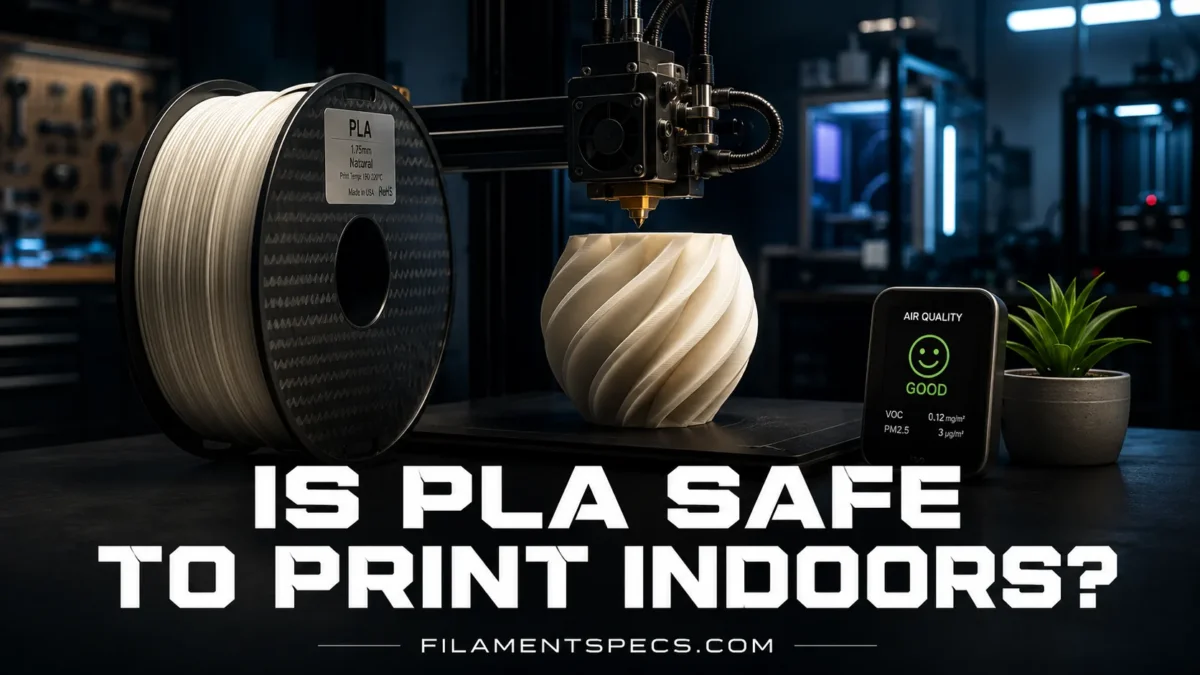
PLA is usually the first filament people choose for indoor 3D printing because it prints at lower temperatures, smells milder than ABS, and tends to release fewer measured emissions than many higher-temperature materials. That does not make it emission-free. A PLA print still heats plastic, colorants, additives, and sometimes blended modifiers inside a room, so the practical answer is simple: PLA is one of the better filament choices for indoor printing, but it should still be used with ventilation, sensible printer placement, and clean material handling.
| Indoor Safety Area | PLA Printing Reality | Practical Meaning |
|---|---|---|
| Emission Level Compared With ABS | PLA generally produces lower ultrafine particle emissions than ABS when printed within normal temperature ranges.[a] | PLA is a better indoor choice than ABS for many users, especially in homes, classrooms, and small workspaces. |
| Main Air Concerns | Ultrafine particles, VOCs, lactide-related compounds, aldehydes, and additive-related byproducts may be present. | The smell may be mild, but odor is not a reliable safety meter. |
| Typical Nozzle Range | About 190–220°C for standard PLA, depending on brand, printer, speed, and part cooling. | Use the lowest temperature that gives strong layer bonding and clean extrusion. |
| Ventilation Need | Good room ventilation is recommended; enclosure with exhaust is better when printing often or near people.[b] | A desk beside a bed, crib, food prep area, or long-term workstation is not a great location. |
| Risk Level for Occasional Small Prints | Usually low when the printer is in a ventilated room and the user is not sitting close to it for hours. | Open a window when possible, avoid hovering over the printer, and let the room clear after long jobs. |
| Risk Level for Print Farms | Higher because several printers multiply emissions and heat load. | Use local exhaust, separated rooms, or ventilated enclosures rather than relying on room air alone. |
| Food Contact | Printed PLA parts are not automatically food-safe because of layer lines, additives, printer path contamination, and cleaning limits. | Do not treat “PLA is plant-based” as a food-safety certificate. |
| Best Use Indoors | Models, prototypes, organizers, school projects, decorative parts, fit checks, and light-duty functional prints. | PLA is a friendly indoor material when the setup is handled like a small heated manufacturing process. |
Table of Contents
🧭 Is PLA Safe to Print Indoors?
For normal desktop 3D printing, PLA can be printed indoors more comfortably than many other common filaments, especially ABS, ASA, nylon, and some reinforced blends. The reason is not magic. PLA usually prints at a lower nozzle temperature, has a lower odor profile, and has been reported in research and safety guidance as a lower-emission option compared with ABS in many test conditions.
Still, lower emission does not mean zero emission. Any FDM printer can release ultrafine particles and volatile organic compounds while heating and extruding filament. That includes PLA. The safer approach is to treat PLA printing as a controlled indoor activity, not as a harmless desk toy.
Practical indoor answer: PLA is generally suitable for indoor printing when the room has fresh air exchange, the printer is not placed directly beside people for long jobs, and the filament is printed within its recommended temperature range.
When PLA Is Usually Fine Indoors
- One printer is running in a room with decent air movement.
- The print is small or medium-sized.
- The printer is not next to a bed, dining table, baby room, or main work desk.
- The nozzle temperature is not pushed far above the filament maker’s recommended range.
- The filament is standard PLA rather than an unknown blend with metallic, glitter, flame-retardant, or heavy filler additives.
When More Caution Makes Sense
- Multiple printers run at the same time.
- Prints last many hours every day.
- The printer sits in a small, closed room.
- Children, older adults, pets, or people with respiratory sensitivity spend time nearby.
- The filament has strong odor, unusual smoke, poor labeling, or unknown additives.
🌫️ What PLA Can Release During Printing
PLA stands for polylactic acid, a thermoplastic commonly made from plant-derived feedstocks. That origin often leads to a common misunderstanding: people hear “plant-based” and assume it behaves like paper, wood, or candle wax indoors. It does not. PLA is still a plastic. It softens, melts, moves through a hot nozzle, and cools into a printed shape.
During that heating process, a printer may release two broad categories of airborne material: particles and gases. The exact amount depends on the printer, filament brand, nozzle temperature, colorant package, print speed, airflow, enclosure design, and how long the job runs.
Ultrafine Particles
Ultrafine particles are very small particles, commonly discussed in the 1–100 nanometer size range in indoor air research. They matter because tiny particles can remain suspended in air and may reach deeper parts of the respiratory system than larger dust. EPA notes that 3D printing can release ultrafine particles and VOCs, and that these emissions can affect indoor air quality.[c]
PLA tends to be on the lower side among common filaments, but it still produces particles. That is why a printer with no smell can still affect the air around it. No smell is not the same as clean air.
VOCs and Odor Compounds
VOCs are volatile organic compounds. In plain terms, these are chemicals that can move into the air as gases. With PLA, studies have reported compounds such as lactide-related emissions, aldehydes, and other material-dependent VOCs. Some are linked to the base polymer. Others may come from dyes, additives, stabilizers, fillers, or thermal breakdown when a filament is overheated.
PLA’s odor is often described as sweet, corn-like, or faintly warm. That mild smell is one reason it feels more comfortable indoors than ABS. Comfort is useful, but it is not a lab measurement. A mild smell can still include measurable airborne material, and a strong smell is a reason to improve ventilation or lower temperature.
Why PLA Usually Emits Less Than ABS
ABS normally prints hotter than PLA and is known for stronger odor. It can release styrene and other VOCs, depending on print conditions. NIOSH guidance notes that choosing lower-particle-emission materials, such as using PLA instead of ABS when suitable, can reduce the hazard from ultrafine particle emissions.[a]
This does not make PLA a perfect material. It means PLA is often the more indoor-friendly option when the part does not need the heat resistance, toughness, or outdoor behavior of another polymer.
| Filament | Typical Printing Temperature | Indoor Air Notes | Common Indoor Suitability |
|---|---|---|---|
| PLA | 190–220°C | Lower odor and often lower emissions than ABS; still releases particles and VOCs. | Good with ventilation. |
| PETG | 220–250°C | Usually moderate odor; emissions depend heavily on formulation and temperature. | Good to moderate with ventilation. |
| ABS | 230–260°C | Stronger odor; higher concern for VOCs and particles in many studies. | Better in enclosed, exhausted setups. |
| ASA | 240–260°C | Similar indoor caution profile to ABS; often used for outdoor parts. | Better in enclosed, exhausted setups. |
| Nylon | 240–280°C | Higher temperature; emissions and moisture behavior need tighter control. | Best in controlled ventilation. |
| TPU | 210–240°C | Varies by chemistry and brand; flexible materials may include different additives. | Use ventilation and brand data. |
🪟 Ventilation Matters More Than the PLA Label
The biggest indoor printing mistake is focusing only on filament type while ignoring the room. A low-emission filament in a tiny closed room can be less comfortable than the same filament in a larger room with steady air exchange.
Ventilation controls how quickly emissions are diluted, captured, or removed. Washington State Department of Health describes the best practice for 3D printers as enclosing them and exhausting emissions directly outdoors.[b] That is a higher standard than many hobby setups, but the principle is useful: keep emissions from spreading through the room.
Good Indoor Ventilation for PLA
- Fresh air: open a window when weather allows, especially during long prints.
- Room separation: place the printer in a room with a door rather than in a bedroom or kitchen area.
- Distance: do not sit with your face close to the printer while it runs.
- Post-print clearing: give the room time to air out after long jobs before spending hours nearby.
- Local capture: an enclosure with filtered exhaust or outdoor exhaust is better than relying on a desk fan.
Do not blow printer air toward people. A fan pointed at the printer can move heat and particles across the room instead of removing them. Airflow should move emissions away from breathing zones and, when possible, toward filtration or exhaust.
Is a Window Enough?
For occasional PLA prints, a window can help. It is not the same as a controlled exhaust system, but it is better than a sealed room. The result depends on outdoor air, room size, wind direction, and printer placement. A window behind the printer with gentle outward airflow is more useful than a window across the room with still air.
Small room. Long print. Closed door. That is the setup to avoid.
Do Air Purifiers Help?
An air purifier can help when it includes a true HEPA filter for particles and an activated carbon stage for some VOCs. HEPA alone is not designed for gases. Carbon alone is not a particle filter. Many compact purifiers also have limited airflow, so placement matters.
For PLA, a purifier should be treated as a support tool, not permission to print in a sealed bedroom all night. Put it near the printer, keep filters replaced, and avoid ozone-generating air cleaners. Filtration works best when paired with source control.
🏠 Where PLA Printers Should and Should Not Be Placed Indoors
Printer location changes exposure. Two users can print the same PLA file with the same filament and get a different indoor experience simply because one printer is in a spare room and the other is next to a desk where someone works all day.
Better Indoor Locations
- A spare room with a door and window.
- A workshop corner with mechanical ventilation.
- A utility room where people do not sit for long periods.
- A garage-like space, if temperature and humidity are controlled enough for good print quality.
- A makerspace zone with dedicated ventilation.
Locations to Avoid
- Bedrooms, especially for overnight prints.
- Nursery rooms and children’s sleeping areas.
- Kitchens and food preparation areas.
- Small closets without airflow.
- Shared desks where someone sits within arm’s reach for hours.
Printing PLA in a bedroom once for a small model is different from running 12-hour prints beside your bed every week. Frequency matters. So does distance.
🏡 A Sensible Home Setup
Place the printer on a stable surface in a separate room, keep the door mostly closed during printing, use a window or exhaust path when possible, and avoid standing over the printer while it is actively extruding. For repeated long prints, add an enclosure with filtered or outdoor exhaust.
🧪 Why Not All PLA Filament Behaves the Same
“PLA” on a spool label does not mean every spool has the same emission profile. Standard PLA, PLA+, matte PLA, silk PLA, high-speed PLA, impact-modified PLA, glow PLA, wood-filled PLA, and carbon-filled PLA can all include different additives. Those additives change print behavior. They may also change what is released during heating.
UL Chemical Insights notes that filament type, temperature, brand, and printer conditions affect emissions from 3D printing.[d] That is why a clean setup is not only about choosing PLA; it is also about using a known filament, printing it correctly, and avoiding unnecessary overheating.
PLA Additives That Deserve Extra Attention
- Silk PLA: often contains additives that create a glossy finish and may print best at slightly different settings.
- Matte PLA: may include mineral fillers or modifiers that change flow and dust behavior after sanding.
- Glow PLA: contains phosphorescent particles and is abrasive to nozzles.
- Wood-filled PLA: contains plant-based filler that can darken or char if overheated.
- Carbon-fiber PLA: contains chopped fibers; the printed part can shed fine dust if sanded or cut.
- PLA+: not a single chemical formula; it often means PLA modified for toughness, flow, or impact resistance.
Temperature Control Is a Safety and Quality Setting
Higher nozzle temperature can improve layer bonding, but unnecessary heat can raise emissions, increase stringing, darken some filled materials, and create sharper odor. The better approach is to tune temperature with a small test tower and then use the lowest setting that still gives reliable extrusion and strong enough parts.
Hotter is not automatically better. It is just hotter.
| Setting or Condition | What It Changes | Indoor Printing Note |
|---|---|---|
| Nozzle Temperature | Flow, layer bonding, odor, and thermal breakdown risk. | Stay within the filament maker’s range and avoid needless extra heat. |
| Bed Temperature | Adhesion and warping control. | Usually less emission-relevant than nozzle temperature, but it still adds heat to the room. |
| Print Duration | Total time emissions are produced. | A 14-hour print matters more than a 20-minute calibration cube. |
| Filament Color | Pigments and additives. | Different colors from the same brand may not behave identically. |
| Enclosure | Heat stability and emission containment. | Useful for capture, but avoid letting a sealed enclosure overheat PLA. |
| Sanding or Cutting | Creates dust from the finished part. | Use wet sanding or local dust control, especially with filled PLA. |
🛠️ A Safer Indoor PLA Printing Setup
A safer PLA setup is not complicated. It combines material choice, printer placement, temperature discipline, and air handling. The goal is not fear. The goal is less exposure with no drama.
Use PLA Within Its Normal Range
Start with the spool’s recommended nozzle range. If the filament says 190–220°C, do not begin at 235°C unless there is a clear technical reason. Fast printing, large nozzles, and high-flow hotends may need more heat, but ordinary 0.4 mm PLA printing rarely benefits from aggressive temperatures.
- Run a temperature tower when using a new filament.
- Watch for browning, popping, harsh smell, or smoke-like haze.
- Dry wet filament instead of raising temperature to force flow.
- Keep the hotend clean so old residue does not burn on the nozzle.
Choose Filament With Clear Material Information
A labeled spool from a known manufacturer is easier to evaluate than an unmarked bargain spool. Look for basic print-temperature guidance, safety documentation when available, and clear material naming. “PLA+” without any support information is not always a problem, but it gives the user less to judge.
For schools, libraries, and shared workspaces, buying known materials and keeping spool records is especially useful. It makes troubleshooting easier and supports safer maintenance habits.
Use an Enclosure the Right Way
An enclosure can reduce drafts, contain printer noise, and help manage emissions. For PLA, the enclosure should not be allowed to get too hot, because PLA softens at lower temperatures than many engineering plastics. Heat creep, softened filament, clogged extruders, and weaker detail can show up when a PLA printer sits in a very warm box.
- Use an enclosure with controlled airflow rather than a sealed hot box.
- Vent the enclosure through filtration or outdoors when possible.
- Keep electronics within their safe operating temperature range.
- Open the enclosure after the print has had time to cool and air has cleared.
Keep Post-Processing Clean
Indoor PLA safety is not only about the moment of printing. Sanding, drilling, filing, cutting supports, and cleaning nozzle residue can create dust or small fragments. Filled PLAs need more care because the filler can change dust behavior.
- Use wet sanding when surface finishing PLA.
- Clean dust with a damp cloth rather than blowing it into the room.
- Wear eye protection when clipping supports.
- Avoid sanding carbon-fiber or glass-filled PLA without dust control.
Small habit, useful result: let a long PLA print finish, stop active extrusion, and give the room a short clearing period before leaning into the printer to remove the part. It costs almost nothing.
🍽️ Is PLA Safe for Food-Contact Prints?
PLA as a raw polymer is sometimes discussed as a bioplastic, but a printed PLA object is not automatically food-safe. The printer, nozzle, pigments, additives, layer lines, and cleaning method all matter. A printed cookie cutter used once on dry dough is not the same as a cup used daily for hot drinks.
The main concerns are practical:
- Layer lines can trap residue.
- Most brass nozzles are not chosen for certified food-contact production.
- Colored PLA may contain pigments that were not selected for food contact.
- PLA softens with heat, so dishwashers and hot liquids can deform it.
- Old filament residue in the hotend may contaminate the print path.
For decorative kitchen items, display pieces, dry-contact templates, and short-use objects, PLA can be useful. For repeated food contact, hot liquids, baby items, or anything that must be cleaned deeply, use materials and manufacturing methods that are actually rated for that purpose.
🐾 PLA Printing Around Pets and Children
PLA is often used in classrooms because it is easier to print and generally has a more favorable emission profile than ABS. That does not mean a printer should run beside children all day. The better classroom model is a supervised, ventilated, separated print area.
For pets, the concern is similar. Birds, small mammals, and animals with sensitive respiratory systems should not be placed near active printing. Keep the printer away from cages, sleeping areas, food bowls, and litter zones. Also keep filament scraps, purge lines, and failed prints off the floor.
For Classrooms and Shared Rooms
- Use PLA when the part requirements allow it.
- Place printers away from desks and seating areas.
- Use local exhaust or a ventilated enclosure for frequent printing.
- Keep students from crowding around the printer during long jobs.
- Store filament scraps and sharp support waste safely.
🔍 Common PLA Indoor Safety Myths
Myth: PLA Is Plant-Based, So It Has No Fumes
PLA’s feedstock origin does not remove emissions during melting. The printer is still heating a thermoplastic, and the spool may include colorants and modifiers. Plant-based does not mean air-neutral.
Myth: If It Does Not Smell Bad, It Is Safe
Odor is an incomplete warning system. Some airborne particles have no smell. Some VOCs are noticeable at low levels, while others may not be obvious. Use ventilation because the process produces emissions, not only because a smell appears.
Myth: A Fully Sealed Box Solves Everything
A sealed enclosure can hold emissions in one place, but it may also concentrate them until opened. A better setup captures, filters, or exhausts air instead of simply trapping it. For PLA, temperature inside the enclosure also needs attention.
Myth: All PLA Brands Are the Same
They are not. Brand, pigment, filler, modifier package, moisture level, and print temperature can change results. Two spools labeled PLA can print differently, smell differently, and create different residue patterns.
✅ Practical Indoor Rules for PLA
These rules are useful because they match how people actually print: a mix of short hobby prints, long overnight jobs, school models, prototypes, and occasional functional parts.
- Print PLA in a ventilated room. A separate room is better than a bedroom or dining area.
- Use known filament. Clear temperature guidance and material information matter.
- Keep nozzle temperature reasonable. Use enough heat for clean extrusion, not more.
- Do not sit close for the full print. Distance reduces exposure.
- Use an enclosure for frequent printing. Prefer filtered or outdoor exhaust when possible.
- Be more careful with specialty PLA. Glitter, glow, carbon fiber, wood, and matte fillers are not the same as plain PLA.
- Handle dust separately. Sanding and cutting are dust tasks, not just printing tasks.
- Stop if something smells sharp or looks smoky. Check temperature, nozzle residue, filament type, and airflow.
Indoor PLA Setup Quality
🧩 When PLA May Not Be the Right Filament
PLA is indoor-friendly, but it is not the answer for every part. It softens at relatively low temperatures, can creep under load, and may not be the best material for parts exposed to heat, sun, repeated impact, or mechanical stress. Choosing PLA only because it is easier indoors can lead to weak parts in the wrong application.
Use PLA for visual models, prototypes, organizers, terrain, jigs with light loads, and parts that live in normal indoor temperatures. Consider PETG, ASA, nylon, PC blends, or other materials when the part needs heat resistance, outdoor life, chemical resistance, or stronger long-term mechanical behavior. When switching materials, revisit ventilation. Higher-performance filaments often need higher temperatures and tighter air control.
FAQ
Can I print PLA in my bedroom?
It is better not to use a bedroom as a regular print room, especially for overnight or long prints. For a short occasional PLA print, open-air ventilation can help, but a separate room with airflow is a better habit.
Does PLA release toxic fumes?
PLA can release ultrafine particles and VOCs during printing. It is generally considered lower-emission than ABS in many conditions, but it is not emission-free. Ventilation is still recommended.
Is PLA safer than ABS indoors?
In many desktop 3D printing studies and safety guidance documents, PLA is treated as a lower-emission choice than ABS. ABS usually prints hotter and has a stronger odor profile. PLA is still best used with fresh air and sensible printer placement.
Do I need an enclosure for PLA?
You do not always need one for occasional PLA printing, but an enclosure can help contain emissions and stabilize the print area. For PLA, avoid letting the enclosure become too hot, because excess heat can cause jams, softened filament, or print-quality problems.
Is PLA smell harmful?
A mild PLA smell does not automatically mean danger, and no smell does not automatically mean clean air. Smell is only a rough clue. Use ventilation because particles and VOCs may be present even when odor is weak.
Can I print PLA around children?
PLA is often preferred in classrooms compared with higher-emission materials, but printers should still be placed away from seating areas and used with ventilation. Children should not crowd around an active printer for long periods.
Is PLA food-safe after printing?
Not automatically. The printed object may have layer lines, pigments, additives, and printer-path contamination. PLA can also soften with heat. For repeated food contact, use materials and processes that are actually rated for that use.
Does carbon-fiber PLA need more caution indoors?
Yes, especially during sanding, cutting, drilling, or support removal. The printing stage still needs ventilation, and post-processing should control dust. A hardened nozzle is also usually needed because carbon-filled filaments can be abrasive.
Sources
- [a] NIOSH, “Approaches to Safe 3D Printing” — used for material substitution and lower-particle-emission guidance for PLA versus ABS. (Reliable because NIOSH is a U.S. occupational safety research institute.)
- [b] Washington State Department of Health, “3D Printers” — used for ventilation and enclosure best-practice guidance. (Reliable because it is a state public health agency.)
- [c] U.S. Environmental Protection Agency, “3D Printing Research at EPA” — used for ultrafine particle and VOC context in 3D printing. (Reliable because EPA is a U.S. environmental health and chemical research authority.)
- [d] UL Chemical Insights Research Institute, “3D Printing: Emissions Research & Health” — used for emission factors such as material type, temperature, and printing conditions. (Reliable because UL operates long-running safety science and standards-related research programs.)
- [e] UL Standards & Engagement, “ANSI/CAN/UL 2904 Standard for 3D Printers” — used for the existence and purpose of the 3D printer emissions testing standard. (Reliable because ULSE is a recognized standards organization.)