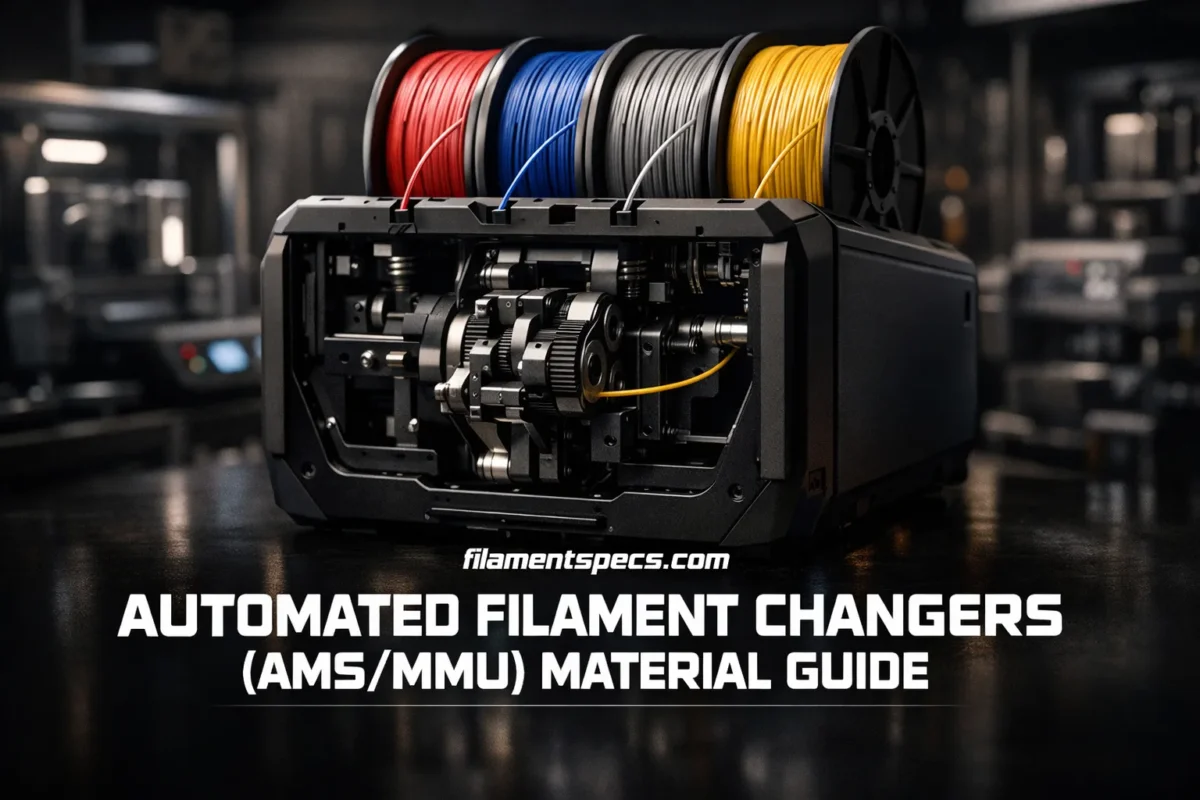
Automated filament changers are at their best when the material path stays predictable, the filament stays dry, and the nozzle does not have to jump across wildly different behaviors from one swap to the next. For most AMS and MMU-style setups, the real question is not “Can this printer melt the filament?” but “Can the system load it, unload it, form a clean tip, purge it, and repeat that cycle dozens or hundreds of times without the print drifting off course?”
| Material Family | Standard AMS | AMS HT | MMU-Style Systems | Best Fit | What Usually Decides the Result |
|---|---|---|---|---|---|
| PLA and PLA-Like | Excellent | Excellent | Excellent | Color swaps, labels, rigid decorative parts | Clean tip formation, low warping, wide profile support |
| PETG and Similar Copolyesters | Good | Good | Good | Functional parts, support bodies, mixed-color technical parts | Stringing control, purge tuning, slower flow than PLA |
| ASA and ABS | Good on enclosure-ready machines | Good on enclosure-ready machines | Good on enclosure-ready machines | Outdoor or heat-tolerant parts | Warp control, chamber stability, matched temperatures |
| PVA and BVOH | Usable only when very dry | Better, still moisture-sensitive | Good for support interfaces | Soluble supports | Humidity, brittleness, purge volume, support strategy |
| TPU and Other Flexibles | Generic TPU is not a first-choice path | Best AMS-family route for TPU | Caution | Soft grips, seals, flexible hinges | Softness, path length, retraction sensitivity, low flow |
| Carbon/Glass-Filled Filaments | Usually avoid the standard feed path | Bypass or direct path is usually safer | Caution | Stiff, lighter, more dimensionally stable parts | Abrasion, brittle filament tips, hardened nozzle need |
| Nylon/PA and PC | Caution | Better when dried well | Caution | Strong, heat-tolerant parts | Moisture uptake, chamber needs, stable loading behavior |
The practical rule: same-material color changes are the easiest, support interfaces come next, and fully different polymers in one part are the hardest. That order matters more than brand names.
Table of Contents
🎛️ Why AMS and MMU Systems Like Some Filaments More Than Others
An automated changer does four jobs over and over: it feeds filament forward, forms a usable tip on unload, pushes the next filament through the same hotend, and cleans the nozzle enough for the next section of the model. Rigid filaments make that cycle easier. Softer, wetter, or more brittle materials make the same cycle less forgiving.
- Stiffness matters. The system wants a filament that can be pushed through tubes and gears without buckling.
- Tip quality matters. A good unload leaves a repeatable tip shape. Soft, swollen, or stringy tips cause reload issues.
- Moisture matters. Wet filament strings more, foams more, and drags more in the path.
- Temperature overlap matters. Two materials with similar print temperatures are far easier to swap inside one nozzle.
- Surface behavior matters. Materials that bond too strongly or too weakly change whether a pair is good for structure, interface layers, or breakaway supports.
What Single-Nozzle Changers Do Best
- Different colors of the same polymer
- One main material plus a carefully chosen support interface
- Parts where purge waste can be hidden in a wipe object or infill
They can do more. They just do not do everything equally well.
That is why a print made from red PLA and black PLA is easy, while a print made from PETG and soft TPU can move from smooth to fussy very quickly. Prusa’s own multi-material material discussion makes the distinction clearly: multi-color with one polymer is much simpler than switching between truly different polymers, and separate toolheads are the cleaner route when the materials need different conditions.[j]
🔀 Multi-Material System Types Now Need Separate Rules
AMS and MMU are often used as shorthand for every automatic color or material system. That is no longer accurate. Current machines may rewind filament through one shared nozzle, park several complete toolheads, or swap compact heated hotends. The architecture changes purge volume, material pairing, drying needs, and the type of failure that matters most.
| System Type | Material Change Method | Purge Need | Material Advantage | Main Limitation |
|---|---|---|---|---|
| Single-nozzle filament changer | Unloads one filament and feeds the next through the same melt zone. | Usually needs enough purge to remove the previous color or polymer. | Compact, cost-efficient, and well suited to same-polymer color changes. | Soft filament, wet tips, wide temperature gaps, and repeated rewinding can cause trouble. |
| Full toolchanger | Parks one complete toolhead and activates another. | Can avoid cross-color purge when each tool keeps its own nozzle. | Different nozzle sizes and polymers can remain physically separated. | More toolhead mass, parking space, calibration points, and machine cost. |
| Hotend or nozzle-changing system | Changes a compact hotend or nozzle while sharing more of the motion system. | Needs priming or wiping, but can use far less purge than one shared melt zone. | Reduces color contamination and allows dedicated nozzles for selected materials. | Feed compatibility, nozzle assignment, cleaning, and hotend inventory still need planning. |
Purge Numbers Must Include the Test Method
Prusa reports about 0.013 g of plastic for an INDX material change to stabilize nozzle pressure, while Bambu describes the H2C Vortek system as a purge-saving hotend-changing design.[l] These are useful architecture examples, but they are not a shared industry benchmark. A fair comparison must state the number of changes, color contrast, polymers, priming method, wipe structure, purge-to-infill settings, failed transitions, and leftover filament in the system.
Low purge does not make incompatible polymers bond. A nozzle-changing system can reduce contamination between PLA and PETG, for example, but it does not change their interface adhesion, shrink behavior, bed needs, or service-temperature limits.
Choose the Architecture Around the Job
- Same-polymer colors: a single-nozzle changer is usually the simplest route.
- Different nozzle diameters: a toolchanger or hotend-changing system avoids repeated nozzle replacement.
- Abrasive and non-abrasive materials: dedicate an abrasion-ready nozzle instead of forcing every material through it.
- Large temperature gaps: separate hotends reduce residue mixing, although chamber and bed conditions must still suit both polymers.
- Soft filament: check the feeder path first; changing the nozzle architecture does not automatically make TPU easy to load and retract.
🧪 Materials That Usually Work Best
PLA
PLA is usually the easiest starting point for automated changes. It loads cleanly, unloads cleanly, and is forgiving enough that most color-swap prints look good without constant intervention. If the goal is a clean multicolor result, PLA is still the baseline material.
PETG
PETG is still a very good fit, but it asks for more tuning. It strings more than PLA, needs more careful purge settings, and can leave more residue during material changes. The upside is simple: better toughness and heat resistance without jumping into truly demanding engineering plastics.
ASA and ABS
These materials work much better when the printer itself is ready for them. Stable ambient temperature matters, and warping control matters. For enclosure-ready machines, they make sense for outdoor or warmer-use parts; for open or drafty setups, they often turn a multi-material job into an avoidable fight. Prusa’s material guide places ASA and ABS in higher-temperature ranges and treats enclosure use as a normal part of the workflow for larger parts.[e]
PVA and BVOH
These are not general-purpose print materials in changer systems. They are support materials. When dry, they unlock shapes that are annoying or impossible to clean up by hand. When damp, they turn brittle, sticky, or inconsistent, and the feeding path becomes the first weak point. Bambu’s own PVA listing says it is suitable for AMS and AMS Lite in a dry state.[b]
TPU and Other Flexibles
Flexible materials change the rules. They prefer short, controlled filament paths, lower speeds, mild handling, and very dry storage. Bambu’s current TPU guidance says only AMS HT in the AMS family supports TPU filament, while other AMS models are not compatible with TPU.[a] On Prusa hardware, flexible materials print well on suitable direct-drive paths, but automatic filament changing with soft filament remains a much less forgiving job than PLA or PETG.
Carbon- and Glass-Filled Filaments
These materials are attractive because they print stiffer parts, often with lower visible warping and cleaner geometry. The tradeoff is straightforward: the fibers are abrasive, the filament can be more brittle, and the system needs the right hardware. Prusa’s composite-material guidance is clear here: a hardened nozzle is required, and clogging risk goes up with lower-quality or less stable composites.[f]
🔄 Material Pairings That Usually Make Sense
| Pairing | How Well It Fits AMS/MMU Workflows | Best Use | What to Watch |
|---|---|---|---|
| PLA + PLA | Excellent | Color graphics, text, decorative models, labels | Mostly purge tuning and color bleed |
| PETG + PETG | Good | Functional multicolor parts | Stringing, slower cleanup, slightly larger purge need |
| PLA + PVA/BVOH | Good | Water-soluble support interfaces or full soluble supports | Support filament must stay very dry |
| PETG + BVOH | Very Good | Technical parts with hard-to-reach supports | BVOH cost and moisture sensitivity |
| ABS/ASA + HIPS | Good on suitable machines | Support strategy for hotter materials | Needs a printer already happy with hotter materials |
| PLA + PETG | Useful as a release strategy, not as a structural bond | Easy-peel support interfaces | Do not expect strong fusion between the two |
| PETG/PLA + TPU | Caution | Localized flex zones, grips, living-hinge style sections | Path softness, low flow rate, bond strength, slower changes |
Prusa’s support-material documentation gives the cleanest real-world rule set for soluble pairs: PLA works with both PVA+ and BVOH, while PETG practically wants BVOH; for ABS, HIPS is the usual support companion. That temperature overlap is the real reason these pairings work better than random mixes.[c]
Use the pair for the job it suits. PLA + PETG is helpful when you want poor adhesion for peel-away interfaces. It is a poor choice when you want the two materials to act like one solid body.
If the print needs a rigid shell and a truly flexible insert, the geometry should help the bond instead of depending on chemistry alone. Mechanical interlocks, trapped shapes, cross-hatched boundaries, and dedicated flexible zones all work better than a flat butt-joint between unrelated polymers.
💧 Where Soluble Supports Actually Earn Their Place
Soluble supports are worth using when manual cleanup is the real bottleneck: internal channels, undercuts, lattice cavities, trapped volumes, or delicate cosmetic surfaces. They are less useful when a normal interface layer can be removed in seconds.
Use Interface-Only Solubles First
On many prints, the best move is not full soluble support. It is a normal support body with soluble interface layers only. That cuts support-material cost, reduces humidity exposure, and keeps the support filament focused on the surfaces where it makes the biggest difference. Prusa documents both approaches as SOLUBLE FULL and SOLUBLE INTERFACE presets for MMU-style workflows.[c]
Purge Volume Is Not Optional Here
Soluble materials punish weak purge settings. If residue from the previous material remains in the nozzle, the interface quality drops and the soluble path starts looking unreliable even when the real problem is just incomplete cleanup. Prusa recommends increasing purging volume for water-soluble supports, with at least 200–240 mm³ as a practical starting point and sometimes 240 mm³ minimum when changing away from PVA/BVOH.[c]
The Wipe Tower Still Matters
Wipe towers are not just there for color purity. They also stabilize flow after a swap. Prusa’s wipe tower documentation spells it out well: the tower exists to keep color transitions sharp and filament flow stable, while its size depends on the number of changes rather than the printed object’s size. That is why a small logo with many swaps can waste more than a larger part with fewer changes.[d]
When possible, wipe into an internal object, infill, or a sacrificial feature. It is one of the easiest ways to lower waste without harming the visible part.
⚙️ Flexible, Abrasive, and Specialty Filaments
TPU in Automated Changers
For TPU, softness decides everything. The softer the filament, the easier it is for it to buckle in a long or constrained path. Prusa’s flexible-material notes underline the usual pattern: print slower, keep the filament dry, lower the pressure from the drive system, and expect automatic filament change to be less dependable with flexible material than with rigid ones. Their approximate flow guidance is also telling: FLEX materials sit around 1–2.5 mm³/s, far below PLA or PETG.[i]
So the rule is simple. Use TPU when the part really needs flexibility, not because the changer can theoretically route it. On AMS-family hardware, AMS HT is the proper TPU-aware route. On MMU-style systems, flexible work is still possible in selected cases, but it is rarely the first material you should choose for a busy multi-swap job.
Carbon- and Glass-Filled Materials
These materials often print beautifully, but they ask more from the hardware. A filled filament can be stiffer in the spool and more brittle in repeated load/unload cycles, while the fibers wear nozzles and can also wear feed-path parts over time. That combination makes them a poor “default” choice for standard changer paths, especially when a direct feed or bypass route is available.
Nylon, PC, and Other Moisture-Hungry Materials
Nylon and PC can be excellent materials for the printed part itself. They are just less friendly to repeated unattended swaps unless the filament is freshly dried and the machine environment is already tuned for them. In practice, these are materials to use with purpose, not by habit.
When a Specialty Material Is Worth It
- Use TPU when the print needs grip, flex, damping, or a living-joint effect.
- Use CF/GF blends when stiffness, cleaner geometry, or lower apparent warping matters more than easy handling.
- Use Nylon or PC when the part properties matter enough to justify extra drying and setup discipline.
🧵 Drying, Storage, and Spool Setup
Moisture is one of the biggest differences between a smooth changer print and a print that starts missing swaps, producing poor tips, or laying down fuzzy support interfaces. Prusa’s drying documentation is very plain on this point: most FFF filaments are hygroscopic, and the more hygroscopic the filament, the more seriously storage affects behavior. Polyamide, PVA, BVOH, and TPU belong near the top of the priority list.[g]
| Material | Drying Temperature | Drying Time | Why It Helps in Changer Systems |
|---|---|---|---|
| PLA | 45 °C | 6 hours | Cleaner tips, lower stringing, more consistent swaps |
| PETG | 55 °C | 6 hours | Better surface finish, less ooze during transitions |
| ASA | 80 °C | 4 hours | More stable extrusion on hotter prints |
| PC | 85 °C | 5 hours | Less bubbling, more stable layer quality |
| TPU | 60 °C | 4 hours | Less stringing and better feed consistency |
Those numbers are not random. They are one reason dry filament often “feels” like a different material in a changer system. Keep hygroscopic spools sealed when idle, use desiccant, and favor closed dry storage during longer jobs. For PVA and BVOH, that is not extra care. It is normal care.
🧠 Slicer Settings That Change Real Results
- Set purge volumes by material pair, not by habit. PLA-to-PLA can stay lean. PETG, soluble materials, and dark-to-light changes need more room.
- Place the wipe tower close to the model. This lowers travel distance and keeps the swap loop tighter.
- Use wipe into object when appearance allows it. Mechanical parts are perfect candidates.
- For soluble interfaces, keep support layers synchronized. This matters when the wipe tower is active.
- Respect each material’s flow ceiling. One aggressive profile can be perfectly fine for PLA and too fast for BVOH or TPU.
- Use interlocking when the material boundary is mechanically weak. Let the geometry help the bond.
Prusa’s approximate max volumetric speed examples are a good reminder that one “fast” profile does not fit every filament: PLA around 15 mm³/s, ASA/ABS around 11, PETG around 8, BVOH/PVA around 4, and FLEX around 1–2.5. The more the number drops, the more every swap-related weakness becomes visible if you try to push the print like PLA.[i]
For multi-material bonding, PrusaSlicer also includes interlocking controls that can build cross-hatched internal boundaries between materials. That feature is especially useful when mixing materials or building structural parts with soft sections, because it reduces the load placed on chemical adhesion alone.[k]
The safest order of experimentation: start with PLA color swaps, then move to PETG, then try support interfaces, then soluble materials, and only after that step into soft or abrasive filaments.
❓ FAQ
Is PLA still the best starting point for AMS and MMU printing?
Yes. PLA is usually the easiest material for repeated swaps because it feeds cleanly, unloads cleanly, and has the widest margin for color-change printing.
Which soluble support material fits PETG best?
BVOH is the safer match for PETG in most single-nozzle multi-material workflows because its print behavior and temperature window fit PETG better than PVA.
Can I use TPU in an automated filament changer?
You can, but the answer depends heavily on the system. In the AMS family, AMS HT is the proper TPU-aware route. In other changer setups, softer filaments are much less forgiving and usually need slower, more careful handling.
Are carbon-fiber filaments a good idea for routine changer prints?
Not as a routine default. They can print excellent parts, but the combination of abrasion, brittle tips, and hardware wear makes them better suited to hardened-nozzle setups and more deliberate job planning.
What wastes more material: the print size or the number of swaps?
Usually the number of swaps. Single-nozzle changer waste is driven far more by how often the printer must purge than by the overall model size.
When should I stop forcing a mixed-material idea into an AMS or MMU print?
Stop when the two materials need very different temperatures, very different flow limits, or much stronger bonding than the polymer pair naturally provides. That is usually the point where separate toolheads become the better route.
Sources
- [a] Bambu Lab TPU Printing Guide — used for current AMS-family TPU compatibility notes, especially the AMS HT distinction (official manufacturer knowledge base).
- [b] Bambu Lab PVA Product Page — used for Bambu’s dry-state suitability note for PVA in AMS and AMS Lite (official manufacturer product documentation).
- [c] Prusa Knowledge Base: Water-Soluble Materials (PVA/BVOH) — used for material pairing rules, support presets, and purge guidance for soluble supports (official vendor documentation with technical support oversight).
- [d] Prusa Knowledge Base: Wipe Tower — used for wipe tower purpose, size logic, and waste-reduction options such as wipe into object (official slicer documentation).
- [e] Prusa Filament Material Guide — used for broad material temperature windows and hardware fit across common polymers (official reference table maintained by the printer and material manufacturer).
- [f] Prusa Knowledge Base: Composite Materials Filled With Carbon, Kevlar, or Glass — used for hardened nozzle requirements and composite handling notes (official material documentation).
- [g] Prusa Knowledge Base: Drying Filament — used for hygroscopic-material storage priorities and drying temperatures/times (official maintenance and material-care documentation).
- [h] Prusa Blog: MMU3 2024 Update and Dev Diary — used for MMU3 filament-change timing and waste-management context (official engineering update from the manufacturer).
- [i] Prusa Knowledge Base: Max Volumetric Speed — used for comparative flow-rate examples across PLA, PETG, soluble materials, and flexibles (official slicer and print-profile reference).
- [j] Prusa Pro: Multi-Material Printing — used for the distinction between multi-color and true mixed-polymer printing, and for when toolchanger systems are the cleaner solution (official business/technical publication from the manufacturer).
- [k] Prusa Knowledge Base: Interlocking and Advanced Bonding — used for slicer-side interlocking features that strengthen weak material boundaries (official software documentation).
- [l] Prusa Research — CORE One INDX System Release — supports the manufacturer-reported 0.013 g priming purge per material change and the nozzle-wiper explanation. (Official dated documentation for the stated system and measurement.)
- [m] Bambu Lab H2C Product Page — supports the Vortek hotend-changing and purge-saving system classification. (Official manufacturer page for the current H2C architecture.)