
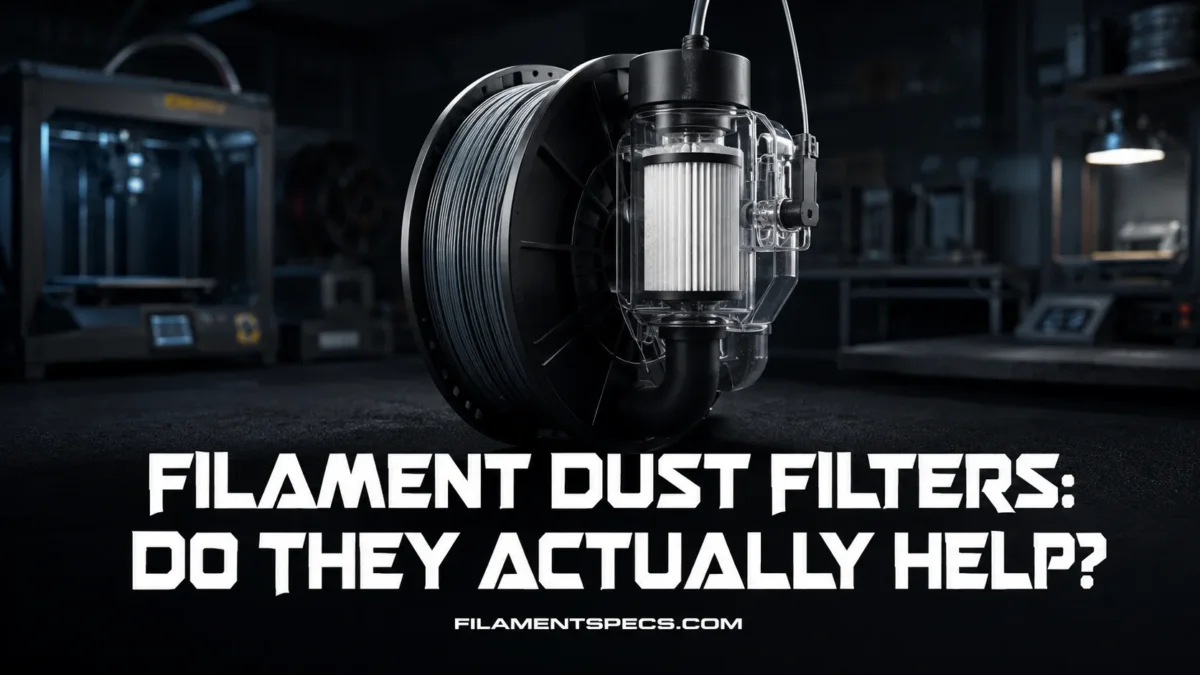
Filament dust filters do help, but only with one specific problem: loose dust, lint, tiny fibers, and surface debris riding on the filament before it reaches the extruder. They are not a cure for wet filament, heat creep, bad temperature settings, poor filament diameter control, or a worn nozzle. Used correctly, a simple low-friction filter can reduce one cause of partial clogs and dirty drive gears. Used badly, it can add drag and make feeding worse.
| Print Situation | How Much It Helps | Why It Helps or Does Not Help | What Still Matters More |
|---|---|---|---|
| Open spool on a desk or shelf | High | Dust can settle directly on the exposed filament and travel into the drive gears or nozzle path. | Spool storage, room cleanliness, and clean filament handling |
| Printer in a dusty room, workshop, garage, or pet area | High | Loose lint and airborne dust collect on the filament surface, especially during long prints. | Covered storage, dry box use, and regular extruder cleaning |
| 0.2 mm or 0.25 mm nozzle | High | Small debris takes up more of the nozzle opening, so partial flow restriction appears sooner. | Clean hotend, clean filament path, careful material choice |
| Standard 0.4 mm nozzle with clean spools | Low to medium | The filter may still catch dust, but clog risk is usually driven by other causes. | Temperature, retraction, heatbreak cooling, filament quality |
| Wet PLA, PETG, nylon, or TPU | Very low | A dust filter cannot remove absorbed moisture from the polymer. | Drying temperature, drying time, sealed storage, desiccant |
| Carbon fiber, glass fiber, glow, or metal-filled filament | Medium | It can wipe surface dust, but it cannot stop abrasive filler from wearing a soft nozzle. | Hardened nozzle, suitable nozzle diameter, slower tuning |
| Clicking extruder and under-extrusion | Diagnostic value | If the filter collects visible debris, it may point to dirty filament handling, but it is not the only possible cause. | Extruder tension, hotend clog, cold pull, gear cleaning |
| Printer with enclosed dry box or sealed material system | Low to medium | The filament is already protected from much of the room dust. | Clean PTFE path, low spool friction, dry storage |
Table of Contents
🧵 What a Filament Dust Filter Actually Does
A filament dust filter is a small wiper placed around the filament before it enters the extruder, PTFE tube, filament sensor, or material system. Most versions use foam, sponge, felt, microfiber, or a soft printed clamp that lightly touches the filament.
The job is simple: wipe the outside of the filament before that dirt enters the printer.
That matters because a desktop FDM/FFF printer pushes a solid plastic strand through a narrow mechanical path. The filament may touch the spool rim, cardboard spool edges, a dry box outlet, a guide tube, an extruder drive gear, a heatbreak, and then a tiny nozzle opening. Any loose particle that sticks to the filament can travel with it.
Plain answer: a dust filter can reduce surface debris entering the filament path. It does not “clean” the polymer itself, dry the filament, fix poor melt flow, or remove fumes from the air.
Prusa notes that nozzle clogging can happen when impurities in filament get stuck in the hotend, and it describes partial clogs as inconsistent extrusion, gaps, missing layers, and curling filament at the nozzle.[a] That is the exact kind of failure where a dust filter can be useful as prevention, not as a repair after the hotend is already blocked.
What It Can Catch
- Loose room dust sitting on the filament surface
- Cardboard spool fibers
- Pet hair, lint, and small textile fibers
- Loose plastic dust from filament rubbing against a spool edge or guide
- Small debris from a dirty spool holder or open storage shelf
What It Cannot Catch
- Moisture already absorbed inside PLA, PETG, nylon, TPU, PVA, or other hygroscopic materials
- Burned residue already inside the nozzle
- Filler particles that are part of carbon fiber, glass fiber, glow, wood, metal, or stone-filled filament
- Heat creep caused by poor cooling or a hot enclosure
- Mechanical grinding caused by too much idler tension or too much filament path resistance
🛤️ How Dust Moves from the Spool to the Nozzle
Dust does not need a dramatic path. It only needs contact.
A spool sits open for days. Airborne particles settle on the top layer of filament. During a long print, several meters of filament unwind slowly, and that surface dust gets pulled into the extruder. Some of it may stay on the drive gear teeth. Some may be shaved into finer debris. Some may pass deeper into the hotend.
Creality’s own maintenance guidance tells users to check extruder gears monthly for dust or filament debris and clean them promptly, because abnormal noises, clogging, or severe filament grinding need attention.[b] That is a useful clue: the issue is not only the nozzle. Dust can affect the feeder area too.
Three Places Dust Can Cause Trouble
- Drive gears: dust and filament powder can pack into the gear teeth. Once the teeth lose grip, the printer may click, grind, or under-extrude.
- PTFE tube and filament sensor path: lint can drag, collect, or combine with filament shavings, especially in long Bowden routes.
- Nozzle orifice: the smallest exit point is the least forgiving. A 0.2 mm nozzle has far less room for debris than a 0.6 mm nozzle.
One speck is not always enough to stop a print. The problem is buildup. A small amount of debris over many print hours can turn into inconsistent extrusion, especially when paired with old filament, poor storage, high retraction, or a nozzle that already has residue inside.
Why Static Makes It Worse
Filament can hold a mild static charge as it rubs against spool walls, dry box outlets, plastic guides, or PTFE tubing. Static makes dust cling to the filament instead of falling away. This is one reason some users see a visible dark ring on a foam dust filter after only a few prints.
That dark ring is useful feedback. It tells you the filter is catching something that would otherwise travel forward.
✅ When a Dust Filter Is Actually Worth Using
A filament dust filter is most useful when the printer is exposed to real dust or when the nozzle path is unforgiving. It is a small part, but it can protect a sensitive feed path from avoidable dirt.
Best Use Cases
- Open-frame printers: spools sit in the room, so dust exposure is higher.
- Long prints: more filament length passes through the printer, so more surface dust can enter.
- Small nozzles: 0.2 mm and 0.25 mm nozzles are less tolerant of tiny debris.
- Bowden printers: long PTFE paths add more surfaces where debris and shavings may collect.
- Cardboard spools: edge fibers and paper dust can transfer to the filament path.
- Workshop rooms: sanding, woodworking, fabric, cardboard boxes, and general dust all raise the chance of dirty filament.
- Multi-material systems: longer feed routes and repeated loading make clean filament handling more valuable.
Where the Benefit Is Smaller
If the spool stays in a sealed dry box, the room is clean, the nozzle is 0.4 mm or larger, and the printer already has a protected filament path, the dust filter may still catch a little debris. The difference may be hard to notice.
That does not make the filter useless. It means the risk was already low.
Practical Value by Setup
🚫 What Filament Dust Filters Do Not Fix
The biggest mistake is treating a dust filter like a universal print reliability upgrade. It is not. It is a narrow tool for a narrow problem.
They Do Not Dry Filament
Wet filament can pop, hiss, string, foam, bubble, weaken layer bonding, and leave rough surfaces. A dust filter cannot remove absorbed water because the water is inside the material, not sitting on the outside.
For moisture-sensitive materials, drying and sealed storage matter more than wiping. Nylon, TPU, PVA, PC, and some PETG spools can need more careful moisture control than a casual PLA setup.
They Do Not Replace Nozzle Cleaning
If the nozzle already has burned residue, a hardened plug, old filament, or filler buildup inside, a dust filter placed before the extruder will not pull that material backward. It only helps before dirt enters the path.
Prusa describes cold pull as a method for clearing possible hotend and nozzle obstructions such as filament and debris, and also notes that it is part of regular maintenance in suitable cases.[d] That is a different job from wiping the filament surface.
They Do Not Act Like Air Filters
A filament dust filter is not an enclosure filter, HEPA filter, carbon filter, fume extractor, or ventilation system. It sits on the filament, not in the air stream.
NIOSH discusses 3D printing concerns involving ultrafine particles, chemicals, and safety hazards from printer and filament combinations.[c] A tiny filament wiper does not address that category of exposure. For air quality, think enclosure, ventilation, filtration, printer location, and material choice.
They Do Not Make Abrasive Filaments Non-Abrasive
Carbon fiber PLA, carbon fiber PETG, glass fiber nylon, glow filament, metal-filled filament, and similar materials contain hard filler particles by design. A dust filter may remove surface dust, but it cannot remove the abrasive filler without changing the material itself.
For abrasive filaments, use a suitable nozzle: hardened steel, tungsten carbide, hardened high-flow, ruby-tipped, or another wear-resistant option depending on your printer and budget.
🧩 Common Filament Dust Filter Types
Most filament dust filters look simple because they are simple. The difference is in friction, material quality, and placement.
| Filter Type | How It Works | Best For | Possible Issue |
|---|---|---|---|
| Foam or sponge clamp | A small foam insert presses lightly on the filament inside a printed holder. | General PLA, PETG, ABS, ASA use on open spool setups | Too much pressure can add drag; low-quality foam can shed. |
| Felt pad filter | Soft felt wipes the filament surface as it passes through. | Dusty environments and slow-to-medium speed printing | Some felt materials release fibers if they are cut poorly. |
| Microfiber wipe | A small piece of microfiber cloth lightly wraps the filament. | Gentle surface wiping with low scratch risk | Can bunch up if not held flat inside the housing. |
| PTFE clip with soft insert | A printed or molded clip sits on a PTFE tube and holds the wipe near the tube entrance. | Bowden printers and material systems with visible tube entry points | Bad alignment can scrape filament or push it off center. |
| Dry box outlet wiper | The filter is built into the filament exit of a dry box. | Long storage prints, moisture-sensitive materials, cleaner workflow | Must not create high outlet friction. |
| Oiled sponge filter | A sponge with oil is used to trap dust and reduce static. | Rare specialist use only | Oil can contaminate filament, drive gears, PTFE tube, or print surface if overused. |
The Safest General Choice
For most users, the safest option is a dry, soft, low-friction foam or microfiber filter. It should touch the filament lightly. It should not squeeze it.
Simple is good here.
Why Oiled Filters Need Caution
Some older DIY advice suggests adding oil to the sponge. The idea is to trap dust and reduce static. That can work in a limited mechanical sense, but it brings new risks: oily residue can reach the drive gears, PTFE tube, nozzle inlet, build surface, or printed part.
For ordinary PLA, PETG, ABS, ASA, TPU, and nylon printing, a dry filter is the cleaner choice. If a filter needs oil to work, it is usually not the right filter for a normal desktop setup.
📍 Best Placement in the Filament Path
The filter should sit before the first sensitive component. That usually means before the filament sensor, before the extruder gears, or at the entrance of the PTFE tube.
Good Placement Options
- Direct drive printer: place the filter between the spool and the extruder inlet.
- Bowden printer: place it before the PTFE tube entrance, not near the hotend.
- Dry box: place it near the dry box outlet, but keep the outlet path smooth.
- Multi-material system: place it where the filament enters the external feed tube, unless the manufacturer’s path design does not allow it.
Bad Placement Options
- After the extruder gears, where it cannot protect the gears
- Near hot components, where foam or cloth may soften, smell, or deform
- Inside a tight bend, where it increases drag
- In a hidden spot where you cannot inspect or replace it
- Before a sensitive filament sensor if it interferes with loading or detection
Feed resistance matters. A dust filter should feel almost invisible when filament is pulled through by hand. If it feels tight, scratchy, or uneven, it may cause more trouble than the dust it removes.
Direct Drive vs Bowden
Direct drive printers have a short path from the gears to the hotend. That helps with flexible filament and retraction control, but dust can still reach the gears. A small filter before the extruder inlet is usually enough.
Bowden printers have a longer PTFE route. The longer path makes friction and cleanliness more noticeable. A filter at the tube entrance can help keep the tube cleaner, but it must not make the feed path stiff.
🧽 How to Use and Maintain a Dust Filter
A filament dust filter is not a “fit once and forget” part. If it collects dust, it gets dirty. If it gets dirty enough, it can become a contamination point.
Practical Maintenance Routine
- Inspect the filter every few spools. Look for a dark ring, lint, plastic powder, or loose fibers.
- Replace soft inserts when they look dirty. Do not try to keep one tiny sponge forever.
- Pull filament through by hand after installation. The motion should be smooth, with light contact only.
- Check the drive gears during normal printer maintenance. If gear teeth are still full of dust, the filter is not placed well or is not wiping enough.
- Keep spools covered when not printing. A filter is better when it is part of clean storage, not a rescue tool for neglected spools.
What a Good Filter Feels Like
Good: light resistance, centered filament path, no scraping sound, no visible shedding, no bending of filament.
Bad: strong drag, filament bending before entry, squeaking, foam crumbs, oily surface, tight clamp, rough printed edges.
Best Insert Materials
- Dense soft foam: easy to replace and gentle on filament.
- Clean microfiber: good for wiping without aggressive abrasion.
- Low-shed felt: useful if the felt is cut cleanly and held firmly.
Materials to Avoid
- Cotton balls that shed long fibers
- Paper towel pieces that break apart
- Old sponge with crumbs or dry rot
- Abrasive pads
- Anything soaked with unknown oil, cleaner, solvent, or fragrance
- Very tight printed holes that scrape filament
🔎 Signs a Dust Filter Might Be Helping
The clearest sign is visible debris on the filter. A gray or dark wipe mark means the filter is removing something from the filament surface.
Other signs can be more indirect:
- Fewer random partial clogs over many print hours
- Cleaner extruder gear teeth during inspection
- More stable extrusion on long prints with exposed spools
- Less visible lint near the filament inlet
- Cleaner PTFE tube entrance over time
Be careful with cause and effect. A printer may improve after adding a dust filter because the user also cleaned the nozzle, dried filament, changed the spool, or adjusted temperature at the same time. Test one variable at a time when possible.
When the Filter Is Probably Not the Fix
- Filament pops, hisses, or leaves rough bubbles: likely moisture.
- PLA jams after long prints in a hot enclosure: heat creep may be involved.
- Under-extrusion starts only at high speed: flow limit or temperature may be too low.
- Flexible filament buckles before the extruder: path constraint or speed may be the cause.
- Metal, glow, or fiber-filled filament wears the nozzle: abrasive filler is expected behavior.
- Extruder clicks immediately after a nozzle swap: nozzle installation or hotend assembly may need checking.
🛒 What to Look For in a Good Filament Dust Filter
A dust filter does not need to be expensive. It needs to be gentle, clean, and easy to inspect.
Good Design Traits
- Low-friction path: the filament should not be pinched.
- Replaceable insert: foam, felt, or cloth should be easy to change.
- Visible cleaning area: you should be able to see when it is dirty.
- Rounded filament entry: no sharp printed edge should scrape the filament.
- Stable mounting: it should not swing into the spool or pull the filament sideways.
- Compatible diameter: most hobby filament is 1.75 mm, but the filter should allow natural diameter tolerance.
Warning Signs
- It requires force to pull filament through.
- It leaves foam crumbs on the filament.
- It bends flexible filament before the extruder.
- It mounts too close to a hotend or heated chamber zone.
- It blocks an automatic material system from loading smoothly.
- It turns every filament change into a small fight.
Best practical setup: keep filament in a sealed bag or dry box, use a low-friction dry dust filter before the extruder or tube entrance, and inspect the gears during normal maintenance. That combination is stronger than relying on the filter alone.
🧪 Filament-by-Filament Notes
Dust filters behave slightly differently depending on the material. The filter does not change the filament properties, but it can affect feeding if the material is soft, brittle, flexible, or abrasive.
| Filament | Dust Filter Usefulness | Special Note |
|---|---|---|
| PLA | Useful for open spool setups | Old or brittle PLA may snap if the filter adds too much drag. |
| PETG | Useful | Sticky stringing is usually temperature or moisture related, not dust alone. |
| ABS | Moderate | Enclosure heat and airflow matter more than surface wiping. |
| ASA | Moderate | Keep the filter away from hot chamber zones if the enclosure runs warm. |
| TPU | Use with care | Soft filament dislikes extra drag. The filter must be very loose and smooth. |
| Nylon | Useful, but drying matters more | Nylon is moisture-sensitive; a dry filter cannot replace drying. |
| Wood-filled PLA | Moderate | The filler itself can raise clog risk; use a suitable nozzle size. |
| Carbon fiber-filled filament | Limited for wear control | The filter can wipe surface dust, but it cannot prevent abrasive filler from wearing a brass nozzle. |
| Glow filament | Limited for wear control | A wear-resistant nozzle matters more than a dust filter. |
🧪 A Simple Way to Test Whether You Need One
You can test the value of a dust filter without guessing.
- Install a clean, dry, low-friction filter before the extruder or PTFE inlet.
- Print normally for one or two medium-sized jobs.
- Remove the insert and inspect it under strong light.
- Check the extruder gears for dust or filament powder.
- Repeat with a different spool if the first spool was already very clean.
If the filter shows a visible dirt ring, it is doing a real job. If it stays nearly clean for many prints, your storage and room conditions are already good.
Do not judge only by one print. Dust is a long-term reliability issue, not always an instant print-quality change.
🧠 So, Do Filament Dust Filters Actually Help?
Yes, they help when dust is part of your failure pattern. They are most useful for open spools, dusty rooms, cardboard spool debris, small nozzles, Bowden paths, and long prints.
No, they are not a magic part. If your filament is wet, your hotend is heat creeping, your nozzle is already dirty, your idler is too tight, or your material is abrasive, a filter will not solve the main cause.
The best way to think about them is simple: a filament dust filter is cheap prevention, not full printer maintenance.
- Worth Using?
- Yes, especially if your spool is exposed or your nozzle is small.
- Most Common Benefit
- Cleaner filament path and reduced chance of dust-related partial clogs.
- Main Risk
- Extra friction from a tight, dirty, or poorly designed filter.
- Best Material
- Dry low-shed foam, felt, or microfiber.
- Worst Habit
- Adding oil or using a filter insert that sheds fibers.
❓ FAQ
Do filament dust filters really prevent nozzle clogs?
They can reduce dust-related clogs, especially on small nozzles and exposed spool setups. They cannot prevent every clog because many clogs come from heat creep, old residue, incorrect temperature, wet filament, abrasive filler, or mechanical feeding issues.
Should every 3D printer use a filament dust filter?
Not every printer needs one, but most open-spool printers can use one without downside if the filter is low-friction. It is more valuable in dusty rooms, workshops, pet areas, and long-print setups.
Can a dust filter damage filament?
Yes, if it is too tight, rough, dirty, oily, or poorly aligned. A good filter should lightly touch the filament, not squeeze it or bend it.
Is a sponge filament filter safe?
A dry, clean, low-shed sponge can be safe if it does not add much drag. Avoid old sponge, crumbly sponge, oily sponge, or any material that leaves particles on the filament.
Should I put oil on a filament dust filter?
For normal desktop printing, dry is safer. Oil can migrate into drive gears, PTFE tubes, the hotend path, or printed parts. Use a clean dry insert unless your printer manufacturer gives a specific reason to do otherwise.
Where should I place a filament dust filter?
Place it before the extruder gears or before the PTFE tube entrance. The goal is to wipe filament before dust reaches sensitive parts. Do not place it near the hotend or in a tight bend.
Do dust filters help with wet filament?
No. Wet filament needs drying and sealed storage. A filter only wipes the outside surface; it cannot remove absorbed moisture inside the filament.
Do dust filters help with carbon fiber filament?
They can wipe surface dust, but they do not stop carbon fiber filler from wearing the nozzle. For carbon fiber filament, the nozzle material and nozzle size matter more.
How often should I replace the filter insert?
Replace it when it shows a visible dust ring, lint buildup, foam damage, or added friction. For clean rooms this may take many spools. In dusty rooms it may need replacement much sooner.
Can a dust filter cause under-extrusion?
Yes. If the filter grips the filament too tightly, it adds drag. That can cause clicking, grinding, weak flow, or loading problems, especially with TPU or long Bowden paths.
Sources
- [a] Prusa Knowledge Base — explains clogged nozzle symptoms, partial clog behavior, filament impurities, and gear debris. Reliable because it is official printer manufacturer maintenance documentation.
- [b] Creality Wiki — describes monthly extruder gear checks for dust or filament debris and related clogging or grinding symptoms. Reliable because it is official manufacturer maintenance guidance.
- [c] NIOSH / CDC — covers 3D printing safety concerns involving ultrafine particles, chemicals, and controls. Reliable because it is an official U.S. government occupational safety source.
- [d] Prusa Knowledge Base — explains cold pull cleaning for hotend and nozzle obstructions such as filament and debris. Reliable because it is official printer maintenance documentation.