
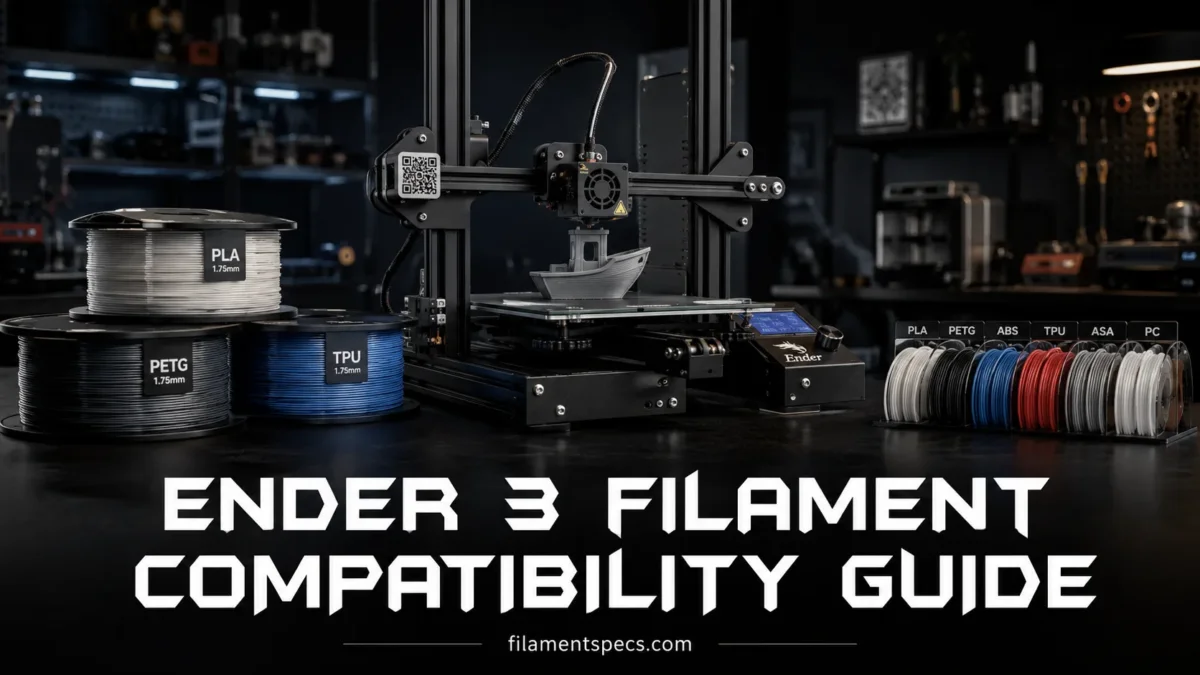
Ender 3 printers can run far more than basic PLA, but compatibility depends on the exact model, hotend style, build surface, extruder path, enclosure setup, nozzle material, and the filament’s real printing window. A stock Bowden Ender-3, Ender-3 Pro, Ender-3 V2, Ender-3 Neo, or Ender-3 V2 Neo is most comfortable with PLA, PLA+, PETG, mild TPU, and decorative PLA blends. Direct-drive and higher-temperature Ender 3 variants expand that range, especially for flexible filaments and some engineering materials.
| Filament | Stock Ender 3 Compatibility | Typical Nozzle Range | Typical Bed Range | Part Cooling | Hardware Notes | Best Use |
|---|---|---|---|---|---|---|
| PLA | Excellent | 190–220°C | 50–60°C | High after first layers | Works with stock brass nozzle, Bowden extruder, open frame, glass, PEI, or magnetic sheet. | Models, prototypes, organizers, low-heat functional prints. |
| PLA+ | Excellent | 200–225°C | 50–65°C | Medium to high | Usually prints like PLA but may need slightly more heat for stronger layer bonding. | Stronger everyday parts, brackets, hobby prints. |
| Silk PLA | Excellent with slower speed | 200–225°C | 50–60°C | Medium to high | Gloss improves at slower speed and steady temperature. It can show weak layer bonding if printed too cool. | Display pieces, logos, decorative objects. |
| PETG | Very good | 225–245°C | 70–85°C | Low to medium | Clean bed, slightly higher Z-offset, lower fan, and tuned retraction help reduce stringing. | Durable parts, clips, containers, outdoor-light-duty objects. |
| TPU 95A | Possible; easier on direct drive | 210–235°C | 40–60°C | Low to medium | Bowden Ender 3 printers need slow speed, low retraction, and a constrained filament path. | Feet, bumpers, grips, vibration pads. |
| ABS | Limited on open stock machines | 235–255°C | 90–105°C | Low | Needs enclosure control, stable heat, ventilation, and usually better hotend margin for long prints. | Heat-tolerant parts when the setup is prepared. |
| ASA | Limited on open stock machines | 240–260°C | 90–110°C | Low | More suitable with enclosure and ventilation. Best treated as an engineering filament, not a casual stock profile. | Outdoor parts, UV-exposed brackets, housings. |
| Nylon / PA | Not ideal on stock Ender 3 | 245–275°C+ | 70–100°C | Low or off | Needs dry filament, high hotend margin, enclosure help, and usually an all-metal hotend. | Wear parts, hinges, mechanical prototypes. |
| Carbon-Fiber Filled PLA/PETG | Possible with hardened nozzle | 200–250°C depending on base polymer | 50–85°C | Medium | Abrasive. Use hardened steel, ruby, tungsten carbide, or similar wear-resistant nozzle. | Stiffer parts, matte technical appearance, low-warp fixtures. |
| Polycarbonate / PC | Not suitable for stock Ender 3 | 270–300°C+ | 100–115°C | Low or off | Needs high-temperature hotend, high bed temperature, enclosure, dry storage, and tuned surface adhesion. | High-heat engineering parts on upgraded machines. |
Best starting point: For a normal stock Ender 3, choose PLA for easy printing, PETG for better toughness, and 95A TPU only when you are ready to print slowly. Save ABS, ASA, nylon, and PC for a prepared setup.
🧩 Ender 3 Family Compatibility Is Not One Single Answer
The phrase “Ender 3” covers several machines. Many share a 1.75 mm filament path, a 0.4 mm nozzle, an open-frame bed-slinger layout, and a single-nozzle FDM setup. The difference is in the hotend, extruder, build plate, firmware temperature limit, and motion system.
A classic Ender-3, Ender-3 Pro, Ender-3 V2, Ender-3 Neo, and Ender-3 V2 Neo are usually discussed together because they are stock Bowden-style printers. The extruder pushes filament through a long PTFE tube before it reaches the hotend. That setup is simple and good for PLA and PETG, but it makes soft TPU harder to control and leaves less comfort margin for materials that want sustained high heat.
Ender-3 S1, S1 Pro, V3 SE, V3 KE, V3, and newer models change the answer. Many use direct-drive extrusion, higher-flow hotends, higher firmware temperature limits, or all-metal style heat breaks. That does not make every filament automatic. It simply gives the printer more room.
- Original-style Ender 3 machines
- Best with PLA, PLA+, silk PLA, matte PLA, PETG, and careful 95A TPU.
- Direct-drive Ender 3 machines
- Better for TPU, soft composites, and small parts where extrusion control matters.
- 300°C-class Ender 3 machines
- Better candidates for ASA, ABS, selected nylon blends, PC blends, and carbon-fiber materials when the build surface and enclosure match the filament.
What “Compatible” Means on an Ender 3
Filament compatibility is not only “will it come out of the nozzle?” A filament is truly compatible when the printer can hold the needed temperature, feed the material without jams, keep the part attached to the bed, cool or retain heat correctly, and do all of that without pushing the machine into a poor operating window.
- Thermal compatibility: the nozzle and bed can reach the material’s working range with some margin.
- Feed compatibility: the extruder can push the filament without buckling, grinding, or slipping.
- Surface compatibility: the first layer sticks during printing and releases without damaging the plate.
- Cooling compatibility: the printer can cool PLA quickly or keep ABS/ASA warm enough to avoid warping.
- Nozzle compatibility: the nozzle material can survive abrasive additives such as carbon fiber, glow powder, metal fill, or wood fiber.
The stock Ender 3 is a very capable low-cost FDM printer, but it works best when the filament choice respects those limits. PLA and PETG sit inside the comfort zone. Nylon and PC sit outside it unless the machine has the right upgrades.
| Ender 3 Group | Extruder Style | Typical Hotend Class | Easy Materials | Materials That Need More Setup | Main Limitation |
|---|---|---|---|---|---|
| Ender-3 / Pro / V2 | Bowden | PTFE-lined MK8-style hotend on most stock units | PLA, PLA+, silk PLA, PETG | TPU, ABS, ASA | Long filament path and limited high-temp comfort. |
| Ender-3 Neo / V2 Neo | Bowden | Similar stock hotend class, often with improved bed leveling | PLA, PLA+, PETG, decorative PLA | TPU, ABS, ASA, abrasive blends | Better first-layer control, but still Bowden-limited for soft filament. |
| Ender-3 S1 / S1 Plus | Direct drive | Higher-control extrusion, usually still around the common 260°C class | PLA, PETG, TPU, PLA blends | ABS, ASA, nylon blends | Open frame and bed heat still matter. |
| Ender-3 S1 Pro / V3 KE / V3 | Direct drive | Higher-temperature class on selected models | PLA, PETG, TPU, ABS/ASA with setup | Nylon, PC, carbon-fiber blends | Needs dry filament, enclosure planning, and correct nozzle material. |
🎨 2026 Ender-3 V4 and CFS Filament Compatibility
The Ender-3 V4 changes the old Ender 3 compatibility pattern. It uses a dual-gear direct-drive extruder, a nozzle rated up to 300°C, a PEI build plate, and optional CFS support. The printer can accept a wider material range than early Bowden Ender-3 models, but the direct spool path and the CFS path do not support the same list.[g]
| Check | Ender-3 V4 Direct Spool Path | CFS Automatic Path | Meaning for Setup |
|---|---|---|---|
| Manufacturer-listed materials | Hyper PLA, PLA, PETG, TPU 95A, ABS, ASA, PLA-CF, and PA-CF. | PLA, PETG, ABS, ASA, PET, and PLA-CF. | TPU 95A and PA-CF may be printable by the machine while remaining outside the listed CFS path. |
| Flexible filament | TPU 95A is listed for the printer. | Flexible TPU is listed as incompatible. | Feed flexible material from the normal spool path rather than treating CFS support as automatic. |
| Soluble support | Depends on the material profile, dryness, and print pairing. | Damp PVA and BVOH are listed as incompatible. | Drying and feed testing are required before a soluble-support job. |
| Spool geometry | External holder fit and low drag matter. | Listed for 1 kg spools, 197–202 mm in diameter and 42–68 mm thick. | A printable polymer can still fail because its spool does not roll correctly inside CFS. |
| Color capacity | Single external spool without CFS. | Up to four CFS units and 16 colors. | More colors add more swaps, purge planning, and spool-management points. |
Carbon-fiber support still needs a hardware check. PLA-CF and PA-CF appearing on a printer compatibility list does not mean every installed nozzle has the same wear resistance. Confirm the supplied nozzle material and replace it with an abrasion-ready option when the filament manufacturer calls for one.
CFS and CFS-C Should Not Be Treated as the Same Unit
The Ender-3 V4 uses the expandable CFS route. The newer CFS-C is a four-slot retrofit system listed for selected K1-series machines and does not support multiple CFS-C units. Buying or writing a profile by the family name alone can lead to the wrong spool dimensions, cable expectations, firmware steps, or color-count assumptions.
📊 Ender 3 Filament Compatibility Ratings
The rating below assumes a normal, well-tuned printer with clean bed surface, dry filament, working part cooling, and a correctly installed nozzle. It also assumes a 0.4 mm nozzle unless noted.
Practical Rating Scale
- Excellent: works on a stock Ender 3 with normal slicer tuning.
- Good: works well, but needs material-specific tuning.
- Possible: can work, but hardware, speed, surface, or enclosure limits become important.
- Upgrade-first: should be treated as an upgraded-printer material.
| Material | Stock Ender 3 | Direct-Drive Ender 3 | Enclosure Need | Hardened Nozzle Need | Moisture Sensitivity | Ender 3 Verdict |
|---|---|---|---|---|---|---|
| PLA | Excellent | Excellent | No | No | Low to medium | Safest first material. |
| PLA+ | Excellent | Excellent | No | No | Low to medium | Better for stronger everyday prints. |
| Matte PLA | Excellent | Excellent | No | No | Medium | Nice finish, sometimes more brittle than PLA+. |
| Silk PLA | Good | Good | No | No | Low to medium | Great appearance, weaker for load-bearing parts. |
| PETG | Good | Excellent | No | No | Medium | Best next step after PLA. |
| TPU 95A | Possible | Good to excellent | No | No | Medium | Print slowly; direct drive helps a lot. |
| ABS | Possible but limited | Possible | Recommended | No | Low to medium | Use only with enclosure and ventilation planning. |
| ASA | Possible but limited | Possible | Recommended | No | Low to medium | Better outdoor choice than ABS, but setup-heavy. |
| Nylon / PA | Upgrade-first | Possible on prepared models | Helpful | No unless filled | High | Drying matters more than most beginners expect. |
| PLA-CF | Good with nozzle upgrade | Good with nozzle upgrade | No | Yes | Medium | One of the easier composite options. |
| PETG-CF | Possible with nozzle upgrade | Good with nozzle upgrade | No | Yes | Medium to high | Stiffer than PETG, but more abrasive. |
| PA-CF | Upgrade-first | Possible on high-temp prepared models | Recommended | Yes | Very high | Not a stock Ender 3 material. |
| PC | Upgrade-first | Upgrade-first | Recommended | No unless filled | High | Needs more heat and enclosure control than stock machines provide. |
🧵 PLA, PETG, and TPU on an Ender 3
PLA: The Most Forgiving Ender 3 Filament
PLA is the easiest match for the Ender 3 platform. It melts in a range the stock hotend handles comfortably, sticks to common build plates without extreme bed heat, and benefits from the Ender 3’s normal part cooling fan. It also hides small calibration errors better than many other materials.
For most PLA, start around 200°C nozzle and 60°C bed. If the print has weak layer bonding, raise the nozzle in 5°C steps. If stringing or soft details appear, lower the nozzle slightly or increase cooling after the first few layers.
- Use 100% cooling after layer 2 or 3 for sharp overhangs.
- Use 190–205°C for detail-focused small models.
- Use 205–220°C for stronger layer bonding, higher speed, or PLA+.
- Use 50–60°C bed on glass, PEI, or textured sheets.
- Keep the first layer slower than the rest of the print.
PLA’s main limitation is heat. A part left in a warm car, near a window, or close to a motor can soften before PETG, ABS, ASA, or PC would. That does not make PLA weak for normal indoor prints. It just means PLA is not the best material for warm-service parts.
PLA Variants Worth Knowing
- PLA+: often tougher than standard PLA, with slightly higher nozzle needs.
- Silk PLA: glossy finish, better at slower speeds, not ideal for structural clips.
- Matte PLA: hides layer lines, but some blends are more brittle.
- High-speed PLA: can work on newer faster Ender models, but classic Ender 3 machines still need realistic flow limits.
- Lightweight PLA: expands while printing and needs brand-specific flow tuning.
PETG: The Best Second Filament for Ender 3 Owners
PETG sits between PLA and ABS in everyday use. It is tougher than PLA, less brittle, and more heat-tolerant. It also has strong layer bonding. For Ender 3 owners who want functional parts without building an enclosure, PETG is often the most useful upgrade from PLA.
Start around 235°C nozzle and 75°C bed. Use less part cooling than PLA. A fan range of 20–50% is common, although tiny parts and bridges may need more cooling. PETG likes a clean bed, but it can grip too firmly on smooth PEI or glass. A thin release layer can help on surfaces where PETG bonds too aggressively.
Bed surface note: PETG can stick very strongly to some smooth surfaces. Do not crush the first layer as hard as PLA. A tiny bit more Z-offset often gives a cleaner result and makes part removal easier.
- Use lower retraction than PLA if stringing gets worse after heavy retraction.
- Dry the spool if you hear popping, see bubbles, or notice rough surface texture.
- Slow outer walls help PETG look cleaner.
- Use a slightly wider first layer for stable adhesion.
- Avoid heavy cooling on large PETG parts unless edges begin to sag.
PETG is not as stiff as PLA. Thin PETG parts may flex before they snap. For brackets, clips, storage parts, electronics housings, and moderate outdoor use, that flex can be helpful.
TPU: Flexible Filament Needs Extrusion Control
TPU can work on an Ender 3, but the experience depends heavily on the extruder path. A Bowden Ender 3 pushes soft filament through a long tube, so the filament can compress like a spring before pressure reaches the nozzle. That creates delay, blobs, inconsistent retraction, and occasional jams. Direct drive shortens the path. Much easier.
For a stock Bowden Ender 3, use 95A TPU or firmer. Very soft TPU is much harder. Start slow: 15–25 mm/s is reasonable for Bowden setups, while a direct-drive Ender 3 can often move faster after tuning. Keep retraction short and gentle.
- Use 210–230°C nozzle for many 95A TPU spools.
- Use 40–60°C bed, depending on surface.
- Disable or reduce retraction if the filament buckles.
- Print slowly before changing many slicer settings at once.
- Keep the spool path smooth; drag at the spool can ruin flexible filament feeding.
TPU is useful for bumpers, pads, soft feet, cable strain relief, protective covers, gaskets, and grips. It is not the material for crisp miniature detail or fast printing on a classic Bowden Ender 3.
PLA, PETG, and TPU Difficulty on a Stock Bowden Ender 3
🔥 ABS, ASA, Nylon, and PC Need More Than Temperature
ABS, ASA, nylon, and PC are not judged only by nozzle temperature. They need heat stability around the part, controlled cooling, better moisture handling, and a surface that can hold the print while the material shrinks. An open Ender 3 can sometimes print small ABS or ASA parts, but large flat parts tend to curl, lift, split, or form weak corners.
ABS on Ender 3
ABS usually wants a hot bed, low fan, and warm air around the part. A stock open Ender 3 can print small ABS objects, especially if the room is warm and drafts are controlled. Large prints are another story. Corners pull upward as the plastic cools and shrinks.
Use ABS only when the setup is ready: enclosure, stable bed temperature, clean surface, good ventilation, and realistic part geometry. A small box-shaped part is not the same as a long flat panel.
- Typical nozzle range: 235–255°C.
- Typical bed range: 90–105°C.
- Cooling: low or off for many parts.
- Enclosure: recommended for dimensional stability.
- Ventilation: important because FDM printing can release particles and VOCs.
ABS can be useful for heat-tolerant parts and impact-resistant prints, but on a stock Ender 3 it is not a “load profile and print” material. The bed and surrounding air matter as much as the nozzle.
ASA on Ender 3
ASA is often chosen for outdoor parts because it has better UV resistance than ABS in many common use cases. It prints in a similar temperature class and also benefits from an enclosure. If the Ender 3 is open on a desk near airflow, ASA corners can lift and tall parts can split between layers.
Use ASA for outdoor brackets, covers, guards, clips, and housings only when your machine can keep the print warm and stable. ASA also deserves ventilation planning. It is a practical material, but not a casual one.
- Typical nozzle range: 240–260°C.
- Typical bed range: 90–110°C.
- Cooling: low, often 0–25% depending on geometry.
- Surface: PEI, textured PEI, or suitable adhesive layer.
- Best Ender 3 match: direct-drive or higher-temperature models with enclosure control.
Nylon / PA on Ender 3
Nylon is where many Ender 3 compatibility charts become too optimistic. Some nylon blends print near the upper edge of common 260°C-class machines, while others want more heat. Nylon also absorbs moisture fast. Wet nylon prints with bubbles, strings, rough walls, and weak layers.
A stock Ender 3 is not a natural nylon printer. A prepared Ender 3 can print selected nylon blends if it has an all-metal hotend, dry filament handling, suitable bed surface, and stable temperature. Carbon-fiber nylon adds another requirement: a wear-resistant nozzle.
- Dry the filament before printing and keep it dry during long prints.
- Use an all-metal hotend for nylon blends that require higher temperatures.
- Use glue stick, garolite, PA-friendly surfaces, or a brand-recommended surface.
- Expect slower speeds and more tuning than PETG.
- For PA-CF, use a hardened nozzle and check nozzle size; 0.6 mm is often easier than 0.4 mm.
Polycarbonate / PC on Ender 3
PC is outside the stock Ender 3 comfort zone. It wants high nozzle heat, high bed heat, dry storage, enclosure control, and a build surface that can hold strongly without damage. Some PC blends are made easier, but “easier PC” still does not behave like PLA.
PC makes sense only on an upgraded Ender 3 with a high-temperature hotend and a setup designed for engineering materials. For many users, PETG, ASA, or a specialty PLA blend gives enough performance with far less trouble.
⚙️ Wood, Glow, Metal-Filled, and Carbon-Fiber Filaments
Decorative and composite filaments are often labeled as PLA, PETG, nylon, or ABS blends, but the additive changes how they behave. The base polymer sets the temperature range. The filler changes flow, nozzle wear, clog risk, stiffness, surface texture, and moisture behavior.
Wood-Filled PLA
Wood-filled PLA can print on a stock Ender 3, but it is more clog-prone than standard PLA. The particles can collect in a narrow nozzle, especially at low temperature or high retraction. A 0.6 mm nozzle is often easier than 0.4 mm.
- Use moderate temperature, often 195–220°C depending on brand.
- Reduce retraction if clogs appear.
- Use slower speed for smoother texture.
- A larger nozzle reduces clog risk.
Glow-in-the-Dark PLA
Glow filament is abrasive. It may print at PLA-like temperatures, but it can wear a brass nozzle faster than normal PLA. If you print one small glow object, the wear may not be obvious. If you print a full spool, nozzle wear can change line width and surface finish.
Use a hardened nozzle for repeated glow filament printing. This is one of the easiest ways to avoid mystery under-extrusion after decorative prints.
Metal-Filled PLA
Metal-filled PLA is usually heavy, abrasive, and more demanding than standard PLA. It is mainly chosen for appearance and weight, not for stronger mechanical parts. A hardened nozzle is sensible. Slower speeds also help because the filament can be more brittle on the spool and less forgiving in the extruder.
Carbon-Fiber Filled Filaments
Carbon-fiber filled filament is not one material. PLA-CF, PETG-CF, ASA-CF, PA-CF, and PC-CF behave differently because the base polymer changes the thermal range. Carbon fiber usually makes the printed part stiffer and more dimensionally stable, but it also makes the filament abrasive.
Nozzle rule: Any carbon-fiber, glass-fiber, glow, ceramic, or metal-filled filament should be treated as abrasive. A brass nozzle is a consumable here. Use a hardened nozzle when these materials become part of your regular printing.
| Composite Type | Stock Ender 3 Realism | Nozzle | Nozzle Size | Main Risk | Practical Note |
|---|---|---|---|---|---|
| Wood PLA | Good | Brass possible, hardened better | 0.6 mm easier | Clogs, stringing, darkening if overheated | Use slow speed and moderate retraction. |
| Glow PLA | Good | Hardened recommended | 0.4 or 0.6 mm | Nozzle wear | Prints like PLA but wears brass faster. |
| Metal PLA | Possible | Hardened recommended | 0.4 or 0.6 mm | Brittle feeding, nozzle wear | Keep spool path smooth and speed modest. |
| PLA-CF | Good with hardened nozzle | Hardened required for regular use | 0.4 or 0.6 mm | Wear, brittle filament | Easy composite choice for a tuned Ender 3. |
| PETG-CF | Possible with hardened nozzle | Hardened required | 0.4 or 0.6 mm | Moisture, stringing, wear | Drying improves surface quality. |
| PA-CF | Upgrade-first | Hardened required | 0.6 mm often easier | Moisture, heat, enclosure need | Prepared high-temp Ender models only. |
🛠️ Hardware Limits That Decide Filament Choice
Hotend Type
The classic stock Ender 3 hotend uses a PTFE-lined path near the hot zone. It works well for PLA and PETG. It is less ideal for long, high-temperature printing near the upper range of the machine. An all-metal hotend separates the PTFE tube from the hottest zone and gives better margin for materials that need sustained high nozzle temperatures.
Do not treat a firmware maximum as a daily-use target. A printer that can display 260°C is not automatically a good match for every filament that lists 260°C on the spool. The useful question is: can the machine hold that temperature cleanly, safely, and repeatably for the whole print?
Extruder Path: Bowden vs Direct Drive
Bowden extrusion is light at the print head, but the long tube adds delay between extruder movement and nozzle pressure. That is why Bowden Ender 3 printers need more care with TPU and retraction. Direct drive puts the drive gears close to the hotend, which gives better pressure control.
- Bowden works very well for PLA and PETG.
- Bowden can print firm TPU, but slow speed matters.
- Direct drive improves TPU and reduces retraction distance.
- Direct drive can also make small PETG and PLA parts easier to tune.
Build Plate Surface
The Ender 3 family has shipped with different build surfaces: textured magnetic sheets, glass, carborundum-style glass, spring steel, and PEI-style plates. The same filament can behave differently on each one.
| Build Surface | PLA | PETG | TPU | ABS / ASA | Notes |
|---|---|---|---|---|---|
| Glass | Good when clean | Can bond too strongly | Good | Possible with adhesive | Let parts cool before removal. PETG may need a release layer. |
| Textured Magnetic Sheet | Good | Good on many sheets | Can grip strongly | Limited by bed heat and enclosure | Check the sheet’s heat rating before ABS/ASA. |
| Smooth PEI | Excellent | Strong; release layer may help | Very strong | Good with enclosure | Great all-round surface, but do not over-squish PETG or TPU. |
| Textured PEI | Excellent | Excellent | Strong | Good with enclosure | Often easier for PETG than smooth glass. |
| Garolite / G10 | Good | Good | Varies | Varies | Often used for nylon, depending on adhesive and filament brand. |
Nozzle Material and Diameter
A stock brass 0.4 mm nozzle is good for PLA, PETG, TPU, ABS, ASA, and unfilled nylon when the temperature range is suitable. It is not the right long-term nozzle for abrasive filaments.
- Brass nozzle: best heat transfer and low cost; use for standard filaments.
- Hardened steel nozzle: better wear resistance; may need 5–10°C more heat than brass.
- Ruby or tungsten carbide nozzle: premium wear resistance; useful for frequent abrasive printing.
- 0.6 mm nozzle: better for wood, carbon fiber, glow, and filled materials because it reduces clog risk.
Enclosure and Ventilation
An enclosure helps ABS, ASA, nylon, and PC by reducing drafts and keeping the part warmer. That improves layer consistency and reduces warping. It also changes how electronics, motors, power supply, and printed printer parts experience heat, so it should be planned rather than improvised.
Ventilation deserves attention. FDM printing can release ultrafine particles and VOCs, and higher-temperature materials such as ABS and some nylon blends usually deserve more care than normal PLA printing. Keep the printer in a suitable space and avoid trapping fumes in a small occupied room.
Safety note: Do not place the power supply or electronics in a hot enclosure unless the printer design and wiring are prepared for that setup. Heat control is useful for the print, but electronics also need a safe operating environment.
📐 Ender 3 Starting Settings by Filament
These are practical starting points, not fixed numbers. Brand, color, nozzle type, room temperature, print speed, and part geometry all change the final setting. Use the filament maker’s label first, then tune within the range.
| Filament | Nozzle | Bed | Speed | Retraction on Bowden | Retraction on Direct Drive | Fan |
|---|---|---|---|---|---|---|
| PLA | 200–210°C | 55–60°C | 45–60 mm/s | 4–6 mm | 0.6–1.5 mm | 80–100% |
| PLA+ | 205–220°C | 55–65°C | 40–60 mm/s | 4–6 mm | 0.6–1.5 mm | 60–100% |
| Silk PLA | 205–225°C | 55–60°C | 30–50 mm/s | 4–6 mm | 0.6–1.3 mm | 60–100% |
| PETG | 230–245°C | 70–85°C | 35–50 mm/s | 3–5 mm | 0.4–1.2 mm | 20–50% |
| TPU 95A | 215–230°C | 40–60°C | 15–30 mm/s | 0–2 mm | 0.2–1 mm | 20–60% |
| ABS | 240–250°C | 95–105°C | 30–50 mm/s | 3–5 mm | 0.4–1.2 mm | 0–20% |
| ASA | 245–260°C | 95–110°C | 30–50 mm/s | 3–5 mm | 0.4–1.2 mm | 0–25% |
| Nylon | 250–275°C | 70–100°C | 25–45 mm/s | 3–5 mm | 0.4–1.2 mm | 0–30% |
| PLA-CF | 205–225°C | 50–65°C | 30–50 mm/s | 3–5 mm | 0.5–1.3 mm | 50–100% |
| PETG-CF | 235–250°C | 70–85°C | 30–45 mm/s | 3–5 mm | 0.5–1.2 mm | 20–50% |
Temperature Tuning by Symptom
- Weak layers: raise nozzle temperature 5°C, reduce fan, or slow the print.
- Stringing: dry the filament, lower nozzle temperature slightly, tune retraction, and reduce travel ooze.
- Rough walls: dry the spool, lower speed, check flow, and inspect nozzle wear.
- Warped corners: raise bed temperature, reduce drafts, use brim, and consider enclosure for ABS/ASA.
- Clogging with filled filament: raise temperature slightly, reduce retraction, slow down, or use a larger nozzle.
🧪 Filament-by-Filament Ender 3 Notes
PLA Is for Clean, Predictable Printing
Use PLA when the goal is repeatability, low tuning time, clean detail, and easy bed adhesion. It is the best Ender 3 material for calibration cubes, decorative models, organizers, trays, planters, tool holders, and general prototypes.
Use PLA+ when the same print needs a little more toughness. Use silk PLA when shine matters more than strength. Use matte PLA when surface appearance matters and the part is not under heavy load.
PETG Is for Tougher Everyday Parts
Use PETG when the part needs more impact resistance, better layer bonding, and better heat tolerance than PLA. It is useful for brackets, protective covers, outdoor-light-duty parts, hooks, clips, containers, and workshop pieces.
PETG’s common Ender 3 problems are stringing, blobs, and overly strong bed grip. Those problems are usually tuning problems, not compatibility failures. Dry filament and bed release behavior matter here.
TPU Is for Flexible Parts, Not Speed
Use TPU when the part needs bend, grip, vibration damping, or impact absorption. Do not start with very soft TPU on a Bowden Ender 3. Firm 95A TPU is a much friendlier choice.
TPU rewards patience. A slow, steady profile can print beautifully on a simple machine. A fast profile can turn the filament path into a jam point.
ABS and ASA Are Setup Materials
Use ABS or ASA when heat resistance and outdoor durability matter more than ease. ASA is often the better outdoor pick. ABS is still useful for many functional applications, but both materials need more environmental control than PLA or PETG.
On an open stock Ender 3, small ABS/ASA parts may work. Large parts need enclosure control and a bed surface that can hold through cooling stress.
Nylon Is a Drying Test
Nylon can produce tough, useful parts, but wet nylon wastes time. If nylon prints rough, foamy, or hairy, do not keep adjusting retraction first. Dry the filament. Then tune.
Most nylon printing on an Ender 3 becomes a hardware project: all-metal hotend, dry box, enclosure help, bed surface experiments, and slower speeds. The material can be worth it, but it should not be the first upgrade path for most users.
PC Belongs to High-Temperature Setups
Polycarbonate and PC blends need a prepared machine. The nozzle and bed temperatures are only part of the problem. PC also wants dry storage, a warm chamber, and strong adhesion. A stock Ender 3 is not the right baseline.
🔍 Common Compatibility Mistakes
Reading Only the Spool Label
A spool label may say 220–260°C. That does not mean every printer that can reach 260°C is a good match. The upper number is a filament range, not a printer comfort rating.
Using PLA Retraction for PETG
PETG can become stringier when retraction is too aggressive, especially if the filament is damp. Start lower than a typical PLA Bowden profile and tune from there.
Printing TPU Too Fast
TPU needs lower speed and a smooth feed path. When the extruder clicks or the filament buckles, slowing down often fixes more than adding force.
Ignoring Nozzle Wear
Abrasive filament can make a 0.4 mm brass nozzle behave like a worn, oversized nozzle. The print may look under-extruded, fuzzy, or dimensionally loose. The slicer did not change. The nozzle did.
Treating Enclosure as Only an ABS Tool
An enclosure helps ABS and ASA most, but it can also help nylon and PC. For PLA, it can trap too much heat and soften details. Heat control should match the material.
🧰 Best Upgrade Path for More Ender 3 Filament Compatibility
Do not upgrade everything at once. Upgrade toward the filament you actually want to print. A PLA user does not need the same hardware as a PA-CF user.
| Goal | Most Useful Upgrade | Second Upgrade | Why It Helps |
|---|---|---|---|
| Cleaner PLA | Better cooling duct or tuned fan profile | PEI build plate | Improves overhangs, first layers, and part release. |
| Better PETG | PEI or textured PEI surface | Filament dryer | Improves adhesion balance and surface finish. |
| Reliable TPU | Direct-drive extruder | Constrained filament path | Reduces buckling and improves pressure control. |
| ABS / ASA | Enclosure | All-metal hotend | Improves heat stability and high-temp margin. |
| Nylon | All-metal hotend | Dry box while printing | Supports higher temperatures and moisture control. |
| Carbon-Fiber Blends | Hardened nozzle | 0.6 mm nozzle option | Reduces wear and clog risk. |
| PC / PC Blends | High-temperature hotend | Enclosure and bed surface tuning | Needed for heat, adhesion, and layer consistency. |
The Sensible Upgrade Order
- Calibrate the stock printer first: bed level, E-steps or rotation distance, flow, temperature, and retraction.
- Add a better build plate if first-layer consistency is the main problem.
- Add a filament dryer before blaming PETG, TPU, nylon, or composites.
- Add a hardened nozzle before abrasive filament becomes routine.
- Add direct drive for flexible filament.
- Add all-metal hotend and enclosure only when high-temperature materials are the real goal.
📦 Spool, Diameter, and Mechanical Fit
Ender 3 printers use 1.75 mm filament. Do not buy 2.85 mm filament for an Ender 3. It will not fit the hotend path, extruder, or slicer profile.
Most standard 1 kg spools fit normal Ender 3 spool holders. Very wide cardboard spools, unusually small center holes, and heavy 2 kg spools may need a different holder. The printer does not care whether the spool is cardboard or plastic; it cares about smooth feeding and low drag.
- Keep the spool turning freely.
- Avoid sharp filament angles into the extruder.
- Keep brittle filament from snapping between spool and extruder.
- Dry moisture-sensitive materials before long prints.
- Store open spools in sealed bags or boxes with desiccant.
🧾 Best Filament Choices by Ender 3 User Type
| User Goal | Best First Choice | Better Second Choice | Avoid at First | Reason |
|---|---|---|---|---|
| First successful prints | PLA | PLA+ | ABS, nylon, PC | PLA keeps tuning simple and shows printer issues clearly. |
| Functional indoor parts | PLA+ | PETG | Silk PLA | PLA+ and PETG give better practical durability. |
| Outdoor light-duty prints | PETG | ASA with enclosure | Standard PLA | PETG handles outdoor use better than PLA, while ASA needs more setup. |
| Flexible parts | TPU 95A | TPU on direct drive | Very soft TPU on Bowden | Firm TPU is much easier to feed. |
| Decorative shine | Silk PLA | Metallic PLA | PETG if gloss control matters | Silk PLA gives the easiest glossy finish. |
| Stiff matte parts | PLA-CF with hardened nozzle | PETG-CF | PA-CF on stock setup | PLA-CF is the friendliest stiff composite path. |
| High-heat parts | ASA with prepared setup | PC blend on upgraded setup | PLA | Heat resistance needs both material and machine support. |
FAQ
What Filament Works Best on a Stock Ender 3?
PLA is the best first filament for a stock Ender 3. PLA+ is the next easy choice when you want a tougher everyday material. PETG is also a strong option after basic calibration, but it needs different retraction, lower cooling, and cleaner bed handling than PLA.
Can an Ender 3 Print PETG?
Yes. PETG works well on a tuned Ender 3. Start around 230–245°C nozzle and 70–85°C bed, use lower fan than PLA, and avoid crushing the first layer too hard. Drying the spool can reduce stringing and rough texture.
Can a Stock Ender 3 Print TPU?
A stock Bowden Ender 3 can print firm TPU such as 95A, but it should be printed slowly with low retraction and a smooth spool path. Direct-drive Ender 3 models handle TPU more easily because the filament path is shorter and better controlled.
Can an Ender 3 Print ABS?
Small ABS parts can work on a prepared Ender 3, but open-frame printing is limited. ABS usually needs a hot bed, low fan, enclosure control, and ventilation planning. For many users, PETG is easier, while ASA is better for many outdoor parts when the setup is ready.
Can an Ender 3 Print ASA?
ASA is possible, but it is not a casual stock profile. It usually needs 240–260°C nozzle temperature, 90–110°C bed temperature, low cooling, an enclosure, and a stable build surface. It is mainly worth using for outdoor and UV-exposed parts.
Can an Ender 3 Print Nylon?
A stock Ender 3 is not ideal for nylon. Some nylon blends may print near the upper limit of common Ender 3 hotends, but reliable nylon printing usually needs an all-metal hotend, dry filament storage, suitable bed surface, and careful tuning.
Can an Ender 3 Print Carbon-Fiber Filament?
Yes, if the base polymer fits the printer and you use a hardened nozzle. PLA-CF is the easiest carbon-fiber option for many Ender 3 users. PETG-CF needs more heat and drying. PA-CF should be treated as an upgraded-printer material.
Do I Need a Hardened Nozzle for PLA?
No. Standard PLA prints well with a brass nozzle. You need a hardened nozzle for abrasive filaments such as glow-in-the-dark PLA, carbon-fiber blends, glass-fiber blends, many metal-filled filaments, and frequent wood-filled printing.
Is 2.85 mm Filament Compatible with Ender 3?
No. Ender 3 printers are designed for 1.75 mm filament. A 2.85 mm spool will not fit the normal extruder and hotend path.
What Filament Should I Avoid on a Stock Ender 3?
Avoid PC, PA-CF, high-temperature nylon, very soft TPU, and demanding ABS or ASA prints until the printer is prepared for them. These materials need more heat control, drying, nozzle planning, or enclosure support than a basic stock setup provides.
References Used for This Article
- [a] Creality Ender Series 3D Printers Parameter Comparison — used for Ender series temperature and model-parameter context. Creality is the printer manufacturer, so this is a primary product-reference source.
- [b] Creality Filaments Parameter Guide — used for common Creality filament temperature ranges including PLA, PETG, TPU, ABS, and wood-filled materials. This is a manufacturer-maintained filament parameter reference.
- [c] Prusa Knowledge Base Filament Material Guide — used for cross-checking common FDM filament temperature windows, enclosure recommendations, hardened-nozzle notes, and bed ranges. Prusa’s help center is a long-running technical reference maintained by a major 3D printer manufacturer.
- [d] U.S. Environmental Protection Agency 3D Printing Research — used for the note that 3D printing can release gases, VOCs, and ultrafine particles. EPA is a U.S. government scientific agency.
- [e] CDC/NIOSH 3D Printing Emissions and Controls — used for ventilation and emission-control guidance. NIOSH is the U.S. occupational safety research institute.
- [f] Creality Ender-3 S1 Pro Product Page — used for higher-temperature Ender 3 variant context. Creality is the official manufacturer source for this model.
- [g] Creality Ender-3 V4 Official Product and Specification Page — supports the direct-drive extruder, 300°C nozzle limit, listed printer materials, CFS material restrictions, spool dimensions, RFID support, and four-CFS/16-color capacity. (Primary manufacturer specification page for the current product generation.)