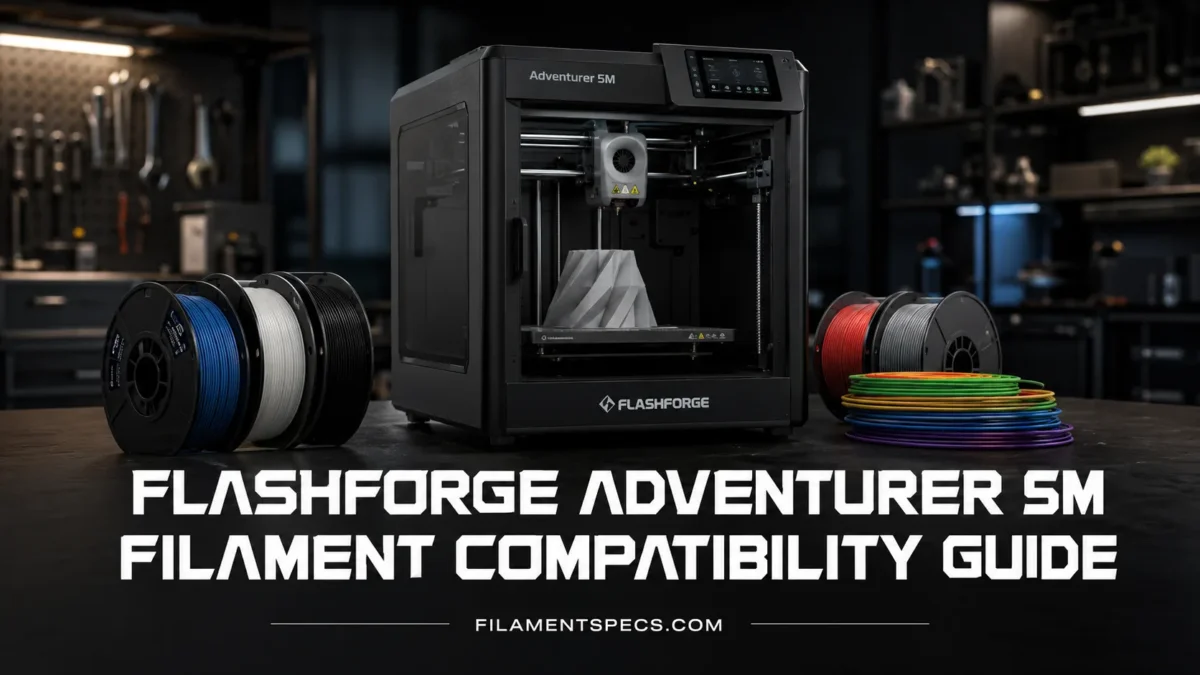
Flashforge Adventurer 5M works best when the filament choice matches three real limits: the 280°C direct-drive hot end, the removable PEI build plate, and the open-frame body on the standard 5M. PLA and PETG are the easiest matches. TPU and carbon-fiber blends can work well too, but nozzle size matters. ABS, ASA, nylon, and PC need more care because they ask for higher chamber stability, better ventilation, or stricter drying than everyday PLA printing.
| Filament Type | Adventurer 5M Fit | Best Nozzle Choice | Typical Starting Range | Bed / Enclosure Notes | Practical Use |
|---|---|---|---|---|---|
| PLA | Excellent everyday match | 0.4 mm stock nozzle | 180–230°C nozzle, about 50°C bed | No enclosure needed; use normal part cooling | Models, toys, prototypes, decorative parts |
| PLA+ | Excellent if the brand profile is tuned | 0.4 mm stock nozzle | 200–225°C nozzle, 50–60°C bed | No enclosure needed | General parts with better toughness than basic PLA |
| High-Speed PLA | Very good match for the 5M motion system | 0.4 mm stock nozzle | 200–230°C nozzle, 50–60°C bed | No enclosure needed; slicer flow tuning helps | Fast drafts, batches, larger simple models |
| Silk PLA | Good, but slower than basic PLA | 0.4 mm stock nozzle | 200–225°C nozzle, 50–60°C bed | No enclosure needed; reduce speed for shine | Display pieces, figures, color-shift prints |
| PETG | Very good functional match | 0.4 mm stock nozzle | Current Flashforge PETG guidance: 220–270°C nozzle, 70–80°C bed | Open frame is usually fine; avoid excessive cooling | Clips, boxes, brackets, and general functional parts |
| TPU | Compatible; formulation hardness and speed matter | 0.4, 0.6, or 0.8 mm for current Flashforge TPU grades; 0.6 mm can reduce back pressure | Follow the spool profile; many TPU grades fall around 210–240°C nozzle | No enclosure needed; keep the filament path low-friction and the spool dry | Bumpers, feet, soft grips, flexible joints |
| PLA-CF | Compatible with the model-specific nozzle guidance | 0.6 mm or 0.8 mm on the AD5M manual | Current Flashforge PLA-CF guidance: 200–230°C nozzle, 25–60°C bed | No enclosure needed; dry before printing | Matte rigid parts, fixtures, clean-looking prototypes |
| PETG-CF | Compatible with the model-specific nozzle guidance | 0.6 mm or 0.8 mm on the AD5M manual | Current Flashforge PETG-CF guidance: 200–240°C nozzle, 60–80°C bed | Dry storage matters; tune retraction carefully | Rigid brackets, functional housings, stiff parts |
| ABS | Not an official stock-5M material; the current product page says ABS-series filament is not compatible with the base AD5M | Only consider after enclosure and profile checks | Brand-specific; many ABS grades need about 230–260°C nozzle and 90–100°C bed | Flashforge’s AD5M enclosure kit is the relevant upgrade path; ventilation still matters | Use only after confirming the enclosed setup and filament profile |
| ASA | Not listed as a supported stock-5M material | Only consider after enclosure and profile checks | Brand-specific; many ASA grades need about 240–270°C nozzle and 90–100°C bed | Flashforge’s AD5M enclosure kit is intended to improve temperature stability for materials including ASA | Outdoor parts after the printer and material profile are matched |
| Nylon / PA | Borderline; only some blends are practical | 0.6 mm preferred | 250–280°C nozzle, 70–100°C bed | Dry box is important; open-frame cooling can hurt layers | Wear parts and tough parts after testing |
| PC / PC Blend | Not listed for the stock open 5M; enclosure-kit use remains formulation dependent | Use the nozzle size required by the exact blend | Often near the upper end of the 280°C hot-end limit | Usually needs a stable enclosed environment and careful bed-temperature checking | Only use blends whose full temperature requirements fit the actual AD5M setup |
| Wood, Glow, Metal-Filled PLA | Usable with nozzle care | 0.6 mm preferred for filled blends | Follow the spool; usually PLA-like ranges | No enclosure needed; clogs are more likely with tiny nozzles | Decorative texture, glow effects, display parts |
| PVA / HIPS Support | Limited value on this single-extruder printer | Depends on material | Brand-specific | PVA needs dry handling; HIPS usually pairs with ABS-style conditions | Not the main reason to buy filament for the 5M |
Printer Limits That Decide Filament Choice
The Adventurer 5M is a CoreXY FDM printer with a direct-drive extruder, quick-release nozzles, a 220 × 220 × 220 mm build volume, and a flexible removable PEI steel plate. Flashforge’s current product page lists a 280°C maximum extruder temperature, a 100°C platform temperature, and an open shell.[a] A May 29, 2026 standard AD5M manual lists the platform maximum as 110°C instead.[g] Because Flashforge currently publishes both figures, this article uses the 100°C product-page specification when judging stock-machine filament fit rather than assuming the higher figure is available on every standard 5M.
Those numbers do not make every 280°C filament an official stock-machine match. Flashforge’s current AD5M material list centers on PLA and PETG with the 0.4 mm nozzle, plus TPU, PLA-CF, and PETG-CF with larger nozzles in the standard manual.[g] The current product page also states that ABS-series filament is not compatible with the base AD5M.[a] Higher-temperature materials therefore need to be judged by the complete setup, not by hot-end temperature alone.
Compatibility is not only “can the nozzle melt it?” A filament also has to match the bed temperature, nozzle material, part cooling, enclosure needs, spool path, drying needs, and slicer profile.
The 0.4 Mm Stock Nozzle Is Not the Same as the Whole Printer
The installed 0.4 mm nozzle is the normal choice for PLA and PETG. The May 2026 AD5M manual still maps TPU, PLA-CF, and PETG-CF to the 0.6 mm and 0.8 mm options.[g] Flashforge’s newer TPU/PEBA guide is more specific: TPU-95A, TPU-64D, and PEBA-90A are listed for 0.4 mm, 0.6 mm, and 0.8 mm nozzles, while 0.25 mm is not supported.[h] For carbon-fiber-filled filament, the larger-nozzle recommendation still stands; for TPU, 0.4 mm can be valid when the exact grade and profile support it.
Third-Party Filament Is Allowed, With One Simple Size Rule
Flashforge says other filament brands can be used, limited to 1.75 mm diameter filament, with parameter changes when brand temperatures differ.[c] That matters more than brand loyalty. A well-made 1.75 mm PLA, PETG, or TPU spool can run nicely if the slicer profile matches the material.
Best Filaments for the Stock 0.4 Mm Setup
For most Adventurer 5M owners, the best starting materials are PLA, PLA+, high-speed PLA, silk PLA, and PETG. They fit the machine’s open layout, PEI plate, direct-drive extruder, and temperature range without asking for a heated chamber.
PLA: The Easiest Match
PLA is the cleanest first material for the Adventurer 5M. It melts at moderate nozzle temperatures, sticks well to PEI, and does not need an enclosure. It also works well with the 5M’s fast motion system when the filament is designed for speed.
- Use 0.4 mm for normal models, toys, grid bins, signs, and detailed prints.
- Start around 200–220°C if using a generic PLA profile, then adjust by small steps.
- Use roughly 50–60°C on the bed if first-layer adhesion is uneven.
- Keep part cooling on for clean bridges, overhangs, and sharp edges.
Basic PLA is still the safest choice for first prints. PLA+ adds toughness. Silk PLA adds shine but may prefer slower outer walls. Matte PLA can hide layer lines, though some matte blends are more abrasive than plain PLA. Small profile changes matter.
PETG: Better for Functional Parts
PETG is also a strong fit for the 5M. It usually prints hotter than PLA and can be stringier, but it gives better layer toughness, better moisture resistance in finished parts, and more ductility. Flashforge’s current PETG product guidance lists 220–270°C nozzle temperature and a 70–80°C build plate for its standard PETG formulation.[e] Other brands may use different ranges, so the spool profile still takes priority.
- Use the stock 0.4 mm nozzle for normal PETG.
- Reduce cooling compared with PLA; too much fan can weaken layers.
- Use a clean PEI plate, but avoid smashing the first layer too hard.
- Use glue stick as a release layer if PETG bonds too strongly to PEI.
PETG can grip PEI more aggressively than PLA. If parts are hard to remove, let the plate cool fully and consider a thin release layer on future prints.
High-Speed PLA: The 5M’s Natural Fast Material
The Adventurer 5M has fast travel capability, but filament flow is still the limit. High-speed PLA is made to melt and flow better at faster print speeds. On simple shapes, it can take advantage of the printer’s motion system. On small detailed parts, speed still needs restraint because the layer has less time to cool.
Use high-speed PLA when speed matters more than maximum heat resistance. For brackets near heat, PETG or a tuned ASA setup may be a better material path.
Flexible and Composite Filaments
The 5M’s direct-drive extruder is helpful for TPU because the drive gears sit close to the hot end. Less distance means less filament buckling compared with long Bowden paths. Still, TPU is soft. It does not like high pressure, sharp bends, or aggressive retraction.
TPU: Compatible, but Speed Is the Real Limit
Flashforge’s current documents need a version-aware reading here. The May 2026 AD5M manual lists TPU with 0.6 mm and 0.8 mm nozzles, while the newer TPU/PEBA usage guide lists TPU-95A, TPU-64D, and PEBA-90A as compatible with 0.4 mm, 0.6 mm, and 0.8 mm nozzles.[g][h] A 0.6 mm nozzle can still be a useful choice because the larger opening reduces back pressure, but it is no longer accurate to present 0.4 mm as outside Flashforge’s current TPU guidance.
- Choose TPU-95A before moving to softer or more elastic formulations.
- Start well below typical PLA speeds and raise speed only after extrusion stays stable.
- Keep retraction short and gentle.
- Dry TPU before serious prints; Flashforge’s current TPU guide specifies 70°C for 8 hours for its TPU grades.[h]
- Use a simple filament path from spool to extruder.
TPU is not difficult because the 5M is weak. It is difficult because flexible filament behaves like a spring. Slow feed, dry spool, low friction. That trio solves many TPU issues.
PLA-CF and PETG-CF: Use the Larger Nozzle Path
Carbon-fiber-filled PLA and PETG are listed in the May 2026 AD5M manual for 0.6 mm and 0.8 mm nozzle use.[g] Flashforge’s current filament pages list 200–230°C nozzle and 25–60°C bed for PLA-CF, and 200–240°C nozzle with 60–80°C bed for PETG-CF.[j][k] These blends are usually stiffer and more matte than their base polymers, while the fiber content also raises nozzle-wear and clogging concerns.
- Use 0.6 mm when you want a balance of detail and lower clog risk.
- Use 0.8 mm for stronger flow and thicker functional parts.
- Dry PLA-CF and PETG-CF before printing.
- Expect less glossy surfaces and a more technical matte finish.
- Do not use tiny 0.25 mm nozzles with filled filaments.
Nozzle Choice by Material
0.25 mm: fine PLA/PETG detail, slower printing, not for filled filaments.
0.4 mm: normal PLA, PLA+, silk PLA, PETG, general models, and current Flashforge TPU grades when the product profile permits it.[h]
0.6 mm: TPU when lower back pressure is useful, PLA-CF, PETG-CF, wood-filled PLA, glow PLA, and faster functional parts.
0.8 mm: thicker walls, soft materials, filled blends, fast strong parts with less fine detail.
Higher-Temperature Materials and the Enclosure Upgrade
The standard Adventurer 5M is open, and Flashforge’s current product page does not present ABS or ASA as stock-machine materials; it explicitly says ABS-series filament is not compatible with the base AD5M.[a] Flashforge separately sells an AD5M enclosure kit that improves temperature stability and is described as supporting higher-temperature materials including ABS, ASA, and PC.[i] That makes the enclosure a material-compatibility change, not just a cosmetic accessory.
ABS: Not a Stock-Configuration Recommendation
The 280°C hot end does not override Flashforge’s current compatibility statement for the base machine. The current AD5M product page says ABS-series filament is not compatible with the stock printer, while the official enclosure kit is promoted for improved temperature stability with ABS, ASA, and PC.[a][i] If ABS is the goal, treat the enclosure as part of the setup and keep ventilation in the plan; Flashforge’s support material also warns about ABS emissions during printing.[c]
- Do not treat ABS as an officially supported stock-5M filament.
- Use the AD5M enclosure kit or another validated enclosed setup before testing ABS.
- Keep the print area free from drafts and use a brim for large contact areas.
- Let the part cool gradually before removal.
- Use good ventilation and follow the filament manufacturer’s SDS.
ASA: Enclosure-Dependent on the Standard 5M
ASA is often chosen for outdoor parts because it handles weathering better than PLA, but it is not listed in the standard AD5M supported-filament set. Flashforge’s enclosure-kit page specifically identifies ASA among the higher-temperature materials that benefit from the enclosure’s more stable internal temperature.[i] Treat ASA as an enclosure-dependent material on the standard 5M rather than a normal open-frame profile.
Even with an enclosure, verify the filament’s nozzle and bed requirements against the actual printer limits before starting a long job. Wide flat ASA parts remain more sensitive to thermal contraction than compact shapes.
Nylon and PA Blends: The Drying Test Comes First
Nylon is not only a temperature question. It absorbs moisture quickly, and wet nylon prints rough, weak, and stringy. Some PA blends can print inside the 5M’s temperature range. Others want more heat, a hotter chamber, or a dedicated dry box during the print.
- Check the spool label before buying; do not assume all nylon blends fit 280°C.
- Dry the spool fully before testing.
- Use a larger nozzle for fiber-filled PA.
- Expect slower print speeds than PLA.
- Use small test parts before long functional prints.
PC and PC Blends: Enclosure and Formulation Matter
Polycarbonate and many PC blends demand high nozzle heat, high bed heat, and a warm, stable environment. Flashforge’s AD5M enclosure kit page includes PC among the higher-temperature materials the enclosure is intended to support, but the base AD5M supported-filament list does not include PC.[i] Use only a PC formulation whose full nozzle, bed, and chamber needs fit the actual enclosed setup.
Do not buy a high-temperature filament only because the 5M nozzle reaches 280°C. Check bed temperature, enclosure needs, drying needs, and the exact nozzle range printed on the spool.
Material Notes by Filament Type
PLA Family
PLA, PLA+, matte PLA, marble PLA, and silk PLA are the lowest-stress materials for this printer. They are also forgiving on the PEI plate. If a new 5M owner asks what to buy first, a clean 1 kg spool of PLA or PLA+ is the sensible answer.
- Basic PLA: easiest, low warp, good detail.
- PLA+: similar print setup, usually tougher.
- Silk PLA: glossy, slower outer walls help surface quality.
- Matte PLA: hides layer lines, may prefer slightly warmer nozzle settings.
- Glow PLA: use nozzle caution because glow additives can be abrasive.
PETG Family
PETG is the material to choose when PLA feels too brittle or too heat-sensitive for a part. It is still friendly to the Adventurer 5M, but the profile should not be treated like PLA. PETG often needs hotter extrusion, lower fan, and more patient retraction tuning.
Stringing is normal during tuning. Small changes to nozzle temperature, retraction speed, travel speed, and filament dryness can clean it up.
Flexible Filaments
TPU is the main flexible option. TPE can be softer and harder to control, so TPU 95A is the better first flexible spool. The direct-drive extruder helps, yet a soft material still needs low speed and low pressure.
- Use fewer sharp bends in the filament path.
- Disable aggressive pressure advance if it causes under-extrusion.
- Keep infill low for soft parts.
- Use more walls when the part needs shape memory.
Filled and Abrasive Filaments
Filled filaments include carbon fiber, wood, glow-in-the-dark, stone-like, and metal-filled PLA blends. Some are mild. Some are harsh on nozzles. The safer approach is simple: use a larger nozzle, keep the filament dry, and avoid very long prints until a small test piece confirms flow.
For filled materials, clog risk and nozzle wear are the real compatibility issues. The printer can move fast; the filled filament may not want to.
Setup and Tuning Details That Affect Compatibility
Use the PEI Plate Differently for Each Material
The removable PEI steel plate is a good match for PLA, PETG, and TPU, and Flashforge describes it as usable for these filament types on the Adventurer 5M series.[b] The surface still needs material-specific handling.
- PLA: clean PEI, normal first-layer squish, easy removal after cooling.
- PETG: avoid over-squishing; consider a release layer.
- TPU: do not press the first layer too deeply into PEI.
- ABS / ASA: use brim, steady heat, and enclosure support when possible.
Match Speed to Flow, Not to the Printer’s Maximum Number
The Adventurer 5M can move fast, but filament has to melt fast enough to keep up. A small nozzle, low-flow filament, cold nozzle, or soft TPU can all limit real speed. This is why PLA may print fast while TPU needs patience. Same printer. Different material behavior.
| Material Family | Speed Behavior | What to Tune First | Common Symptom |
|---|---|---|---|
| PLA / High-Speed PLA | Can run fast when cooling keeps up | Nozzle temperature, max volumetric flow, cooling | Soft corners or dull overhangs if too hot |
| Silk PLA | Looks better at moderate outer-wall speeds | Outer-wall speed and temperature | Loss of shine or uneven gloss |
| PETG | Medium speed is safer for strength | Retraction, fan, nozzle temperature | Stringing or blobs |
| TPU | Slow by nature | Print speed, retraction, feed path | Under-extrusion or filament buckling |
| PLA-CF / PETG-CF | Moderate speed with larger nozzle | Nozzle size, drying, flow rate | Clogs, rough walls, weak infill |
| ABS / ASA | Moderate speed with thermal control | Bed heat, brim, enclosure, fan reduction | Warped corners or split layers |
Create Separate Slicer Profiles
Do not run every spool through one generic profile. Flash Studio Desktop (formerly Orca-Flashforge) is Flashforge’s current desktop slicer for the Adventurer 5M series, and the May 2026 AD5M manual lists Flash Studio Desktop and OrcaSlicer.[f][g] FlashPrint 5 also remains listed in Flashforge’s current AD5M product specification.[a] Save profiles by material and, when useful, by nozzle size.
- Create a PLA 0.4 mm baseline profile.
- Duplicate it for PLA+, silk PLA, and high-speed PLA.
- Create a PETG 0.4 mm profile with lower cooling and tuned retraction.
- Create a TPU profile for the exact hardness and nozzle size.
- Create separate PLA-CF and PETG-CF profiles for the larger nozzle.
Drying and Storage Compatibility
Some filament problems look like printer problems. Wet filament can cause popping, stringing, rough walls, weak layers, and random under-extrusion. Current Flashforge product-specific guidance is more useful than one universal drying table: PLA Basic is listed at 55°C for 8 hours, PETG at 70°C for 5 hours, TPU at 70°C for 8 hours, PLA-CF at 60°C for 5 hours, and PETG-CF at 70°C for 5 hours.[d][e][h][j][k] Follow the exact spool instructions when they differ.
- Least Sensitive
- PLA is usually forgiving, though old or poorly stored PLA can still become brittle.
- Moderately Sensitive
- PETG and PLA-CF benefit from dry storage and controlled humidity.
- Very Sensitive
- TPU, nylon, PA-CF, and PETG-CF should be dried before serious prints and stored sealed with desiccant.
A dry box is not only for nylon. It helps TPU and PETG-CF too. For long prints, feeding from a dry container can be the difference between smooth walls and rough, stringy surfaces.
Compatibility Problems and What They Usually Mean
The Filament Loads but Does Not Extrude Cleanly
This usually points to a clog, a temperature mismatch, wet filament, or too much pressure through a small nozzle. With TPU and filled materials, move to a 0.6 mm nozzle before blaming the filament.
- Raise nozzle temperature by 5°C steps within the spool’s safe range.
- Slow the print speed.
- Dry the spool.
- Use a larger nozzle for filled or soft materials.
- Run a purge after switching from high-temperature filament back to PLA.
The First Layer Does Not Stick
Flashforge’s FAQ suggests checking bed temperature, brim use, glue, bed cleanliness, and leveling when a model warps or does not adhere well.[c] On the 5M, start with the cleanest fix first: wash the PEI plate, run leveling, and check the first-layer height.
PETG Strings Too Much
PETG often strings when it is too hot, too wet, or retraction is not tuned. Lower the nozzle temperature slightly, dry the spool, and adjust retraction in small moves. Do not use PLA-level cooling without testing layer strength.
ABS or ASA Corners Lift
That is usually a temperature stability issue, not a random failure. Add a brim, reduce drafts, use an enclosure if available, raise the bed within safe limits, and let the part cool gradually. Wide flat parts are harder than compact shapes.
TPU Under-Extrudes
TPU under-extrusion often comes from speed and pressure. Use slower print speed, less retraction, a larger nozzle if needed, and a clean feed path. If the spool is old or exposed to air, dry it before another test.
Best Filament Choices by Print Goal
| Print Goal | Best First Choice | Second Choice | Avoid as a First Test |
|---|---|---|---|
| First prints and learning | PLA | PLA+ | ABS, nylon, PC |
| Fast draft printing | High-Speed PLA | Basic PLA | TPU, PETG-CF |
| Decorative models | Silk PLA | Matte PLA | ABS for large show pieces |
| Functional brackets | PETG | PETG-CF with 0.6 mm nozzle | Basic PLA near heat |
| Flexible parts | TPU 95A | TPU 64D when a stiffer flexible grade suits the part | Very soft TPU before tuning |
| Stiff matte prototypes | PLA-CF with 0.6 mm nozzle | PETG-CF | Carbon-filled filament with 0.25 mm nozzle |
| Outdoor use | PETG for simple parts | ASA only with a suitable enclosure and verified profile | PLA for hot sun exposure |
| Higher-temperature parts | ASA with enclosure kit and verified profile | ABS only in an enclosed, ventilated setup that matches current Flashforge guidance | PC unless the exact blend fits the enclosed printer limits |
The Adventurer 5M is strongest as a fast PLA, PETG, TPU, and supported light-composite printer. Higher-temperature materials belong to a different setup: the stock machine is open, the current product page excludes ABS-series filament, and Flashforge’s separate enclosure kit is the route intended to improve temperature stability for ABS, ASA, and PC.[a][i]
FAQ
Can the Flashforge Adventurer 5M print PLA?
Yes. PLA is one of the best matches for the Adventurer 5M. Use the stock 0.4 mm nozzle, a clean PEI plate, normal part cooling, and a PLA profile close to the filament brand’s label.
Can the Adventurer 5M print PETG?
Yes. PETG works well on the Adventurer 5M with the stock 0.4 mm nozzle. It usually needs higher nozzle and bed temperatures than PLA, lower cooling, and careful retraction tuning to reduce stringing.
Can the Adventurer 5M print TPU?
Yes. TPU is compatible, especially because the 5M uses a direct-drive extruder. The May 2026 AD5M manual lists TPU with 0.6 mm and 0.8 mm nozzles, while Flashforge’s newer TPU guide also supports 0.4 mm for TPU-95A, TPU-64D, and PEBA-90A. A 0.6 mm nozzle can still reduce back pressure, but 0.4 mm is valid for those documented grades when the matching profile is used.
Can the Adventurer 5M print carbon fiber filament?
It can print PLA-CF and PETG-CF when the setup matches the material. The current AD5M manual lists PLA-CF and PETG-CF with 0.6 mm and 0.8 mm nozzle options. Use dry filament and avoid 0.25 mm nozzles with abrasive blends.
Can the Adventurer 5M print ABS?
Not on the stock machine as an official recommendation. Flashforge’s current AD5M product page states that ABS-series filament is not compatible with the base printer. The separate AD5M enclosure kit is intended to improve temperature stability for materials including ABS, so enclosed use should be treated as a different setup and still requires good ventilation.
Can the Adventurer 5M print ASA?
ASA is not listed as a supported stock-AD5M material. Flashforge’s enclosure kit for the 5M is intended to improve temperature stability for higher-temperature materials including ASA, so use it only after the printer has an appropriate enclosure and the filament’s temperature requirements have been checked.
Can the Adventurer 5M use third-party filament?
Yes. Flashforge says third-party filament can be used if it is 1.75 mm diameter, but slicer parameters may need adjustment because each brand can have different temperature and flow behavior.
What nozzle should I use for PLA-CF or PETG-CF on the Adventurer 5M?
Use 0.6 mm or 0.8 mm when following the current model-specific AD5M manual. These sizes reduce clog risk and match Flashforge’s printer-specific material listing for PLA-CF and PETG-CF.
Is nylon a good filament for the Adventurer 5M?
Nylon is possible only for certain blends that fit the printer’s temperature range, but it is not part of the standard AD5M supported-filament list. It needs strong drying discipline, controlled storage, and often a more stable print environment than PLA or PETG.
What is the safest first filament for a new Adventurer 5M owner?
PLA is the safest first filament. After PLA, PETG is the next practical step for stronger functional parts. TPU and carbon-filled blends are good later choices once nozzle size and speed tuning are understood.
Sources
- Flashforge — Adventurer 5M Product Page — Supports the current 280°C extruder specification, 100°C platform figure, open-shell configuration, current stock filament list, and the base-AD5M ABS-series compatibility notice. (Official manufacturer product page.)
- Flashforge Wiki — Introduction to Adventurer 5M Series — Supports the PEI build surface and heated-bed description for the Adventurer 5M series. (Official manufacturer technical documentation.)
- Flashforge Wiki — FAQ for Adventurer 5M — Supports third-party filament use, ABS ventilation guidance, and first-layer adhesion troubleshooting. (Official manufacturer support documentation.)
- Flashforge — PLA Basic — Supports the current PLA Basic printing and drying parameters cited in the article. (Official manufacturer product page.)
- Flashforge — PETG Filament — Supports the current PETG nozzle, bed, and drying parameters cited in the article. (Official manufacturer product page.)
- Flashforge — Flash Studio Desktop — Confirms that Flash Studio Desktop is the current name for Orca-Flashforge and supports the Adventurer 5M series. (Official manufacturer software page.)
- Flashforge — Adventurer 5M User Manual, May 29, 2026 — Supports the current manual’s 280°C hot-end limit, 110°C platform figure, filament/nozzle mapping, and Flash Studio Desktop/OrcaSlicer software listing. (Official manufacturer manual.)
- Flashforge — TPU/PEBA Usage Guide — Supports current Adventurer 5M compatibility for TPU-95A, TPU-64D, and PEBA-90A with 0.4, 0.6, and 0.8 mm nozzles, plus TPU drying guidance. (Official manufacturer filament guide.)
- Flashforge — Adventurer 5M Enclosure Kit — Supports the enclosure’s temperature-stability role and its stated use with higher-temperature materials including ABS, ASA, and PC. (Official manufacturer accessory page.)
- Flashforge — PLA-CF Filament — Supports current PLA-CF nozzle temperature, bed temperature, and drying guidance. (Official manufacturer product page.)
- Flashforge — PETG-CF Filament — Supports current PETG-CF nozzle temperature, bed temperature, and drying guidance. (Official manufacturer product page.)