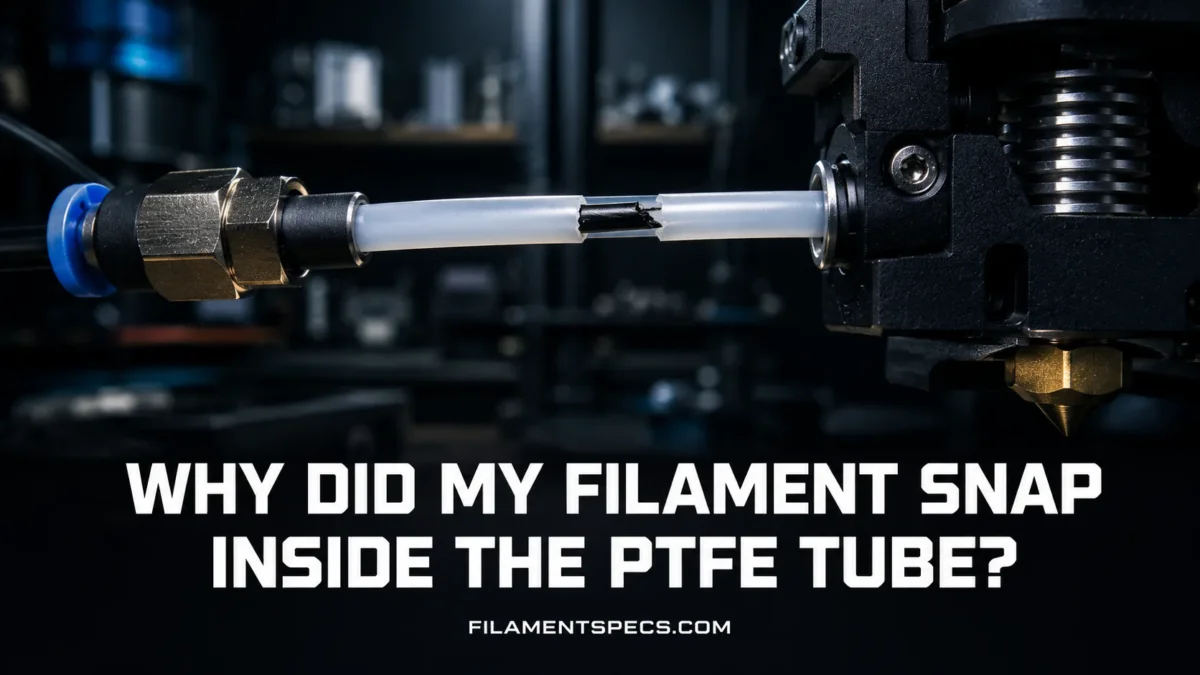
Filament usually snaps inside a PTFE tube because the filament has become too brittle for the bend, pull, and straightening force inside the feed path. The tube is rarely “cutting” the filament by itself. More often, the filament has been sitting under stress, absorbing moisture, aging on the spool, rubbing through a tight bend, or being pulled against too much resistance. The break happens inside the tube because that is where the filament is forced to stay straight while still carrying the curved memory of the spool.
| What You See | Most Likely Cause | Simple Check | Fix That Usually Works | Prevention |
|---|---|---|---|---|
| Filament breaks after sitting overnight or for several days | Aged or stressed PLA, especially when held straight inside a Bowden tube | Pull out 30–50 cm and bend it gently by hand. If it cracks easily, the filament is brittle. | Unload after long idle periods, cut back to fresh filament, and try a dry cycle if moisture is suspected. | Store spools sealed, release loaded filament when not printing for long periods, and avoid tight feed bends. |
| Breaks happen near the same bend in the tube | Tube path too tight, kinked PTFE, sharp entry angle, or high spool drag | Feed filament by hand with the printer cold and feel for rough spots. | Shorten or reroute the PTFE path so the curve is wider and smoother. | Use smooth couplers, a free-spinning spool holder, and a tube path with no hard bends. |
| Filament snaps into short curved pieces | Spool memory plus low flexibility, often seen with old PLA or filled blends | Pieces keep a curved shape instead of staying straight. | Replace the weak section, dry carefully if needed, or move the spool to a less curved feed route. | Do not leave brittle PLA loaded in long Bowden tubes during storage. |
| Extruder clicks before the break | Partial clog, heat creep, PTFE gap, crushed filament, or high friction | Look for gear marks, grinding dust, and resistance when pushing filament into the hotend. | Clean the drive gears, inspect the tube end, check nozzle flow, and reduce extruder tension if it is too high. | Keep the filament path clean and cut PTFE tube ends square. |
| Wet-looking prints, popping, bubbles, then breaks | Moisture in hygroscopic filament | Listen for popping at the nozzle and inspect surface texture. | Dry the filament at the correct temperature for its material. | Use sealed storage with fresh desiccant and print moisture-sensitive materials from a dry box. |
Table of Contents
🧵 Why Filament Snaps Inside the PTFE Tube
A PTFE tube is meant to guide filament with low friction. It is smooth, slippery, and stable across a wide temperature range when used as a material guide. PTFE is also valued for low friction and broad service temperature properties in engineering plastic use.[a] Still, a PTFE tube can become the place where a weak filament finally breaks.
The reason is simple: the tube holds the filament in a forced path. Filament on a spool wants to stay curved. The tube makes it straighter. The extruder pulls it. The spool resists a little. The couplers squeeze the path a little. If the filament is already dry-cracked, wet-weakened, old, overheated, badly wound, or filled with abrasive particles, that combined load can be enough.
Most PTFE tube breaks are stress failures. The tube is the location, not always the root cause. Look at the filament, the bend radius, the spool drag, and the hotend path before blaming the tube alone.
What Actually Happens Inside the Tube
A 1.75 mm filament line is thin enough to feed smoothly, but it is also thin enough to snap when bending strain and pulling force meet a brittle section. Inside a Bowden tube, three forces often overlap:
- Pulling force: the extruder gear pulls filament toward the hotend.
- Bending force: the tube curve bends the filament while it moves.
- Straightening force: filament that has lived on a spool is forced into a straighter path.
- Friction force: dust, oval filament, tight couplers, or a rough tube wall can add drag.
One force may be harmless. Together, they can break a weak strand. That is why the same spool may print fine on a short direct-drive path but snap inside a long Bowden tube.
Why It Often Happens While the Printer Is Idle
A very common pattern is this: the printer finishes a job, the filament stays loaded, and the next day there are broken pieces inside the tube. The extruder was not even moving. Strange, but normal.
When filament sits inside a curved PTFE path, it is held under a small but steady mechanical strain. PLA is especially known for this behavior when it has aged, absorbed some moisture, or become less flexible. The break may appear during idle time because the material slowly gives way while held in a shape it does not like.
This is why the broken pieces often look curved. They remember the spool. Then they snap while being held in a straighter tube.
🔎 Fast Diagnosis: Match the Break to the Cause
Do not start by changing every printer setting. First, inspect the broken filament. The shape and location tell you a lot.
| Break Evidence | What It Usually Means | What to Inspect Next |
|---|---|---|
| Clean, glassy snap with little stretching | Brittle filament, often old PLA or a dried-out/aged section | Spool age, storage history, sunlight exposure, bend test |
| White stress marks before the snap | Filament was bending close to its limit | Tube bend radius, spool angle, reverse Bowden path |
| Deep extruder tooth marks | Drive gear tension too high or filament was blocked downstream | Extruder spring tension, nozzle clog, PTFE end gap |
| Ground filament dust near extruder | Gear slipping against filament instead of feeding smoothly | Partial clog, too much back pressure, dirty drive gears |
| Break always near coupler | Tube edge, fitting pressure, or sharp entry angle is adding stress | PTFE cut quality, coupler teeth, tube seating depth |
| Breaks only with one material or color | Material formulation, pigment, filler, or storage condition | Try a fresh spool of the same material type |
The Hand Bend Test
Cut 20–30 cm of filament from the spool. Bend it into a gentle U shape. Do not fold it sharply. If it snaps before forming a smooth bend, the filament is already too brittle for a long or tight PTFE route.
Fresh PLA should bend somewhat before breaking. PETG usually bends more. TPU should flex easily. Filled filaments vary a lot. Carbon fiber, wood-filled, glow, matte, and some silk blends can be less forgiving because additives can change flexibility and fracture behavior.
The Tube Drag Test
Unload the filament. Remove the PTFE tube if your printer design allows it. Slide a fresh straight piece of filament through the tube by hand.
- If it glides smoothly, the tube itself is probably not the main problem.
- If it catches, squeaks, or needs force, inspect the tube for dust, heat damage, a crushed end, or a bad coupler.
- If the drag changes only when the tube is bent, the curve is too tight for that filament.
Small drag matters. A PTFE path can feel “almost fine” by hand and still be enough to break weak PLA after hours of loaded storage.
🧩 How the PTFE Path Creates Stress
The PTFE tube has one job: guide filament from the extruder to the hotend, or guide it from the spool system to the extruder in a reverse Bowden setup. In both cases, the tube adds geometry. Geometry adds force.
Bend Radius Matters More Than Tube Length
A long, smooth tube is often better than a short tube with a tight bend. The tight bend is where brittle filament fails. If the tube leaves the extruder, curves sharply, then enters the hotend or print head at a steep angle, the filament is being flexed every time it moves.
For brittle PLA, old spools, and filled materials, use the widest curve your printer layout allows. No kink. No hard corner. No forced S-curve.
Tube End Quality Can Add a Hidden Catch Point
The end of a PTFE tube should be cut square and clean. A slanted or crushed cut can create a small lip. That lip may not block the filament fully, but it can scrape it, shave dust, or create extra drag near the hotend.
Watch for these signs:
- filament dust near the coupler;
- random under-extrusion before the snap;
- clicking from the extruder;
- a tube end that looks oval instead of round;
- a small gap between the tube and nozzle/heatbreak in PTFE-lined hotends.
Couplers Can Bite Into the Tube
Pneumatic couplers hold the tube with small internal teeth. Over time, the tube can move, wear, or get grooved. If the tube shifts during retraction, the filament path may change during printing. That can create a tiny gap or ledge.
Replace the coupler or trim the tube end if you see deep tooth marks, loose tube movement, or repeated jams near the fitting.
⚙️ Material Behavior: PLA, PETG, TPU, Nylon, and Filled Blends
Different filaments fail in different ways. A PTFE tube problem with PLA may not appear with PETG. A nylon spool may print badly from moisture but still bend without snapping. TPU may not snap at all, yet it can buckle if the tube path is too loose.
Relative Risk of Snapping Inside PTFE Tube General Behavior
PLA
PLA is the material most often associated with snapping inside PTFE tubes. It prints easily, but it can become stiff and brittle after poor storage, long open-air exposure, heat exposure, or age. PLA also sits below or near room-temperature use as a glassy polymer; polymer behavior around glass transition explains why stiffness, brittleness, and flexibility can change strongly with temperature and moisture state.[b]
Old PLA in a long Bowden tube is the classic case. It may look normal on the spool, then break as soon as it is straightened through the tube.
PETG
PETG is usually less likely than PLA to snap in a clean PTFE path. It bends more before breaking. But wet PETG can create extrusion problems: popping, stringing, rough surface, and uneven flow. Those problems can raise back pressure, which then makes the extruder pull harder.
So PETG breakage inside the tube is often not pure brittleness. It is more often a mix of moisture plus feed resistance.
TPU
TPU rarely snaps inside the tube because it is flexible. Its problem is different: it can compress, buckle, or bind if the path is too loose, too long, or too curved. A PTFE tube with low friction helps TPU, but a long Bowden setup can still be difficult for very soft grades.
For TPU, snapping is not the usual failure. Buckling is.
Nylon and PA Blends
Nylon is tough and flexible compared with brittle PLA, but it is moisture-sensitive. Wet nylon can print with bubbles, rough extrusion, weak layer bonding, and unstable flow. If the nozzle path resists flow, the extruder force rises. In a tube path with bends or drag, that force can create feed failures.
Nylon should be stored and printed dry. It often needs a dryer that can hold a higher temperature than basic PLA-only dryers.
Filled, Matte, Silk, Wood, Glow, and Carbon Fiber Blends
Filled materials can behave differently from their base polymer. Additives can improve stiffness, color, texture, or surface finish, but they can also reduce bend tolerance. A carbon fiber PLA, wood PLA, marble PLA, or glow PLA may snap sooner than plain PLA if forced through a tight tube curve.
This does not mean the filament is poor. It means the path must match the material.
💧 Moisture: When Wet Filament Becomes a Tube Problem
Moisture does not always make filament snap directly. Sometimes it creates extrusion problems that later lead to a break.
When a filament has absorbed water, the hotend may show:
- popping or crackling at the nozzle;
- small bubbles in the extruded line;
- rough or fuzzy surface texture;
- stringing that was not present before;
- weak layer bonding;
- inconsistent extrusion pressure.
Prusa’s material guidance notes that many FFF filaments are hygroscopic, that moisture can cause poor surface quality, low layer adhesion, blobs, bubbling, and smoke during extrusion, and that polyamide, PVA, and TPU often need drying more than common PLA.[c]
Why Moisture Can Lead to Snapping
A wet filament may swell slightly, soften differently, or feed unevenly. Even when the filament itself does not crack in your hand, the printer may need more force to push it through the nozzle. More force at the extruder means more pulling stress through the PTFE tube.
That is the hidden link: moisture can raise resistance. Resistance can expose weak spots.
Dry Box vs Dryer
A dry box keeps dry filament dry. A dryer removes moisture from wet filament. They are not the same tool.
- Use a dry box when the spool is already dry and you want stable printing over many hours.
- Use a dryer when the spool shows moisture symptoms or has been stored open in humid air.
- Use sealed storage with desiccant when the spool is not being used.
Do not overheat PLA while drying. PLA can soften and stick to itself on the spool if the drying temperature is too high or the dryer has poor temperature control.
| Filament Type | Typical Drying Range | Typical Time | Tube-Snapping Relevance |
|---|---|---|---|
| PLA / PLA+ | 40–50°C | 4–8 hours | Drying may help moisture-related brittleness, but old or heat-damaged PLA may still snap. |
| PETG | 50–60°C | 4–8 hours | Reduces popping and flow resistance that can increase extruder pull. |
| TPU | 45–60°C | 4–8 hours | Improves print quality; snapping is less common than buckling. |
| ABS / ASA | 70–80°C | 4–6 hours | Less common for tube snapping, but dry material feeds more consistently. |
| Nylon / PA | 70–90°C or higher by product | 6–12+ hours | Drying is often needed before printing; wet nylon can create unstable extrusion. |
| Carbon Fiber Filled Blends | Depends on base polymer | Depends on base polymer | Stiffness and additives can reduce bend tolerance in tight PTFE paths. |
These values are practical starting points, not a replacement for the filament brand’s technical sheet. Spool material also matters because some spools deform before the filament reaches its ideal drying temperature.
🛠️ Mechanical Causes That Look Like Bad Filament
Sometimes the filament is fine. The printer path is the problem.
Spool Drag
If the spool does not rotate freely, the extruder pulls harder. A heavy spool on a rough holder, a tangled loop, or a tight side-mounted angle can add more stress than expected.
Check this before anything else: pull filament from the spool by hand. It should unwind smoothly. If it jerks, catches, or lifts the spool, fix the holder or the winding path.
Tangled Filament
A true filament knot is less common than people think, but crossed loops can happen when the loose end is not secured. A tangled spool may feed normally for a while, then suddenly resist. That sudden resistance can snap brittle filament inside the tube.
Never let the free end spring loose. Secure it in the spool holes or a clip.
Extruder Tension Too High
Too much tension can flatten or chew filament. Flattened filament may drag more inside the tube and hotend. If the extruder leaves deep bite marks, reduce tension if your printer allows adjustment.
Too little tension is also a problem. The gear slips, grinds dust, and stops feeding. Aim for firm grip, not crushing force.
Partial Nozzle Clog
A partial clog raises back pressure. Then the extruder must pull harder and push harder. If the filament is brittle, the extra load can break it before the clog becomes obvious.
Look for:
- thin extrusion during manual purge;
- curling filament as it exits the nozzle;
- random under-extrusion;
- extruder clicking;
- hotend temperature needing to be higher than usual for the same material.
Heat Creep and Softening Before the Melt Zone
Heat creep happens when heat travels too far upward into the cold side of the hotend. The filament softens too early, swells, sticks, and becomes hard to push. Then the extruder grinds or pulls against resistance.
Material extrusion systems depend on controlled feeding, heating, and flow; NIST research on thermoplastic material extrusion discusses feed-rate limits and jamming behavior in the heated tube region.[d]
Common heat-creep triggers include weak hotend cooling, high chamber temperature, clogged heat sink fins, too much retraction, and printing low-temperature materials too hot for too long.
PTFE Gap in Lined Hotends
On PTFE-lined hotends, the tube end must sit cleanly against the nozzle or heatbreak seat. A small gap can fill with softened plastic. That plastic can harden into a plug, raising resistance. Then the filament may grind or snap upstream.
If breaks are paired with repeated clogs, inspect the hotend assembly rather than only replacing the spool.
🧹 How to Remove Broken Filament From the PTFE Tube
Do not yank blindly. A broken piece can wedge harder if it is curved, swollen, or softened near the hotend.
If the Broken Piece Is in the External Bowden Tube
- Unload the printer if the extruder can still move filament.
- Release the coupler clip if your printer uses one.
- Press the coupler collar and remove the PTFE tube.
- Push the broken filament out with a fresh straight piece of filament.
- Inspect the tube for grooves, dust, oval ends, or internal roughness.
- Reinstall only after cutting any damaged tube end cleanly and squarely.
Do not use metal wire unless you know the tube is removed and you can avoid scratching the inside. A scratched guide path can create future drag.
If the Broken Piece Is Near the Hotend
- Heat the nozzle to the normal printing temperature for that filament.
- Try a gentle unload command.
- If it does not move, remove the PTFE tube from the hotend side if your printer design allows it.
- Push from the top with fresh filament while the nozzle is hot.
- If resistance remains, perform a cold pull or inspect for a nozzle clog.
Work only within your printer’s service instructions. Hotends, nozzles, and heater blocks can burn skin. Let parts cool before touching anything that is not meant to be handled hot.
If the Filament Shattered Into Many Pieces
This usually means the filament is very brittle. Remove the tube and clear it outside the printer. Do not keep feeding more brittle filament through the same path. It may break again within minutes.
Cut back several meters from the spool and test the fresh section. If the whole spool snaps in a gentle hand bend, treat it as unreliable for long Bowden paths.
✅ How to Stop Filament Snapping Inside the PTFE Tube
Good prevention is not one trick. It is a clean feed path, a flexible-enough filament, and a storage routine that keeps the material stable.
Use a Smoother Tube Route
- Use wide curves instead of tight bends.
- Avoid sharp tube entry angles at the extruder and toolhead.
- Keep the spool aligned with the tube entrance.
- Do not trap the tube under the gantry, cable chain, lid, or enclosure edge.
- Replace kinked PTFE instead of trying to “straighten” it back.
Unload Brittle PLA During Long Idle Periods
If PLA keeps breaking after sitting loaded overnight, unload it after printing. This is especially useful for older spools, matte PLA, silk PLA, and long Bowden printers. It removes the constant strain from the tube.
Simple habit. Big difference.
Store Filament Based on Material Sensitivity
- PLA: sealed bag or dry box is usually enough for normal use, but old PLA can still become brittle.
- PETG: sealed storage is strongly preferred because moisture affects print quality.
- TPU: store dry and print from a dry box when possible.
- Nylon / PA: dry storage and pre-print drying are often needed.
- PVA / BVOH: keep sealed; these support materials are very moisture-sensitive.
Keep the Extruder Clean
Filament dust near the drive gear is a warning. It means the gear is grinding instead of feeding smoothly. Clean the gear teeth with a small brush, then find the reason for the resistance. Dust is a symptom.
Check Retraction Settings
High retraction distance can pull filament back and forth through the same tube section many times. This is harder on brittle or filled materials. Bowden printers often need more retraction than direct-drive printers, but too much can increase wear, heat-creep risk, and feed instability.
For brittle filament, reduce retraction distance in small steps and test stringing again.
Use the Right Path for the Material
Some materials simply do not enjoy long, tight Bowden systems. If a spool prints perfectly on a direct-drive printer but snaps repeatedly in a long PTFE path, the material may be too stiff or too brittle for that route.
Match the feed path to the filament. This is especially true for filled PLA, old PLA, and very soft TPU.
| When It Breaks | First Correction | Second Correction | If It Still Breaks |
|---|---|---|---|
| After idle time | Unload filament after printing | Dry the spool carefully | Use a fresher spool or a shorter feed path |
| During first load | Cut a fresh angled tip | Check tube drag and coupler entry | Replace damaged PTFE tube |
| Mid-print | Check spool drag and tangles | Clean drive gears and inspect nozzle flow | Check heat creep and PTFE seating |
| After retractions | Lower retraction distance | Lower retraction speed | Inspect hotend cooling and tube gap |
| Only with filled filament | Use wider tube curves | Reduce feed resistance | Prefer direct drive or a shorter guide path |
FAQ
Why does PLA snap inside the PTFE tube but not on the spool?
On the spool, PLA is curved and supported. Inside the PTFE tube, it may be forced straighter, bent through a tighter path, and pulled by the extruder. If the PLA is old, brittle, moisture-affected, or filled with additives, that extra stress can make it snap.
Can moisture make filament snap inside the tube?
Yes, but not always directly. Moisture can make some filaments print poorly, pop at the nozzle, swell slightly, or feed unevenly. That raises resistance in the extrusion path. If the filament is already weak, the added pull can trigger a break.
Is the PTFE tube damaging my filament?
A clean, smooth PTFE tube normally guides filament without damage. Problems start when the tube is kinked, cut badly, crushed by a coupler, dirty inside, too tightly curved, or not seated correctly near the hotend.
Should I replace the PTFE tube after a filament break?
Replace it if the tube is kinked, scratched inside, heat-deformed, oval at the end, or loose in the coupler. If it looks clean and filament slides through smoothly, the tube may still be usable.
Why does filament break after the printer sits unused?
The filament can remain under bending and straightening stress while loaded. Brittle PLA may slowly crack while held inside the tube, especially if the path has a tight curve. Unloading after printing can stop this pattern.
Does drying always fix brittle filament?
No. Drying helps when moisture is part of the problem. It does not fully repair filament that has aged badly, been heat-damaged, exposed to harsh storage conditions, or become brittle throughout the whole spool.
Why does filament snap into many short pieces?
That usually points to severe brittleness. The filament may have lost enough flexibility that even light bending inside the tube breaks it into several curved fragments. Test the spool by hand before printing again.
Can extruder tension cause snapping inside the PTFE tube?
Yes. Too much tension can crush or flatten the filament. Too little tension can grind it. Both can increase drag and create weak spots. The gear should grip firmly without chewing the filament.
Is direct drive better for brittle filament?
Often, yes. Direct-drive paths are shorter, so the filament sees less tube drag and less bending. Brittle PLA and filled blends usually tolerate short paths better than long Bowden tubes.
Can I keep filament loaded in the PTFE tube all the time?
For flexible, fresh, or frequently used filament, it may be fine. For old PLA, matte PLA, filled PLA, or any spool that has snapped before, unloading after printing is safer.
Sources
- [a] PTFE Material Properties
- Ensinger — PTFE / TECAFLON PTFE explains PTFE’s low-friction behavior and service temperature range, which supports the section on why PTFE is used as a filament guide. (Reliable because Ensinger is an established engineering plastics manufacturer with material property documentation.)
- [b] Glass Transition and Polymer Brittleness
- SpecialChem — Glass Transition Temperature explains glass transition behavior, including why polymers can be hard and brittle below Tg and how moisture can affect Tg. (Reliable because SpecialChem is a long-running polymer and materials reference platform used for plastics selection.)
- [c] Filament Moisture and Drying
- Prusa Knowledge Base — Drying Filament covers hygroscopic filament behavior, moisture symptoms, storage, and material-specific drying recommendations. (Reliable because it is official support documentation from a major 3D printer and filament manufacturer.)
- [d] Feed Resistance and Jamming in Material Extrusion
- NIST — Upper Bound of Feed Rates in Thermoplastic Material Extrusion discusses feed-rate limits and jamming behavior in thermoplastic material extrusion. (Reliable because NIST is a U.S. government measurement science institution.)